ECDIS-E User Guide Charts
65934012 4-57
Creating Soundings
In the creation of sounding objects you must specify the depth of the
sounding object.
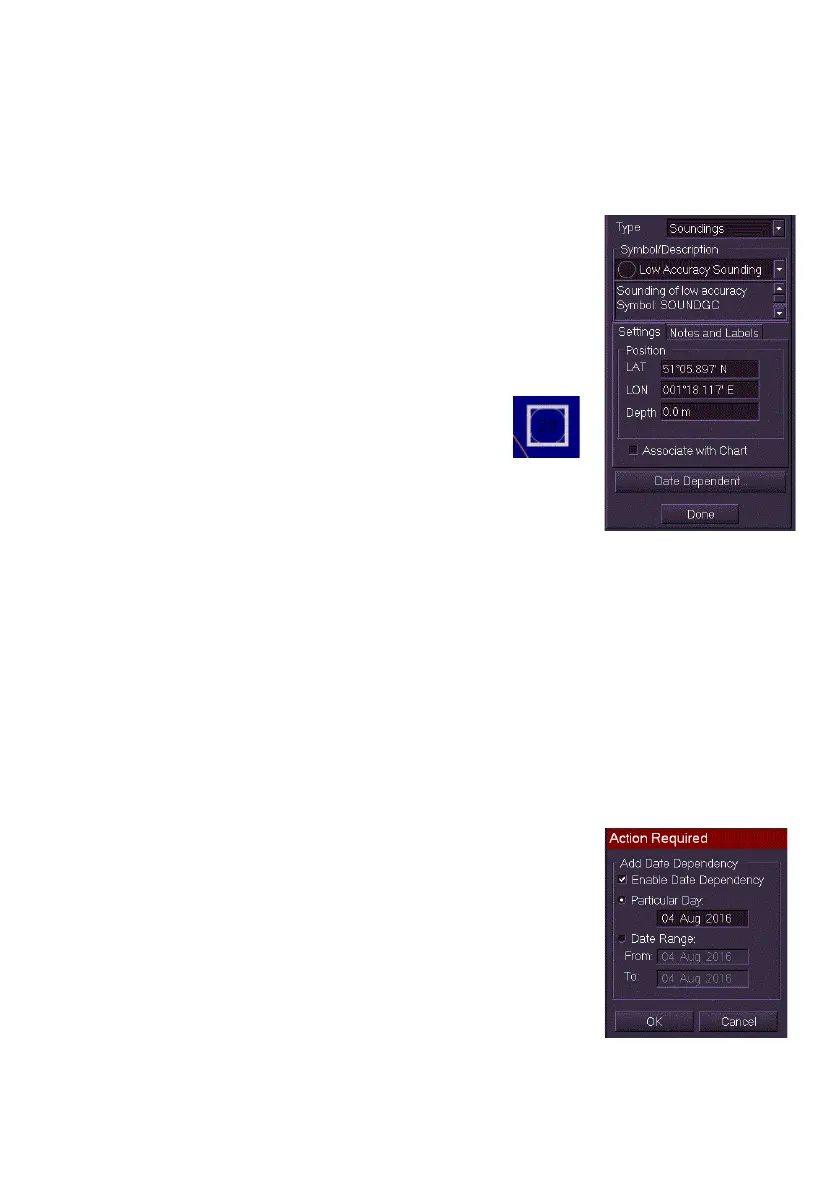
To create the Sounding symbols do the following:
1. Select Soundings from the Type drop down
list.
2. Click on the Symbol/Description drop down
list and select the required sounding symbol.
The field directly underneath the
Symbol/Description list includes a brief
description of the selected symbol.
3. Create and position the Sounding
symbol as described previously for
other chart symbols.
4. To specify a depth for the sounding symbol
enter a value in the Depth field. The value
entered will be shown on the Sounding symbol.
5. To create a date dependency for the object see `Creating Date
Dependent Objects'.
6. To exit Create Chart Update mode click the Done button, the
symbols created are fixed in position and the view returns to the
Edit folder.
Creating Date Dependent Objects
A chart object may have a specific date or a specific date range defined for
the display of the object. If the date dependency is set for a future time
period the object will not be displayed on the screen until the particular day
or date has been reached.
To define a date dependence for an object do the
following:
1. With the Create Chart Object window open,
click on the Date Dependent button. An Action
Required window appears.
2. To enable the function tick the Enable Date
Dependency check box. The Particular Day
and Date Range options become available.



 To Next Page