Appendix A - Chart Installation ECDIS-E User Guide
A-4 65934012
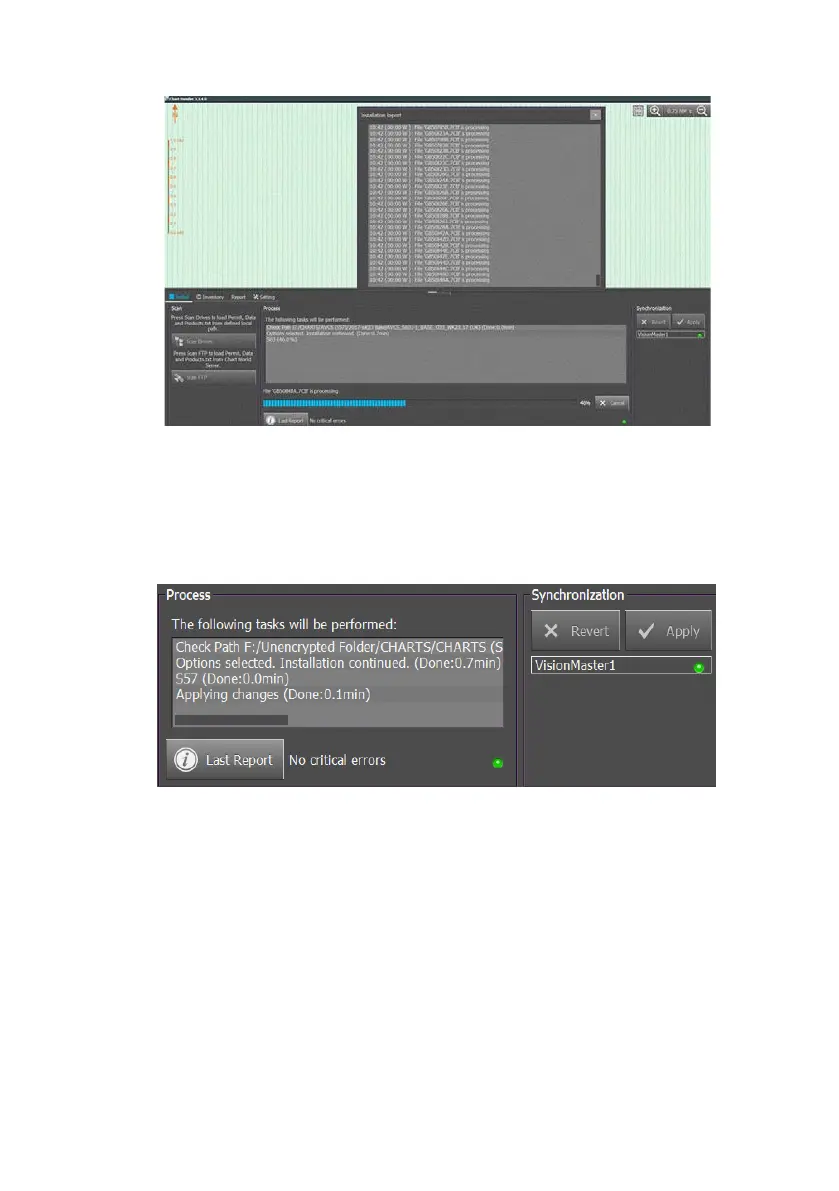
9. When chart installation is complete (as stated on the ChartHandler
screen) click the Apply button. Confirmation of a successful
installation is confirmed by two green indicators, one in the process
portion of the screen and the other under the Apply button in the
Synchronisation portion of the screen. The Apply button will
become grey.
10. Once the Apply button is greyed out, click on the Exit button to exit
the ChartHandler application. The ChartHandler application will
shut down and the VMFT will automatically restart.
Chart data suppliers such as UKHO may provide additional safety-related
information about supplied ENC chart sets on each Admiralty Vector Chart
Service (AVCS) CD/DVD.
NGSM recommends that the user carefully reads all the information
provided by the chart data supplier. This applies particularly to chart sets
used where the vessel sails near shoals or high traffic areas.



 To Next Page