APPEAR AS Confidential 183/352
If there is a transcoder module available in the unit, this will allow you to allocate
the service to an available transcoder port.
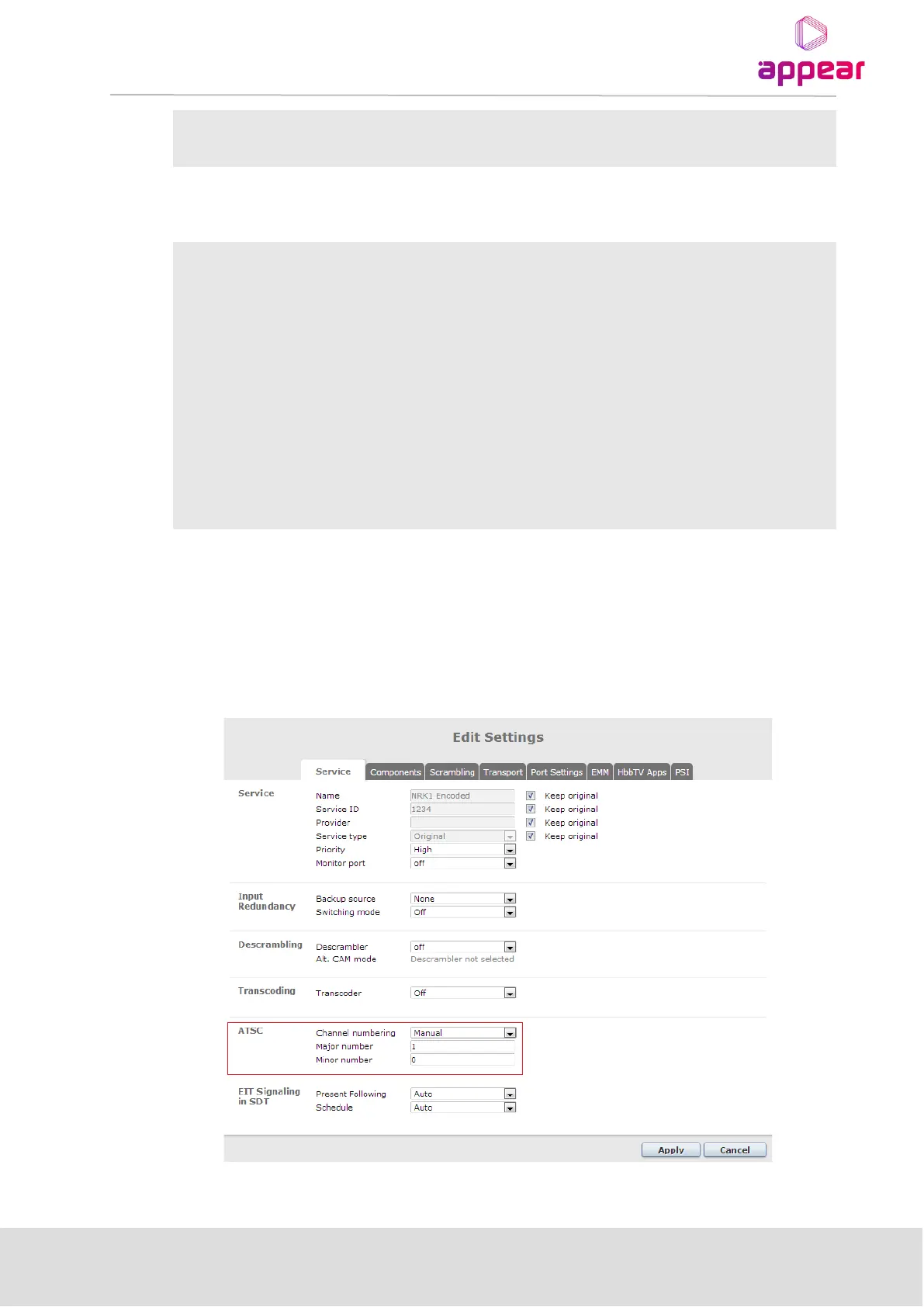
For each outgoing service, it is possible to manually set the signaling of EIT Present Following or Schedule in the
SDT:
Choose one of the following:
• Auto – If the EIT table configuration on the PSI page is set to Play or Pass,
then the SDT flag is set to 1. Otherwise, it is set to 0.
• Present – the EIT present/following flag in the SDT is set to 1
• Not Present – the EIT present/following flag in the SDT is set to 0
Choose one of the following:
• Auto – If the EIT table configuration on the PSI page is set to Play or Pass,
then the SDT flag is set to 1. Otherwise, it is set to 0.
• Present – the EIT schedule flag in the SDT is set to 1
• Not Present – the EIT schedule flag in the SDT is set to 0
If an EPG module is available and the schedule is enabled on the output, then both Present Following and the
Schedule flags are set to 1 in the SDT.
For each outgoing service, it is possible to manually set the Major and Minor channel number if ATSC profile is
active for corresponding transport stream.
If “Channel number” is set to “Auto” the numbers will be copied from the input TVCT/CVCT tables. In “Manual”
mode the values are entered in the GUI.



 To Next Page