APPEAR AS Confidential 340/352
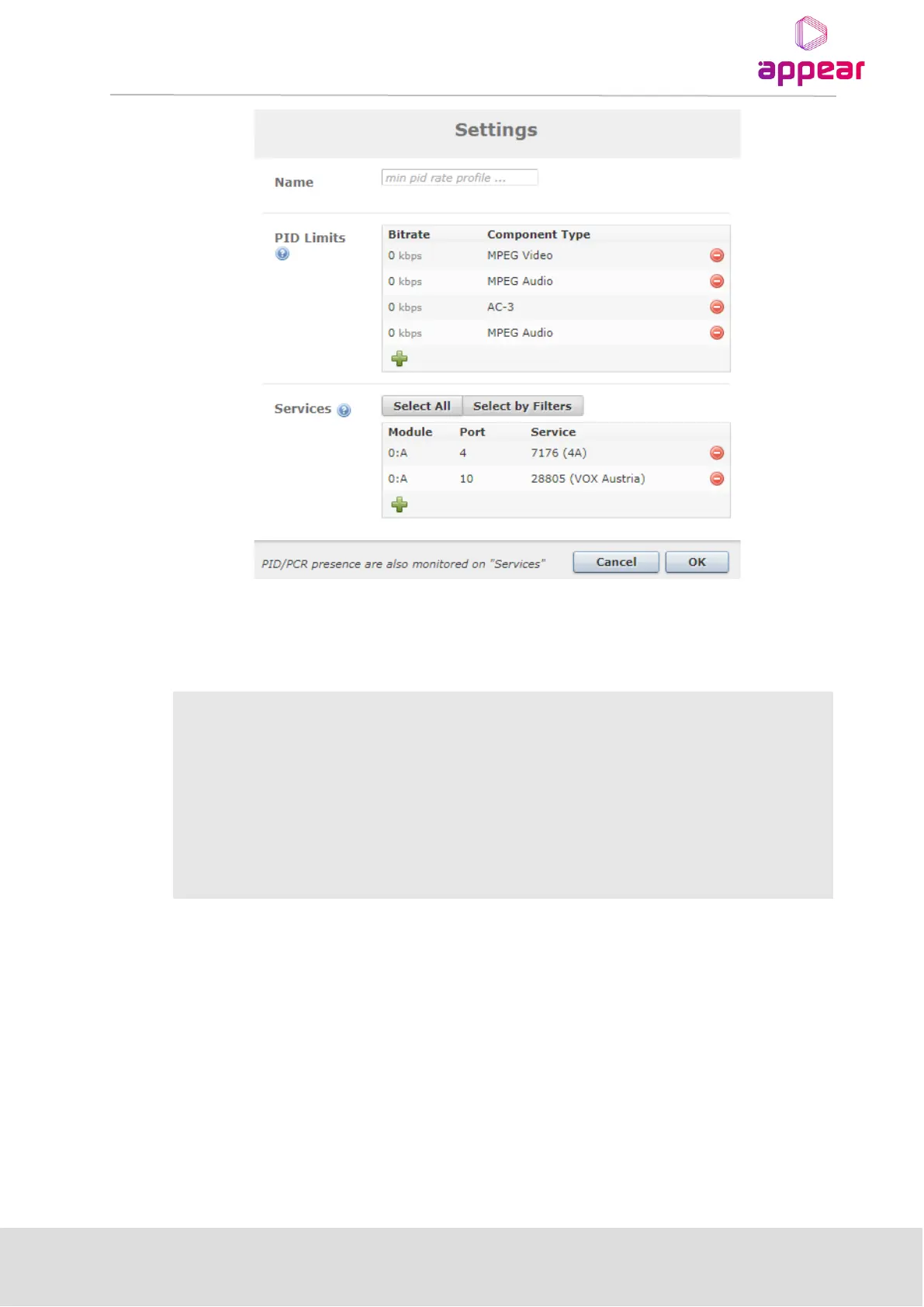
Below are the parameters for setting up Service Monitoring configuration
Name of the monitoring profile. If no name is given, a default name is given. A profile must
have a name.
PID limits rules can be added for various component types from the drop down list.
Multiple rules can be added per profile.
Services to apply the monitoring criteria of PID Limits, (as well as PCR/PID presence), are
specified. If no other profiles are set up, the default is to monitor all services. The system
allows a service to be monitored by only one profile. If a service has been set up for
monitoring in one profile, it will not be available as an option in the other profiles
13.1.8.4 Port Monitoring
This feature allows you to enable CC error monitoring on a port. Once configured with a CC Error limit and time
limit (in seconds), the monitored ports will raise an alarm if this limit is exceeded.
A service level profile is configured in three steps:



 To Next Page