APPEAR AS Confidential 75/352
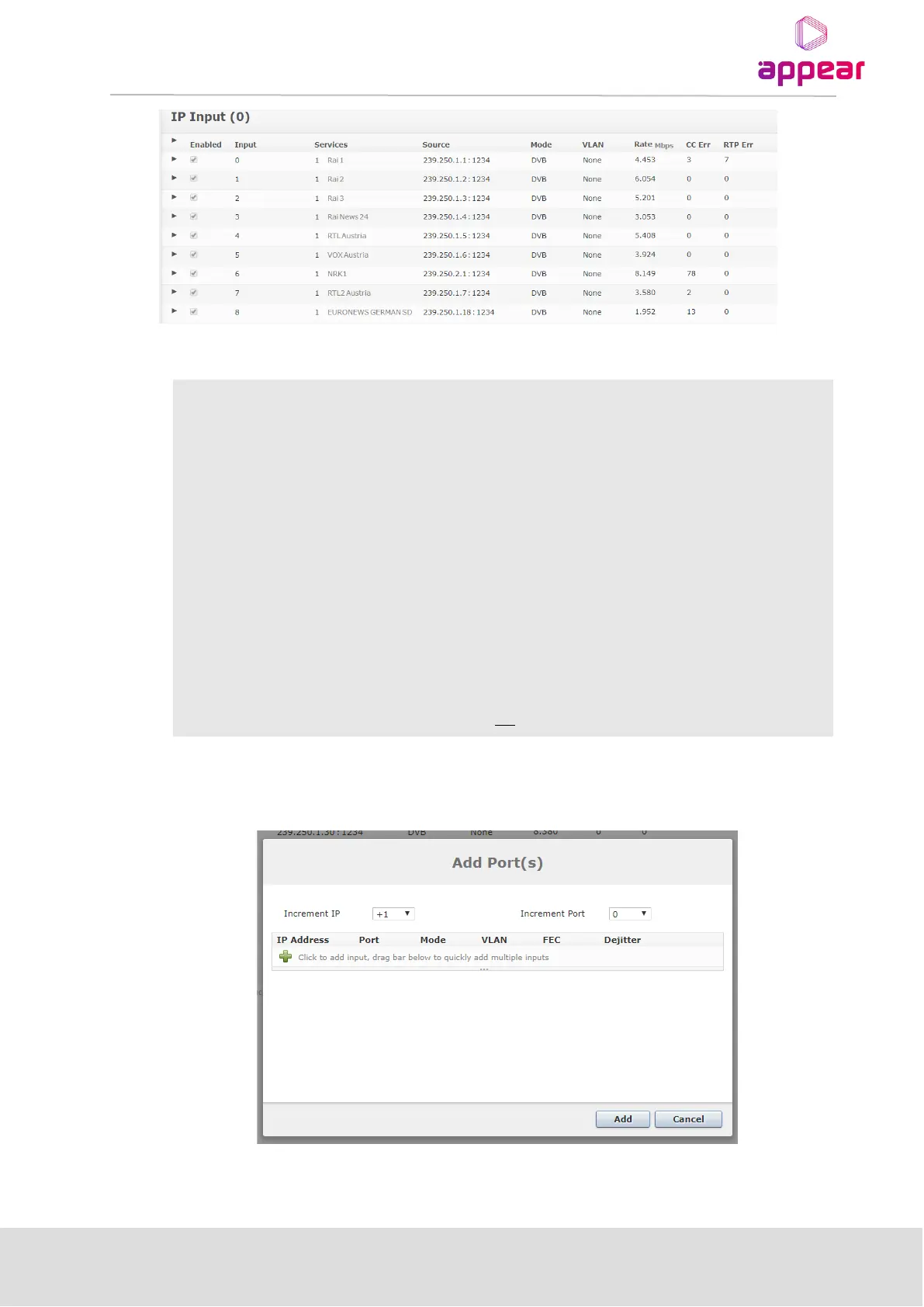
The following status is displayed for each input port:
Number of services on the input port
IP address and port of the multicast or unicast
The analysis mode of the input stream.
Name of VLAN (if enabled)
Continuity Counter Error – indicates that one or more packets are lost
Real-time Protocol Error – represents the number of discontinuities on the RTP counter if
RTP is enabled on source. If RTP is not enabled on the source, N/A is displayed.
To add new input streams to the IP Input, first click the Add button in the top right corner. You will then be
presented with the following dialog box:
Once the + button is clicked you will be presented with an initial field with the following parameters available:



 To Next Page