APPEAR AS Confidential 87/352
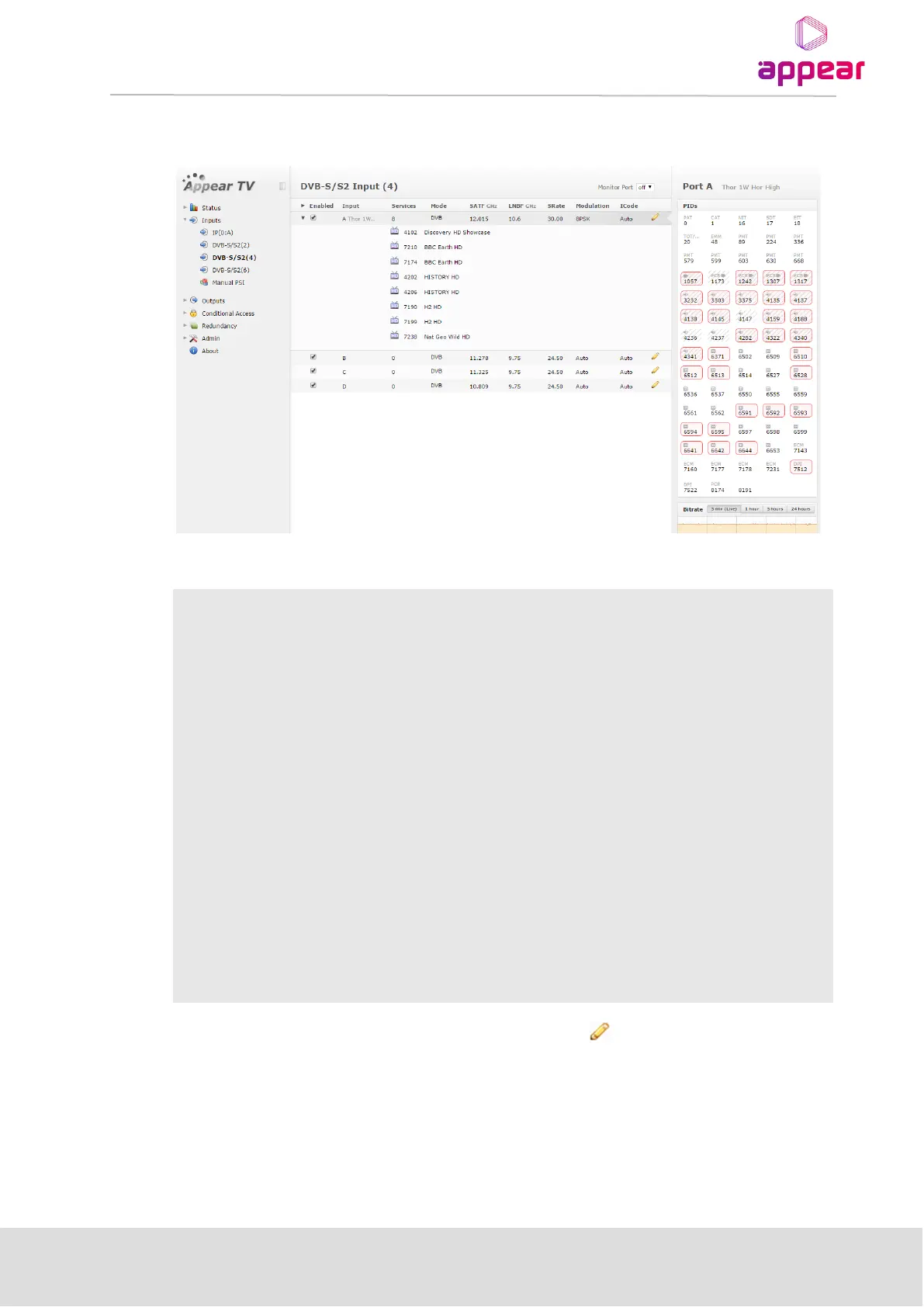
Select DVB S/S2 to display the module configuration (see Figure 5.17). Services available on all four input ports
will be listed in this view.
The DVB-S/S2 node shows all major configuration settings as well as the current bitrate and service information.
Enable the corresponding input port
Port on the ASI input module
Number of services available on this port
Analysis mode of input port
Input Satellite frequency (GHz)
Input LNB Frequency (GHz)
Input signal modulation setting
Continuity Counter Error – indicates that one or more packets are lost
The above list of parameters can be configured by clicking on the pencil icon to the right of each input. The
pop up dialog below will be displayed:



 To Next Page