APPEAR AS Confidential 88/352
-
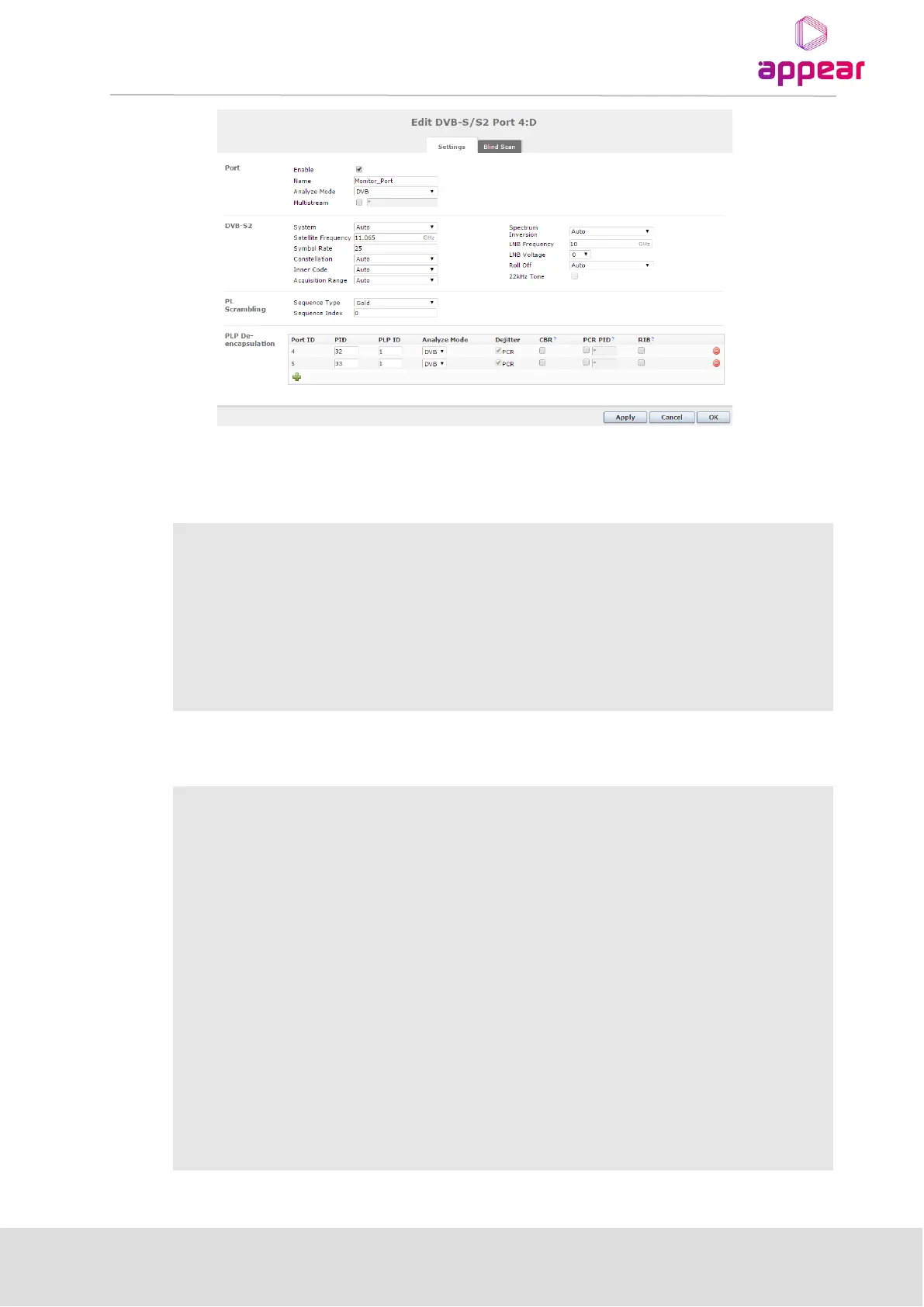
In this dialog, parameters can also be modified depending on the configured mode and hardware version.
Port Setting:
Enable the corresponding input port
This parameter allows for each port in a module to be labeled. This label is visible
as a tooltip when the mouse cursor hovers over the port. Port names are shown
in the alarms when a non-empty string is set as the name..
If enabled, specify stream identifier
• Auto (SR-110 / SR-200)
• DVB-S
DVB-S2
DVB-S2X
Satellite Frequency in GHz
Symbol Rate – specify the symbol rate of the incoming DVB-S/S2 signal.
Select one of the following modes:
• Auto (SR-110 / SR-200)
• QPSK
• 8PSK
• 16APSK (SR-110 / SR-200)
• 32APSK (SR-200)
Inner Code – specify the FEC overhead fraction



 To Next Page