•
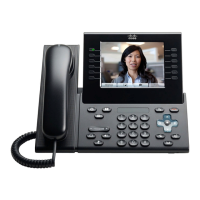
For the Cisco Unified IP Phone 9971, when WiFi is enabled: Wireless Settings > IPv6 Setup
The following table describes the IPv6 related information found in the IPv6 menu.
Table 13: IPv6 Setup Menu Options
DescriptionDefault ValueOption
Indicates the method that the phone uses to get the IPv6 address.
When DHCPv6 is enabled, the phone gets the IPv6 address using
the DHCPv6 serverion of Stateless address autoconfiguration
(SLAAC). When DHCPv6 is disabled, the administrator must
assign all the IPv6 settings.
Unlike DHCPv4, even DHCPv6 is disabled the phone
can still generate a SLAAC address if autoconfigure is
enabled.
Note
YesDHCPv6 Enabled
Displays the current IPv6 address of the phone or allows the user
to enter a new IPv6 address.
Two address formats are supported:
•
Eight sets of hexadecimal digits separated by colons
X:X:X:X:X:X:X:X
•
Compressed format to collapse a single run of consecutive
zero groups into a single group represented by a double
colon.
If the IP address is assigned with this option, you must also assign
the IPv6 prefix length and the default router.
::IPv6 Address
Displays the current prefix length for the subnet or allows the
user to enter a new prefix length.
The subnet prefix length is a decimal value from 1-128.
0IPv6 Prefix Length
Displays the default router used by the phone or allows the user
to enter a new IPv6 default router.
::IPv6 Default Router
Displays the primary DNSv6 server used by the phone or allows
the user to enter a new server.
::IPv6 DNS Server 1
Displays the secondary DNSv6 server used by the phone or allows
the user to set a new secondary DNSv6 server.
::IPv6 DNS Server 2
Allows the user to enable the use of an alternate (secondary) IPv6
TFTP server.
NoIPv6 Alternate TFTP
Displays the primary IPv6 TFTP server used by the phone or
allows the user to set a new primary TFTP server.
::IPv6 TFTP Server 1
Cisco Unified IP Phone 8961, 9951, and 9971 Administration Guide for Cisco Unified Communications Manager 10.0
77
Configure Network Settings



 To Next Page