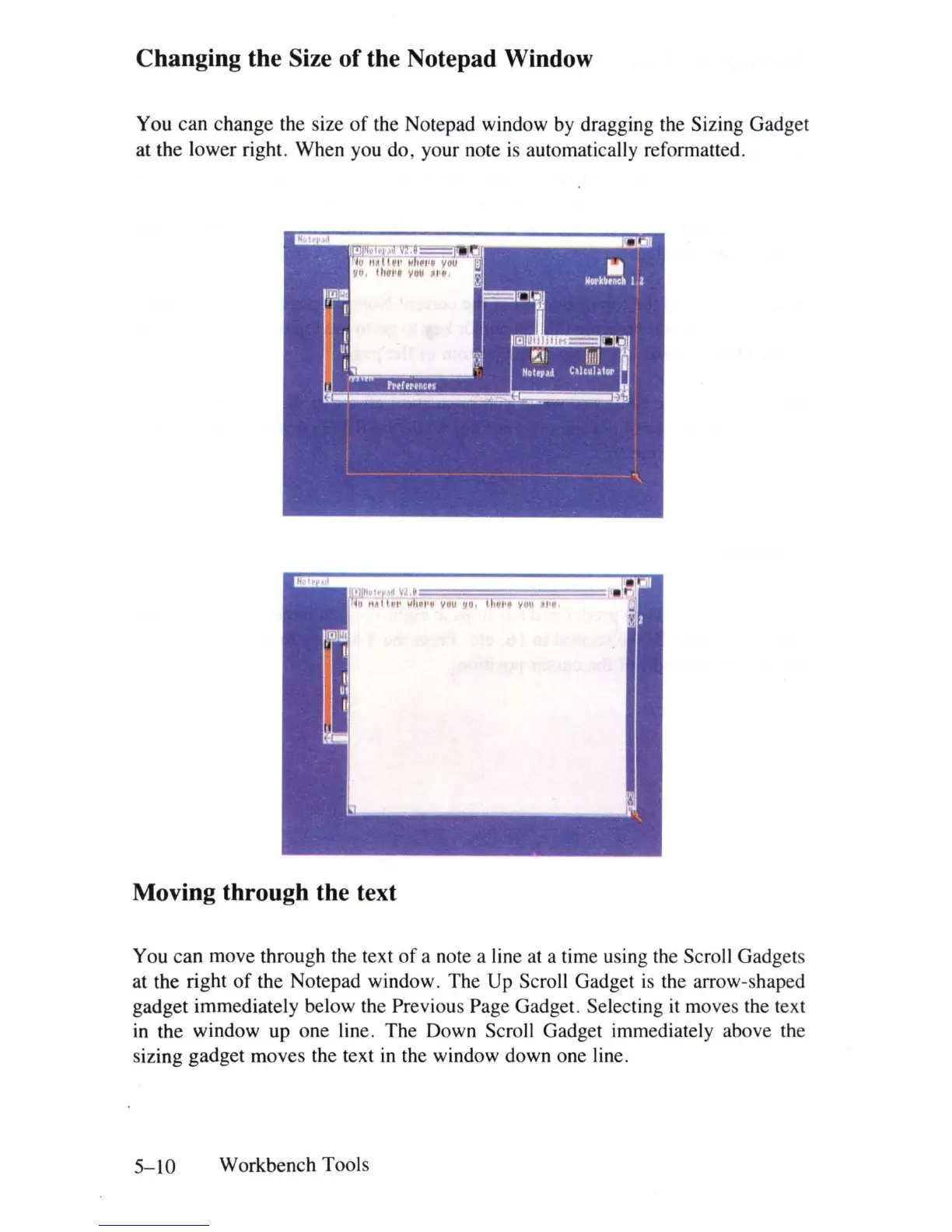
Changing the Size
of
the Notepad Window
You can change the size
of
the Notepad window by dragging the Sizing Gadget
at the lower right. When you do, your note
is
automatically reformatted.
,,~
~
;
1
'
~
I
~
~
Wrl
=
II
I
'Ii
=
V
=
'U
=
'
=
"
~
I
:;=
III
!
=
"'
=
V
=
(jU
=
"
=
"
=
'
==
Moving through the text
You can move through the text
of
a note a line at a time using the Scroll Gadgets
at the right
of
the Notepad window. The Up Scroll Gadget
is
the arrow-shaped
gadget immediately below the Previous Page Gadget. Selecting it moves the text
in
the window up one line. The Down Scroll Gadget immediately above the
sizing gadget moves the text
in
the window down one line.
5-10
Workbench Tools















 To Next Page