Dragging Screens
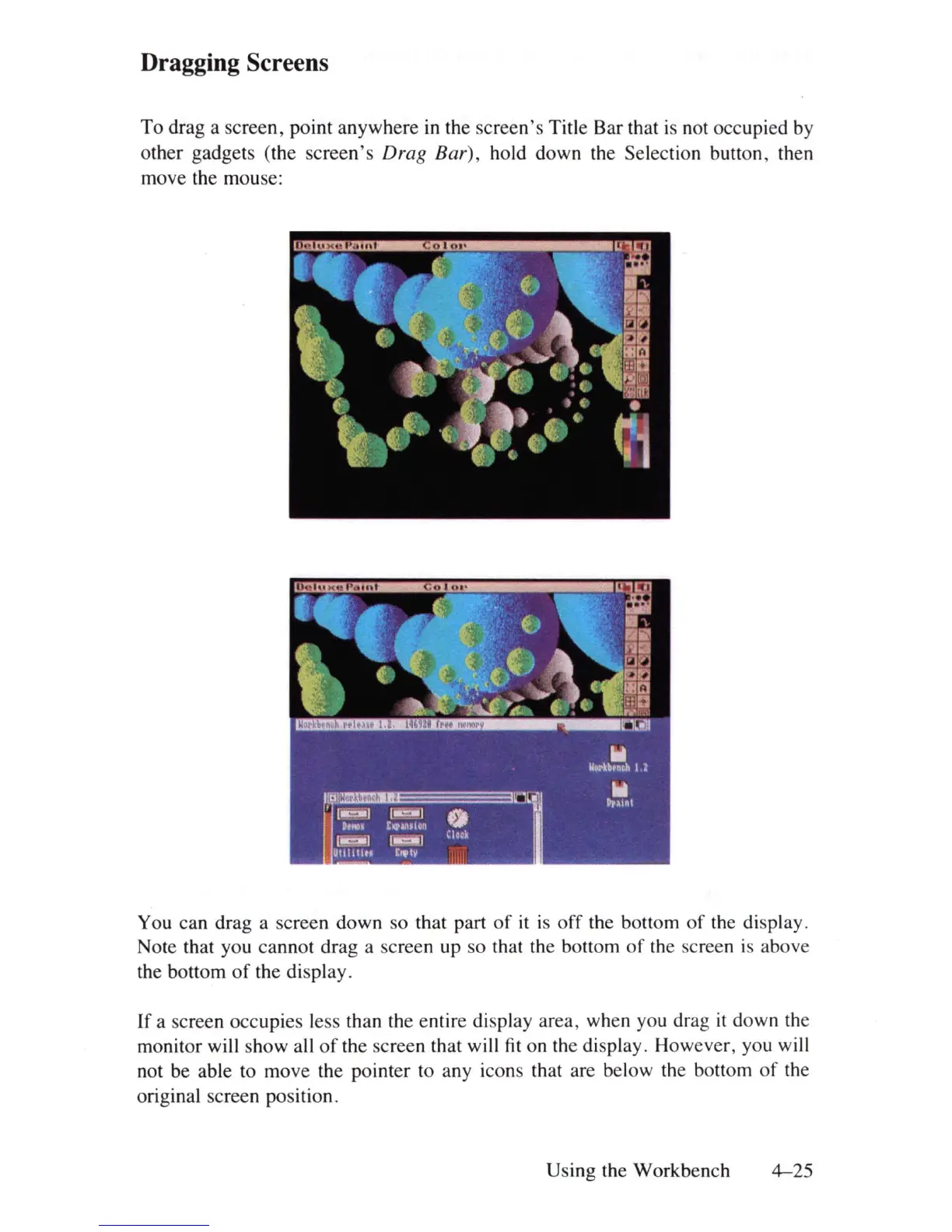
To drag a screen, point anywhere
in
the screen's Title Bar that
is
not occupied by
other gadgets (the screen's
Drag
Bar), hold down the Selection button, then
move the mouse:
You can drag a screen down so that part
of
it
is off the bottom
of
the display.
Note that you cannot drag a screen up so that the bottom
of
the screen
is
above
the bottom
of
the display.
If
a screen occupies less than the entire display area, when you drag
it
down the
monitor will show all
of
the screen that will
fit
on the display. However, you will
not be able to move the pointer to any icons that are below the bottom
of
the
original screen position.
Using the Workbench
4-25















 To Next Page