Discarding Tools and Projects
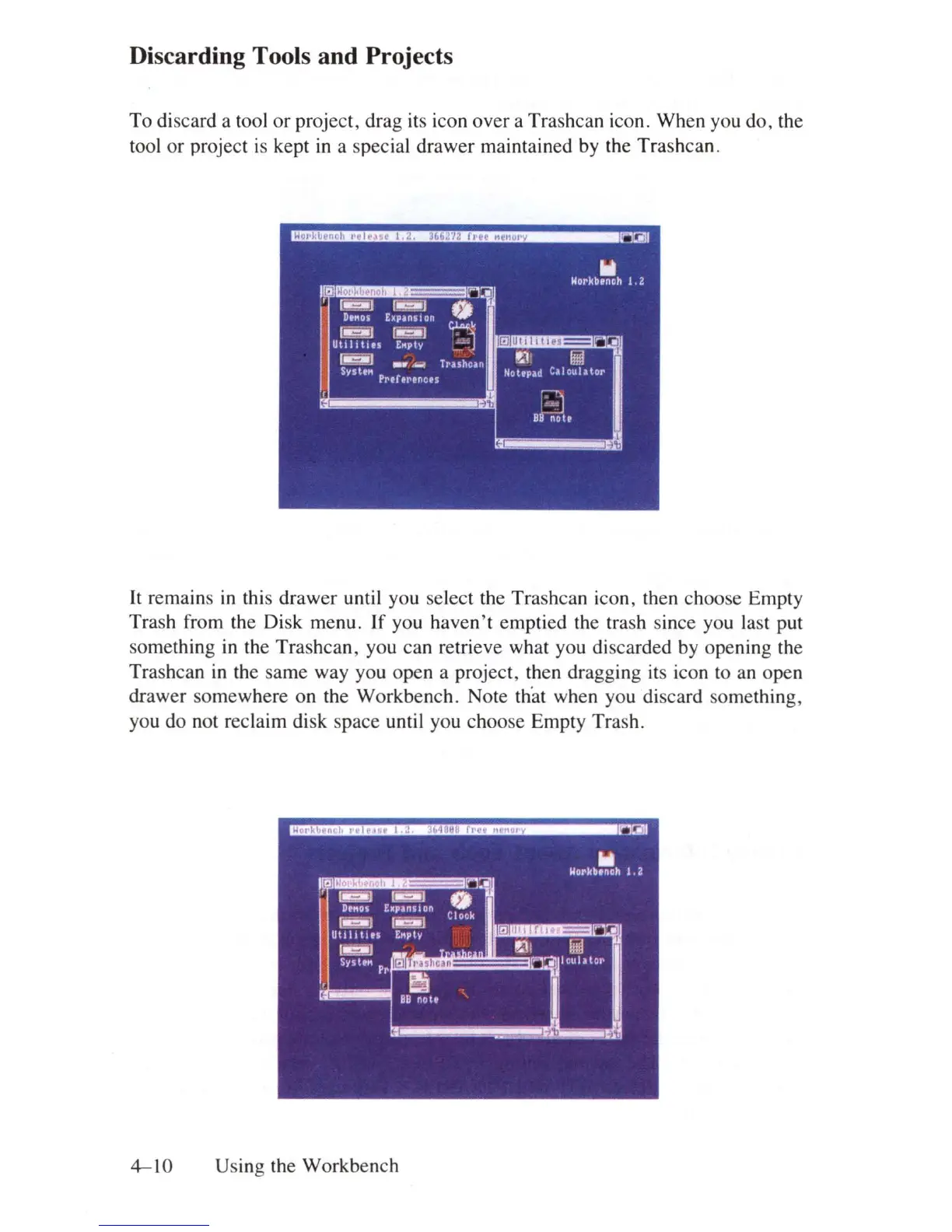
To discard a tool
or
project, drag its icon over a Trashcan icon. When you do, the
tool or project
is
kept
in
a special drawer maintained by the Trashcan.
It remains
in
this drawer until you select the Trashcan icon, then choose Empty
Trash from the Disk menu. If you haven
't
emptied the trash since you last put
something
in
the Trashcan, you can retrieve what you discarded by opening the
Trashcan
in
the same way you open a project, then dragging its icon to an open
drawer somewhere on the Workbench. Note that when you discard something,
you do not reclaim disk space until you choose Empty Trash.
.............
~JIiI!Di
____
ncil
l
III
Uorkb.noh 1.2
,a~
ri
:!:'
••
~
~
J
0
DIMS
Expanllon
I
I!iai!I
r
~
Clock
Uttli
tit.
E
..
pty
"
.
~
-
II"I!IIIII!I!I
l'I
l
[IJII
SY!Jh"
D
IculltOI'
Pr
E!i
,
I
BB
noU
4-10
Using the Workbench















 To Next Page