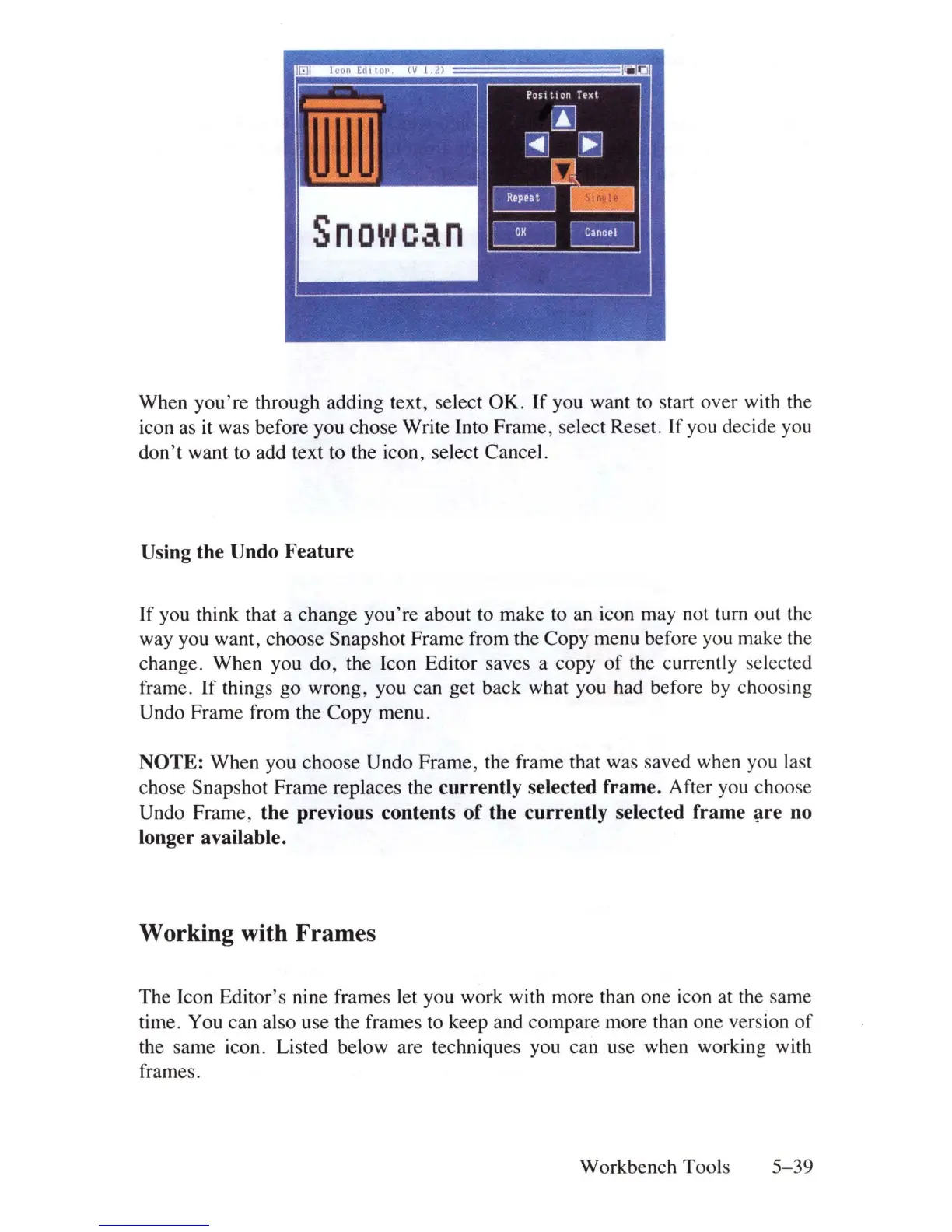
When
you're
through adding text, select
OK.
If
you want to start over with the
icon as it was before you
chose
Write Into
Frame,
select Reset.
If
you decide you
don't
want to add text to the icon, select Cancel.
Using the Undo Feature
If
you think that a
change
you're
about to make to an icon may not turn
out
the
way you want,
choose
Snapshot
Frame
from the
Copy
menu before you make the
change.
When
you
do
, the leon Editor saves a copy
of
the currently selected
frame.
If
things
go
wrong, you
can
get back what you had before by choos
in
g
Undo
Frame
from the Copy menu.
NOTE:
When
you
choose
Undo
Frame,
the frame that was saved when you last
chose Snapshot
Frame
replaces the currently selected frame. After you choose
Undo
Frame,
the previous contents
of
the currently selected frame
~re
no
longer available.
Working with Frames
The
leon
Editor's nine frames let you work with more than one icon at the same
time. You can also use the frames to keep and compare more than one version
of
the
same
icon. Listed below are techniques you can use when working with
frames.
Workbench
Tools 5-
39















 To Next Page