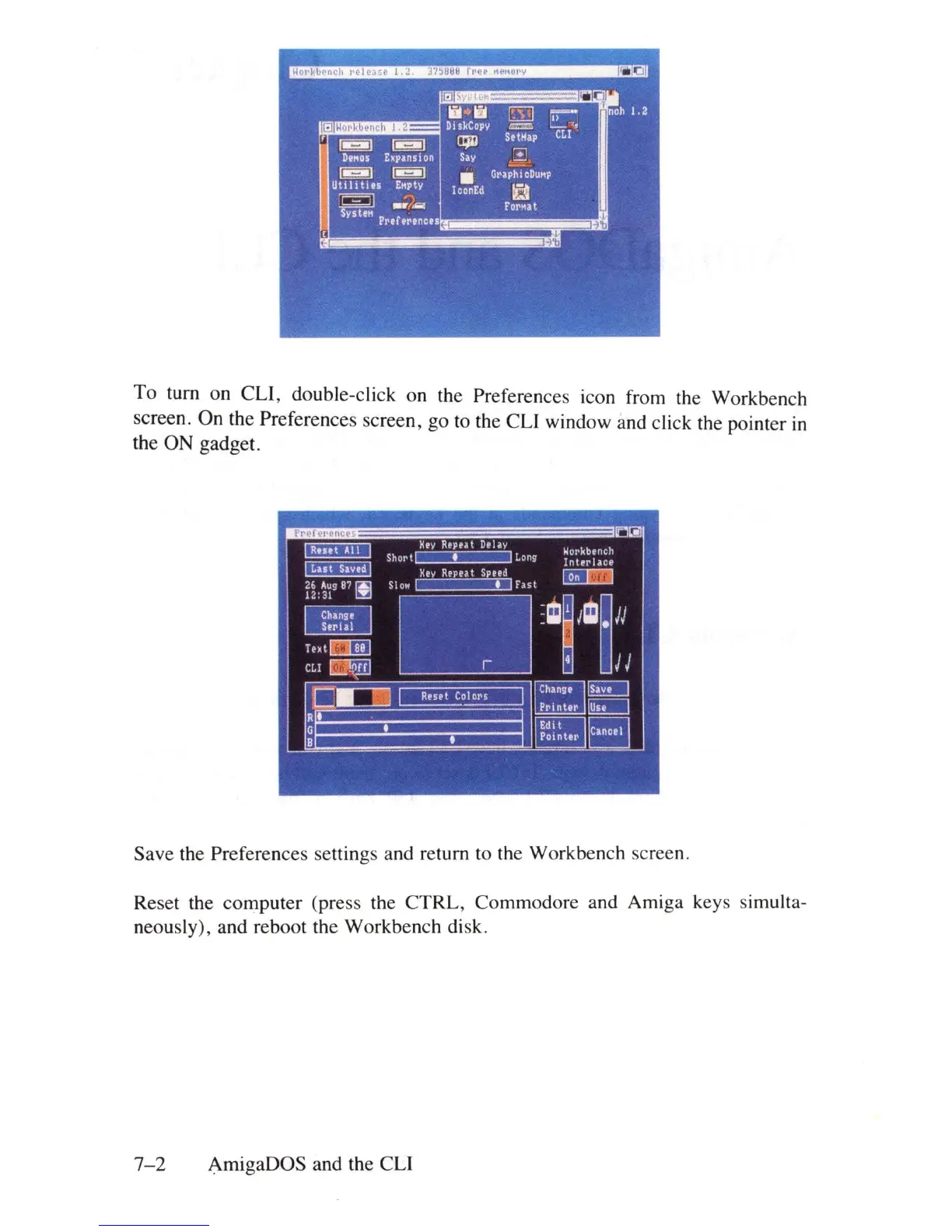
To
turn on
CLl,
double-click on the Preferences icon from the Workbench
screen. On the Preferences screen, go to the CLl window and click the pointer
in
the ON gadget.
Save the Preferences settings and return to the Workbench screen.
Reset the computer (p
re
ss the CTRL, Commodore and Amiga keys simulta-
neously), and reboot the Workbench
di
sk.
7-2
AmigaDOS and the CLI















 To Next Page