Mouse/Game Controller Connectors
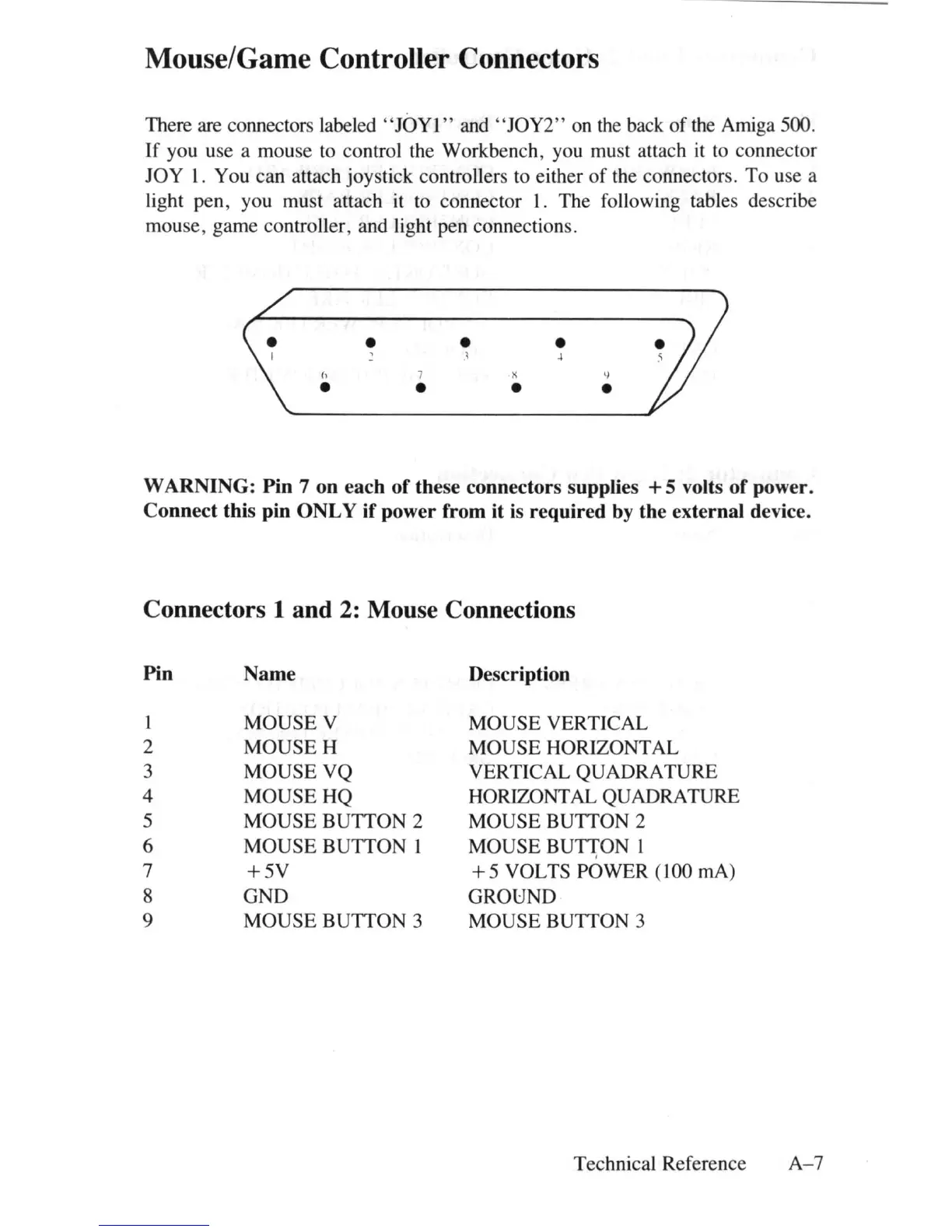
There are connectors labeled " JOYl " and " JOY2" on
th
e back of the Amiga 500.
If
you use a mouse to control the Workbench, you must attach it to connector
JOY
1.
You can attach joystick controllers to either
of
the connectors.
To
use a
li
ght pen, you must attach it to connector I. The following tables describe
mouse, game controller, and light pen connections .
h
•
•
7
•
•
1
x
•
•
4
'!
•
WARNING:
Pin
7
on
each
of
the
se
connectors
s
upplie
s + 5 volts
of
power.
Connect
this
pin
ONLY
if
power
from
it
is
required
by
the
external
de
vice.
Connectors 1 and
2:
Mouse Connections
Pin
Name
De
scr
iption
MOUSE V
MOUSE VERTICAL
2
MOUSEH
MOUSE HORIZONTAL
3 MOUSE VQ
VERTICAL QUADRATURE
4
MOUSEHQ
HORIZONTAL QUADRATURE
5
MOUSE BUTTON 2 MOUSE BUTTON 2
6
MOUSE
BUTTON 1 MOUSE
BUn;ON
1
7
+5V
+ 5 VOLTS POWER (100 rnA)
8 GND
GROUND
9
MOUSE
BUTTON 3 MOUSE BUTTON 3
Technical Reference
A- 7















 To Next Page