Using Disks
Start by getting the two microdisks, the Workbench disk and the Extras disk that
came
with your Amiga. These disks contain important information used by the
Amiga. In addition, have two blank microdisks ready. (You can get blank
microdisks from your Amiga dealer.) You'
ll
copy the information from the
original disks onto these blank disks and keep the originals
in
a safe place.
You must use high-quality double-sided double-density diskettes, typically iden-
tified with a
"2DD"
marking on the packaging.
To
ensure the data stored on your microdisk remains safe, observe the following
precautions:
• Store your disks
in
a clean, dust-free container.
•
Do
not place disks on top
of
your monitor, power supply, telephone,
or
any other device with strong magnetic fields present.
• Insert the disk straight into the disk drive opening, not at an angle; do
not try to force
it
in.
More information on the care
of
your disks can be found
in
Chapter 9.
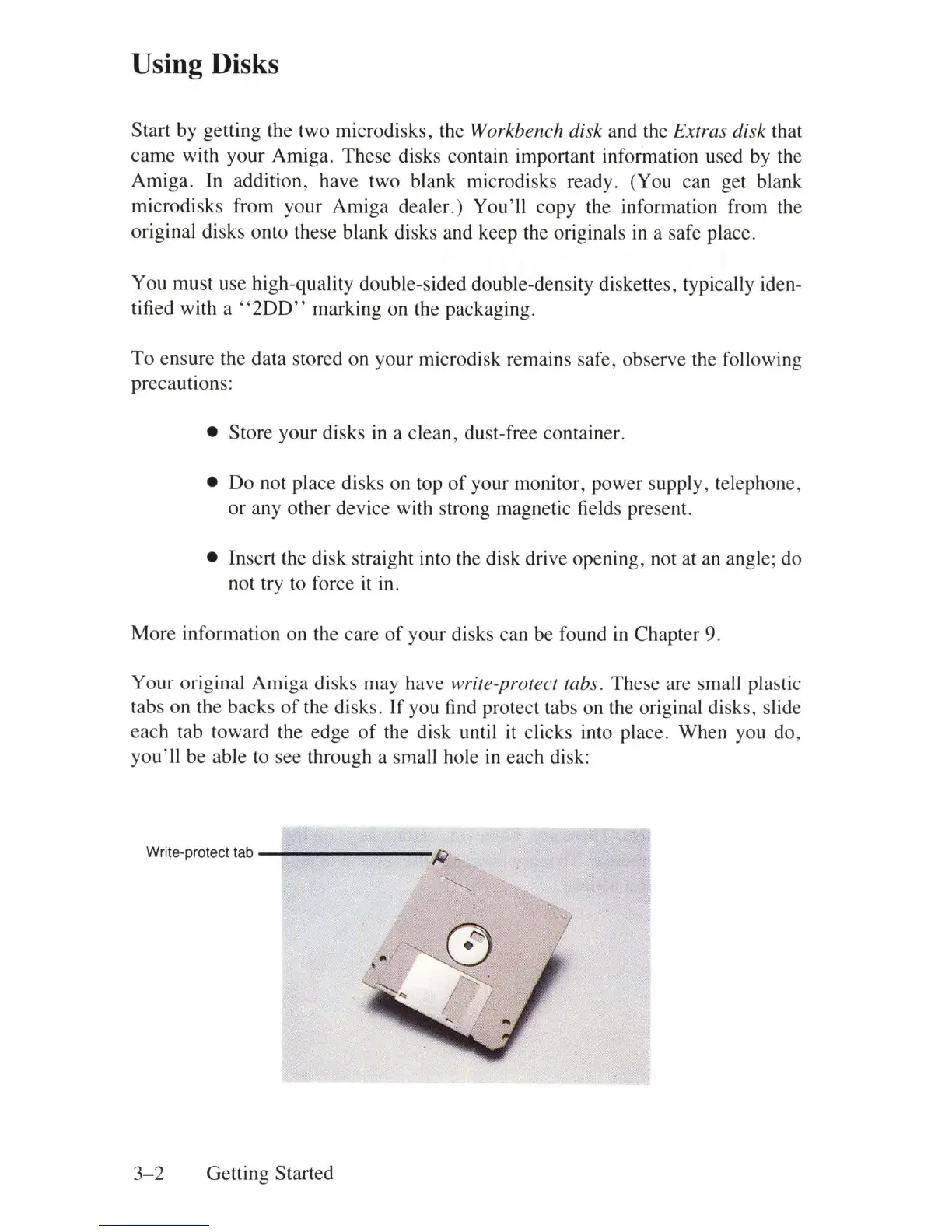
Your original Amiga disks may have
write-protect tabs. These are small plastic
tabs on the backs
of
the disks. If you find protect tabs on the original disks, slide
each tab toward the edge
of
the disk until
it
clicks into place. When you do,
you'll
be able to see through a small hole
in
each disk:
Write-protect tab
--------R
_
~
3-2
Getting Started















 To Next Page