Using Gadgets
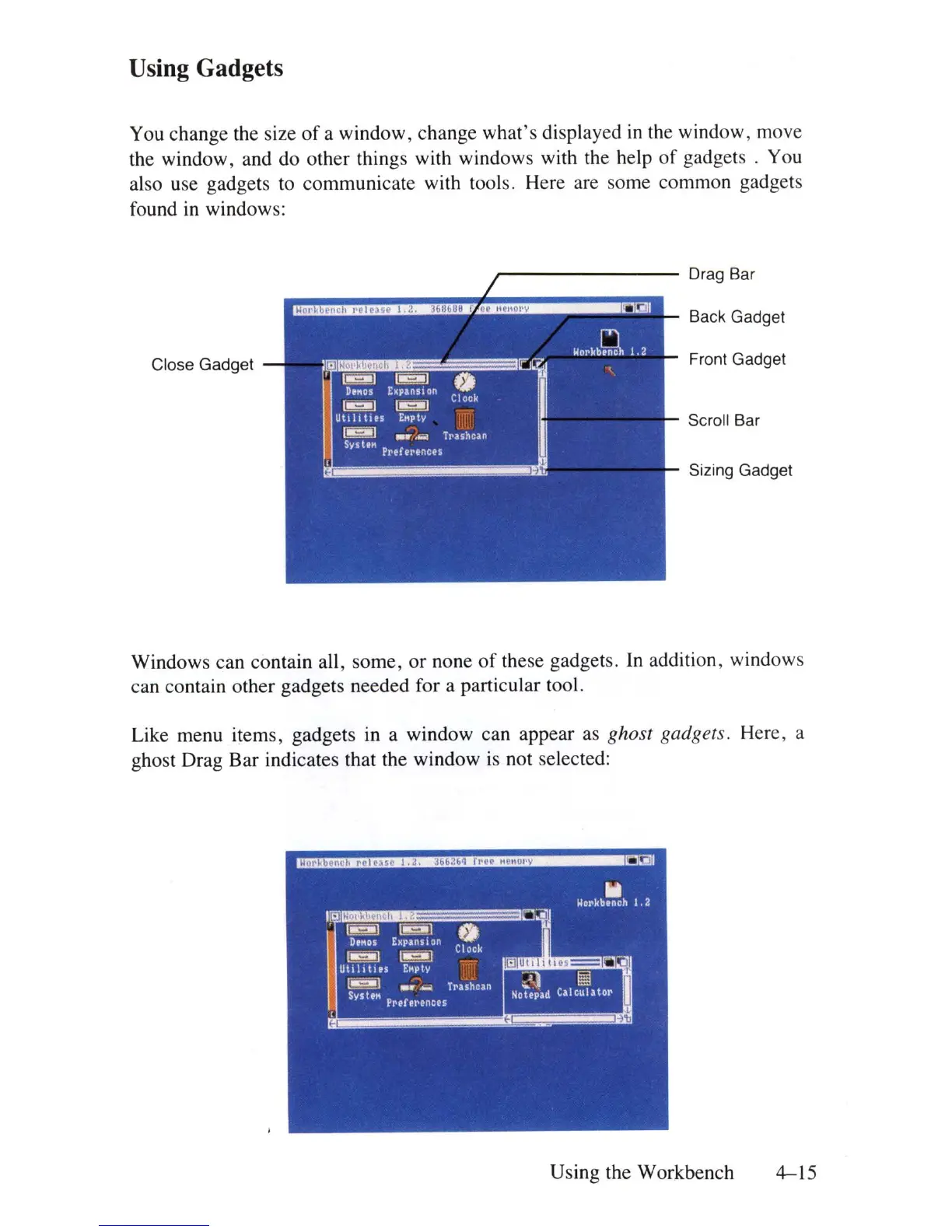
You change the size
of
a window, change what's displayed
in
the window, move
the window, and do other things with windows with the help
of
gadgets . You
also use gadgets to communicate with tools. Here are some common gadgets
found
in
windows:
~-------
Drag Bar
Back Gadget
Close Gadget
Front Gadget
Scroll Bar
Sizing Gadget
Windows can contain all, some,
or
none
of
these gadgets.
In
addition, windows
can contain other gadgets needed for a particular tool.
Like menu items, gadgets
in
a window can appear as ghost gadgets. Here, a
ghost Drag Bar indicates that the window
is
not selected:
Using the Workbench
4-15















 To Next Page