Note: Many tools use the Length, Spacing, Left Margin, and Right Margin
settings rather than the Paper Size setting to determine how large
an
image to
print. For these tools, check to see whether what you print will
fit
on the paper
by
using the following formulas: Length
7-
Spacing must be smaller than the length
of
the paper,
in
inches;
«Right
Margin Setting - Left Margin Setting) + I)
7-
Pitch Setting must be smaller than the width
of
the paper,
in
inches.
There
is
an
additional gadget
in
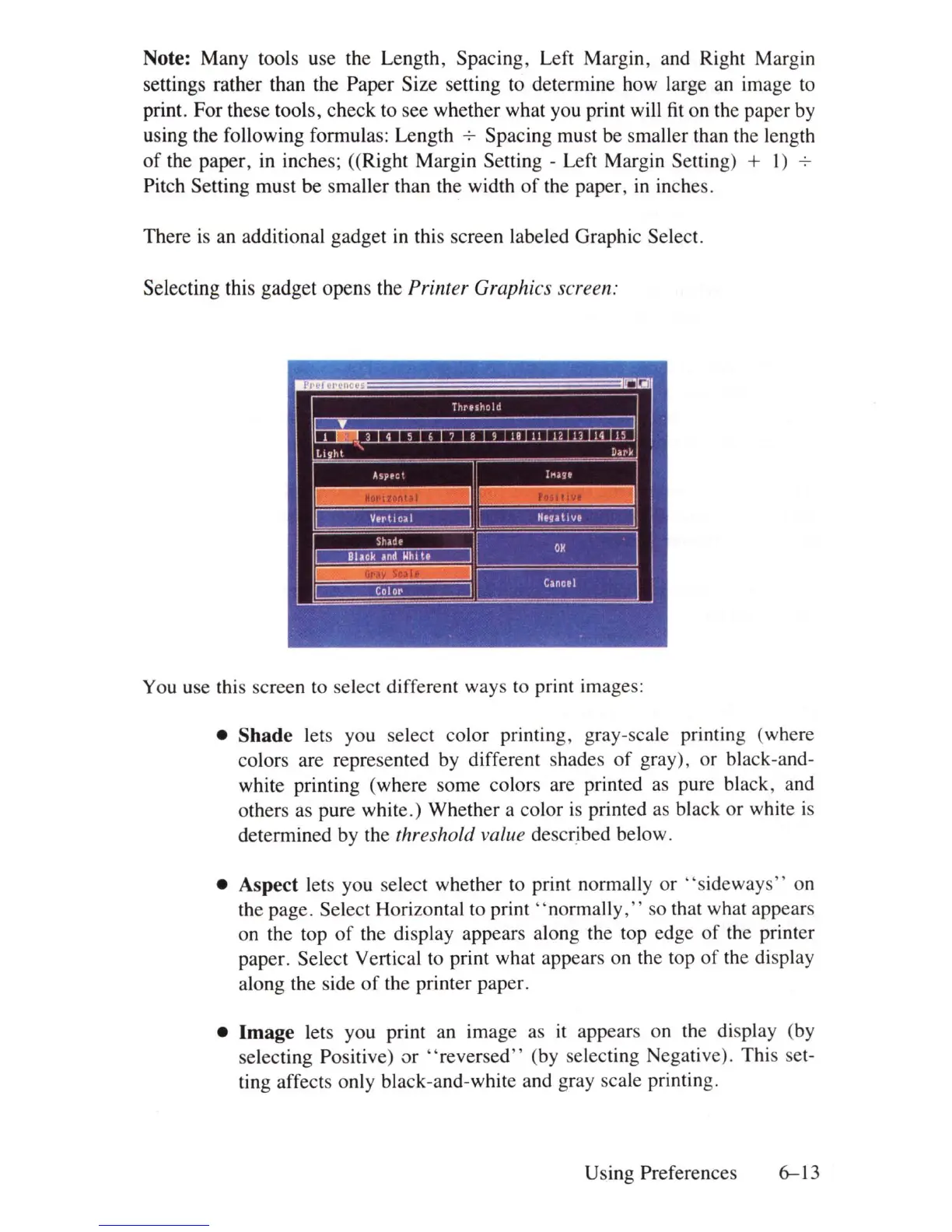
this screen labeled Graphic Select.
Selecting this gadget opens the
Printer Graphics screen:
You use this screen to select different ways to print images:
• Shade lets you select color printing, gray-scale pnntmg (where
colors are represented by different shades
of
gray), or black-and-
white printing (where some colors are printed as pure black, and
others as pure white.) Whether a color
is
printed as black or white
is
determined by the threshold value described below.
• Aspect lets you select whether to print normally or " sideways" on
the page. Select Horizontal to print "normally
,"
so that what appears
on the top
of
the display appears along the top edge
of
the printer
paper. Select Vertical to print what appears on the top
of
the display
along the side
of
the printer paper.
• Image lets you print an image as
it
appears on the display (by
selecting Positive)
ar
"reversed"
(by selecting Negative). This set-
ting affects only black-and-white and gray scale printing.
Using Preferences
6-13















 To Next Page