Using the Preferences Tool
With the Preferences tool, you can make a number
of
changes to your Amiga.
In
this tutorial, you'll learn how to start using Preferences, how to use Preferences
to make the correct monitor setting, and what to do when you're finished using
Preferences. The rest
of
the chapter explains each
of
the Preferences option
in
detail.
Double-click on the Workbench disk icon, then double-click
on
the Preferences icon. A window for Preferences appears.
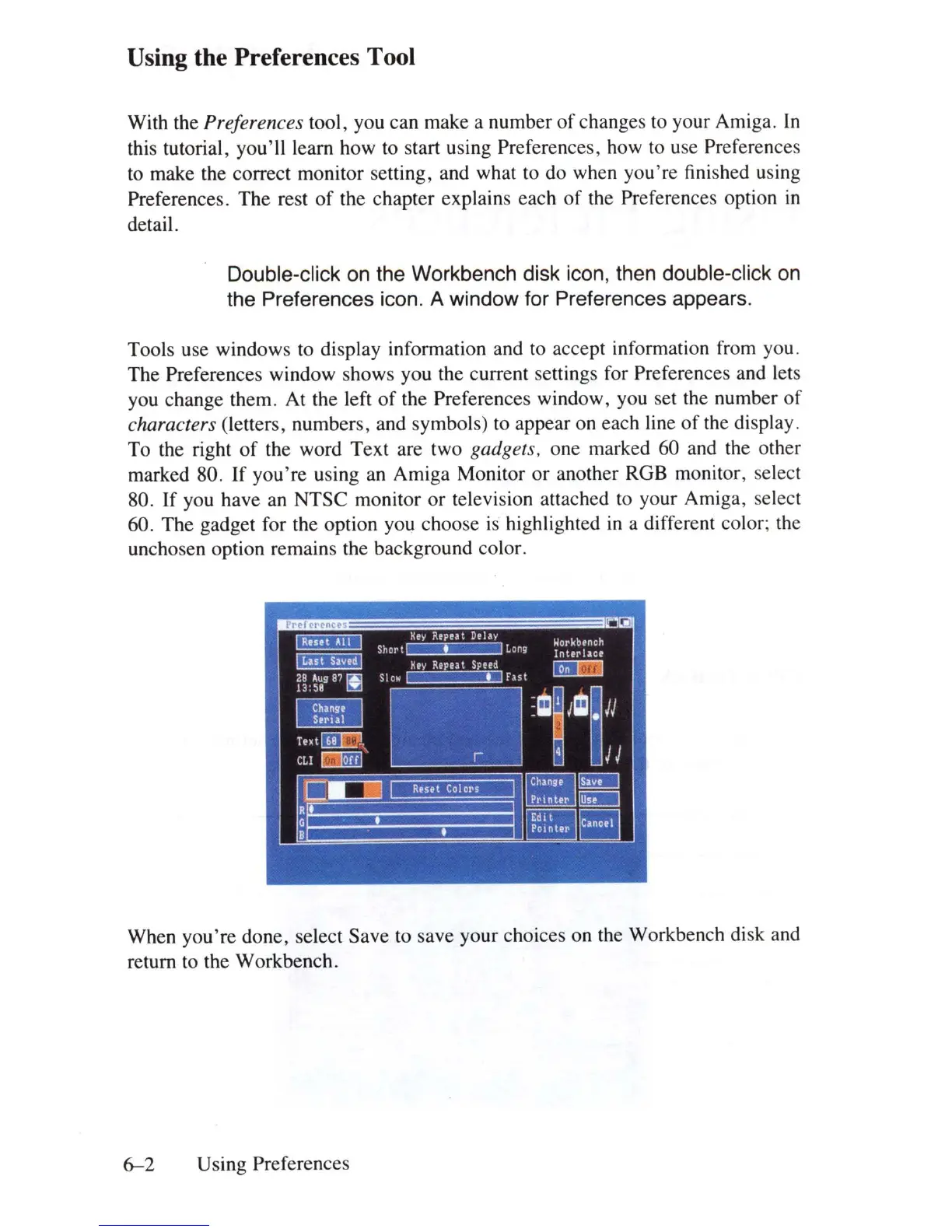
Tools use windows to display information and to accept information from you .
The Preferences window shows you the current settings for Preferences and lets
you change them. At the left
of
the Preferences window, you set the number
of
characters (letters, numbers, and symbols) to appear on each line
of
the display.
To the right
of
the word Text are two gadgets. one marked 60 and the other
marked 80. If
you're
using an Amiga Monitor
or
another ROB monitor, select
80. If you have an NTSC monitor
or
television attached to your Amiga, select
60. The gadget for the option you choose
is
highlighted
in
a different color; the
unchosen option remains the background color.
When you're done, select Save to save your choices on the Workbench disk and
return to the Workbench.
6-2
Using Preferences















 To Next Page