Duplicating Tools and Projects
Duplicating a tool or project means making an
id
entical copy in
th
e drawer in
w
hi
ch the t
oo
l or project resides. To duplicat
e,
select the icon for
th
e tool or
project,
th
en choose Duplicate fro m
th
e Workbench menu.
The name of the n
ew
t
oo
l or project is " copy
of"
added to
th
e name
of
the tool or
project
th
at was copied. F
or
example, duplicating
th
e Clock gives you a new tool
named
"co
py
of
Clock
."
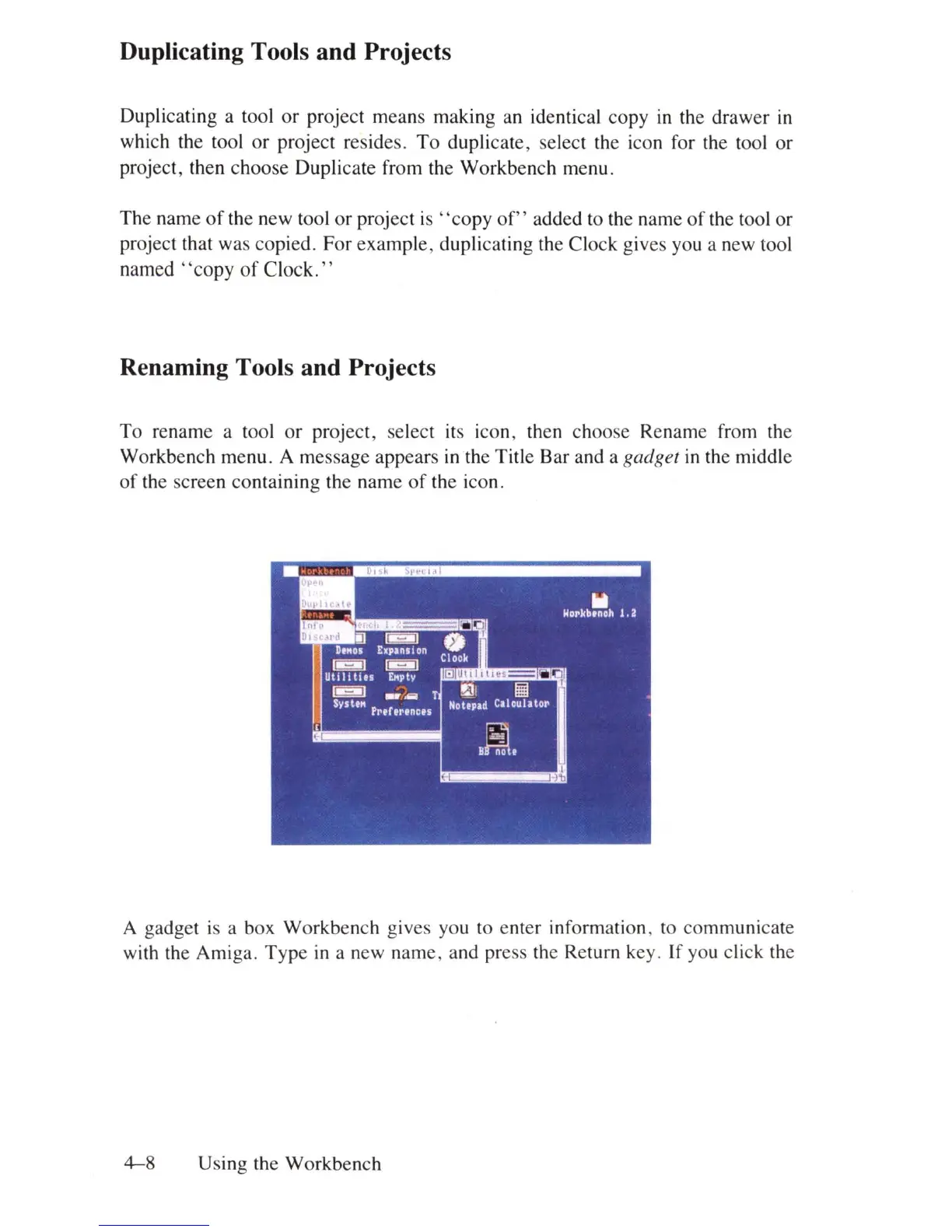
Renaming Tools and Projects
To
rename a tool or project, select
it
s icon, then choose Rename from the
Workbench menu . A message appears
in
the Title Bar and a gadget
in
th
e
mi
d
dl
e
of
the screen containing the name of
th
e icon.
A gadget
is
a box Workbench gives you to e
nt
er
in
fo
rmation, to communicate
with the Amiga. Type
in
a new name, and press the Retu
rn
key. If you click the
4-8
Us
in
g the Workbench















 To Next Page