3. Type an escape sequence, for example, the NLQ On command:
ESC [2"z
What you type will not
be
echoed on the screen.
4. Hold down the CTRL key and press the backslash
("')
key to terminate the
keyboard file.
If
your printer supports NLQ mode, NLQ will now be on. Any
file
you
COpy
or
TYPE to prt: will be printed
in
near letter quality. You can also use the four steps
above to create small printer command files. For example, you could replace the
prt: in step 1 with ram:NLQon.
Then the four steps will create a file called NLQon
in
ram:. To tum on NLQ,
copy ram: NLQon to prt:.
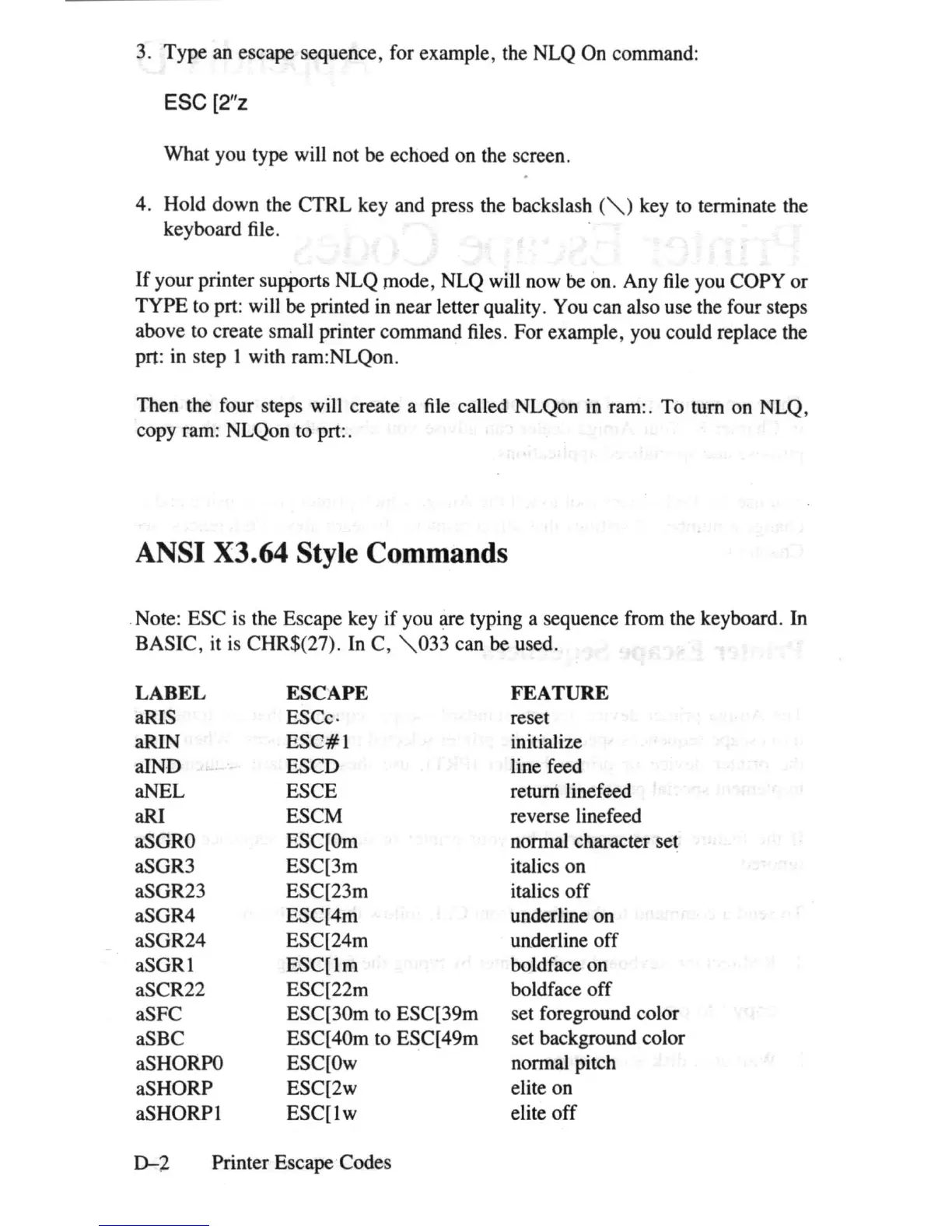
ANSI X3.64 Style Commands
. Note: ESC
is
the Escape key
if
you are typing a sequence from the keyboard. In
BASIC, it is CHR$(27). In C,
",033
can be used.
LABEL
ESCAPE
FEATURE
aRIS ESCc· reset
aRIN
ESC#l
initialize
aIND
ESCD line feed
aNEL ESCE return linefeed
aRI
ESCM reverse linefeed
aSGRO
ESC[Om
normal character set
aSGR3 ESC[3m italics on
aSGR23
ESC[23m
italics
off
aSGR4
ESC[4m
underline on
aSGR24 ESC[24m underline off
aSGRl
ESC[lm
boldface on
aSCR22
ESC[22m boldface off
aSFC
ESC[30m to ESC[39m set foreground color
aSBC
ESC[40m to ESC[49m
set background color
as
HORPO
ESC[Ow normal pitch
aSHORP
ESC[2w elite on
aSHORPl
ESC[lw
elite
off
D-2
Printer Escape Codes















 To Next Page