Editing the Pointer
You can use the Preferences tool to modify the Pointer. The following instruc-
tions tell you how.
The Pointer Editing Window
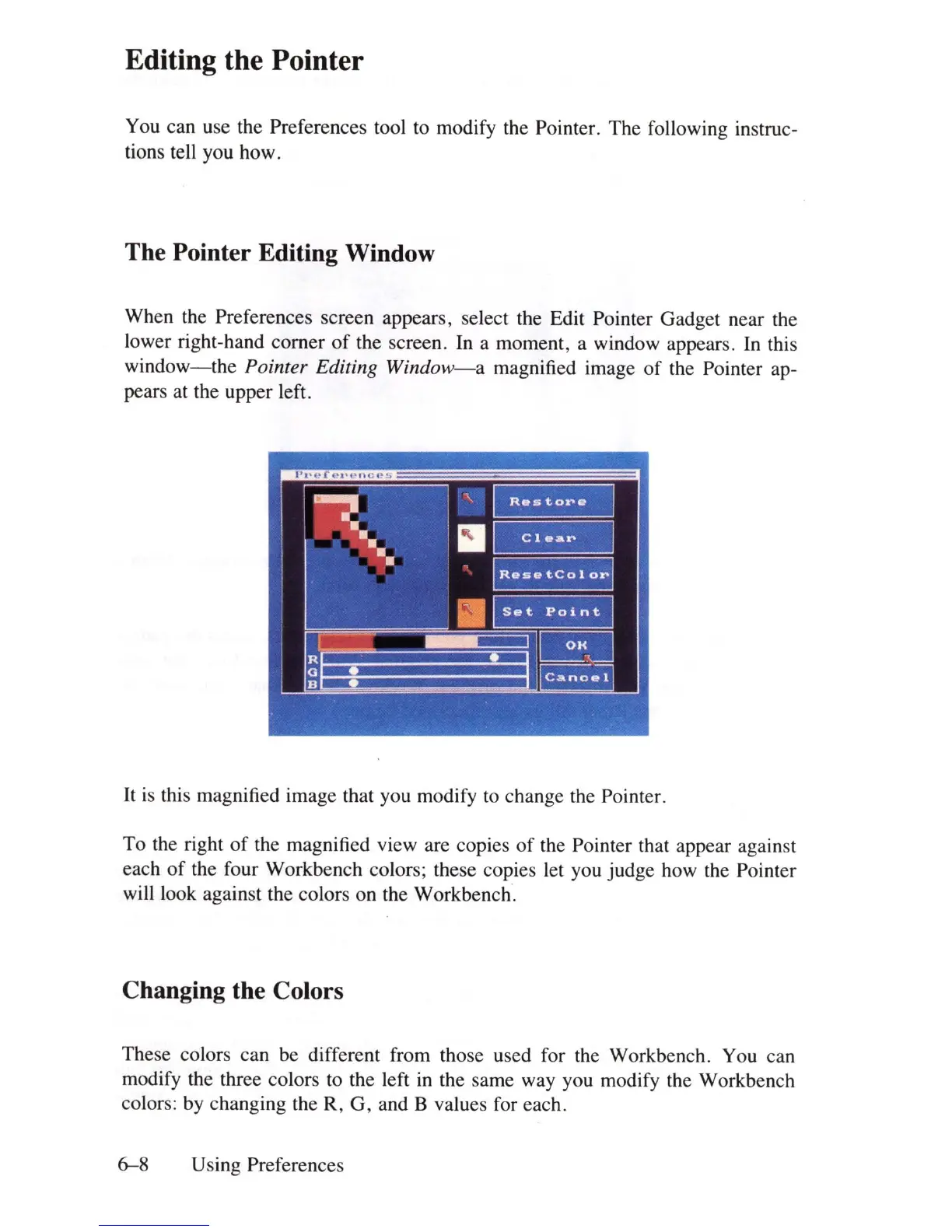
When the Preferences screen appears, select the Edit Pointer Gadget near the
lower right-hand comer
of
the screen.
In
a moment, a window appears.
In
this
window-the
Pointer Editing
Window-a
magnified image of the Pointer ap-
pears at the upper left.
It
is this magnified image that you modify
to
change the Pointer.
To the right
of
the magnified view are copies
of
the Pointer that appear against
each
of
the four Workbench colors; these copies let you judge how the Pointer
will look against the colors on the Workbench.
Changing the Colors
These colors can be different from those used for the Workbench. You can
modify the three colors
to
the left
in
the same way you modify the Workbench
colors: by changing the R, G, and B values for each.
6-8
Using Preferences















 To Next Page