Stopping the Icon Editor
When you are finished using the Icon Editor, close it by selecting the Close
Gadget
in
the upper left
comer
of
the Icon Editor window.
The Say Speech Synthesizer
Say lets you type
in
English words and sentences which the Amiga then
"says"
using its audio capabilities. To use the feature, open the System drawer and
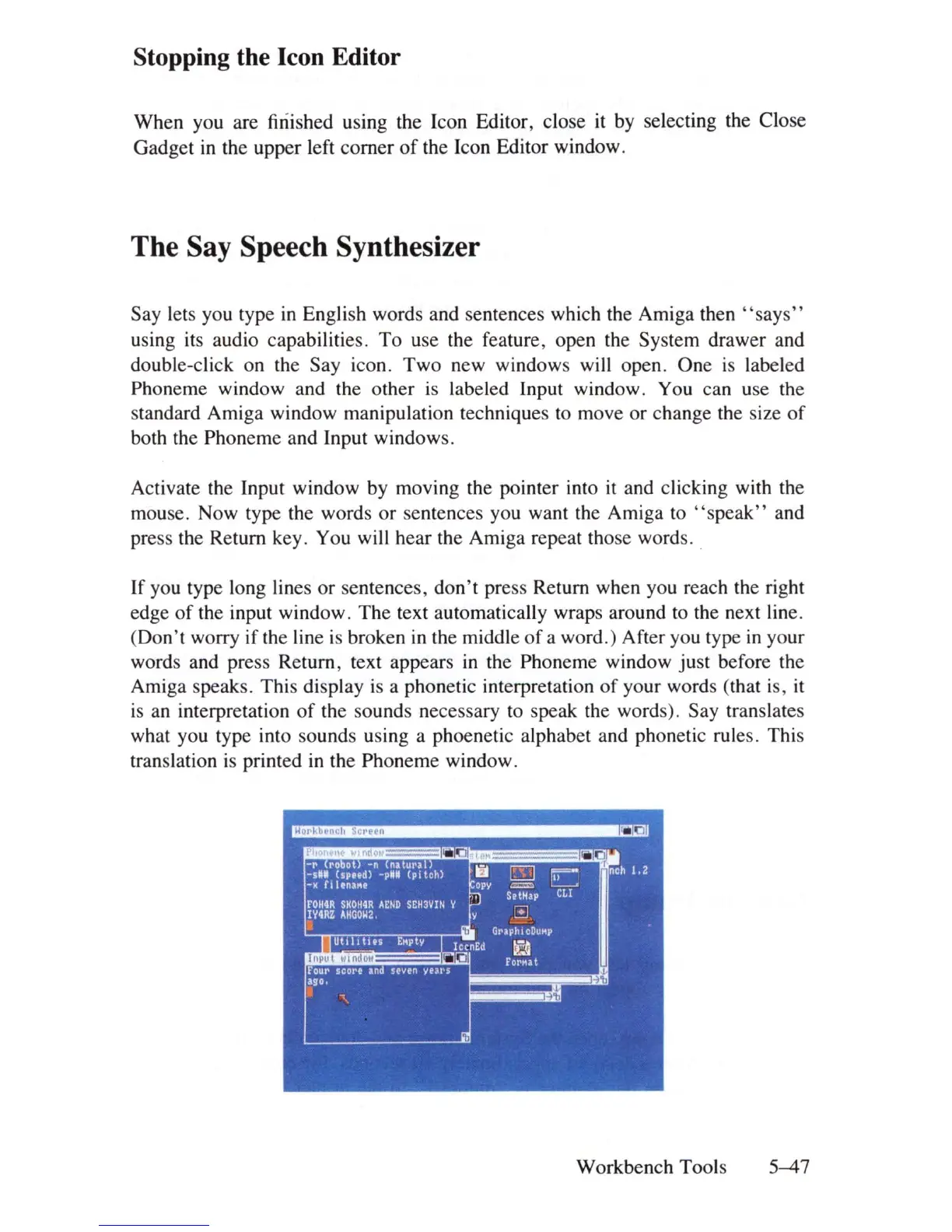
double-click on the Say icon . Two new windows will open. One
is
labeled
Phoneme window and the other
is
labeled Input window. You can use the
standard Amiga window manipulation techniques to move
or
change the size
of
both the Phoneme and Input windows.
Activate the Input window by moving the pointer into
it
and clicking with the
mouse. Now type the words
or
sentences you want the Amiga to
"speak"
and
press the Return key. You will hear the Amiga repeat those words . .
If you type long lines or sentences,
don't
press Return when you reach the right
edge
of
the input window. The text automatically wraps around to the next line.
(Don't worry if the line
is
broken
in
the middle
of
a word.) After you type
in
your
words and press Return, text appears
in
the Phoneme window just before the
Amiga speaks. This display
is
a phonetic interpretation
of
your words (that is, it
is
an
interpretation
of
the sounds necessary to speak the words). Say translates
what you type into sounds using a phoenetic alphabet and phonetic rules. This
translation
is
printed
in
the Phoneme window.
Workbench Tools
5-47















 To Next Page