This gauge shows how full the disk is. The closer the colored center bar
is
to the
top, the le
ss
free storage space there
is
on the disk.
If
the disk
is
completely full,
the colored bar fills the entire space between the " E" and " F" marks.
To free disk space, move tools, projects, or drawers to the Trashcan, select the
Trashcan icon, then choose Empty Trash from the Disk menu.
Operations Involving Screens
As
noted earlier, screens are areas
of
the
di
splay with different video attributes.
When a window is opened for a tool,
it
appears
in
a screen whose video attributes
are appropriate for it.
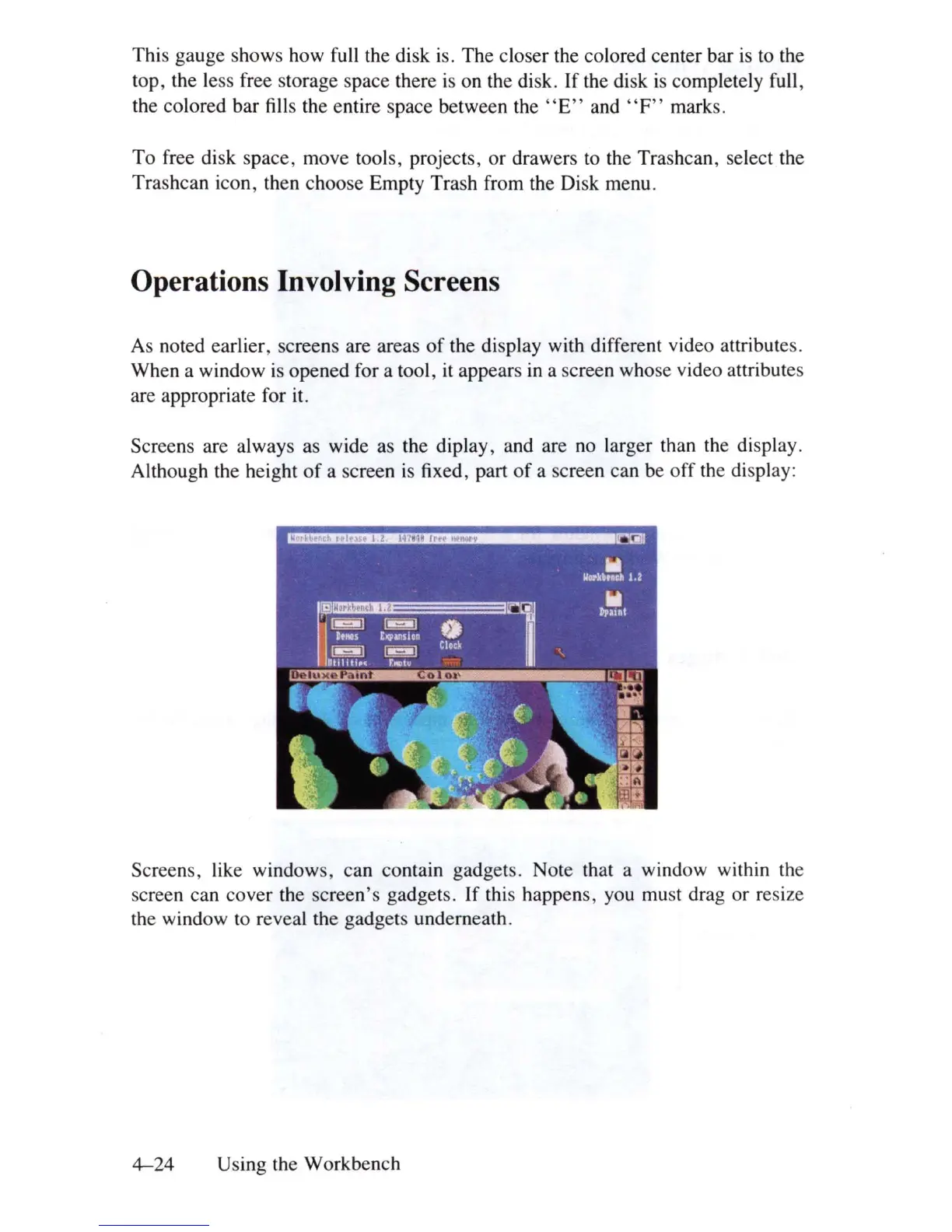
Screens are always
as
wide as the diplay, and are
no
larger than the display.
Although the height
of
a screen
is
fixed, part
of
a screen can be off
th
e display:
Screens, like windows, can contain gadgets. Note that a window within the
screen can cover the screen's gadgets.
If
this happens, you
mu
st drag or resize
the window
to
reveal the gadgets underneath.
4-24
Using the Workbench















 To Next Page