Chapter
2
Setting
Up
the
Amiga
500
Your Amiga takes only a few minutes to put together. Here are the pieces
of
the
Amiga 500 to set
up:
• the main unit
• the power supply
• the
mouse
• the monitor (available from your Amiga dealer)
• A501 memory expansion unit (optional)
Where to Find the Connectors
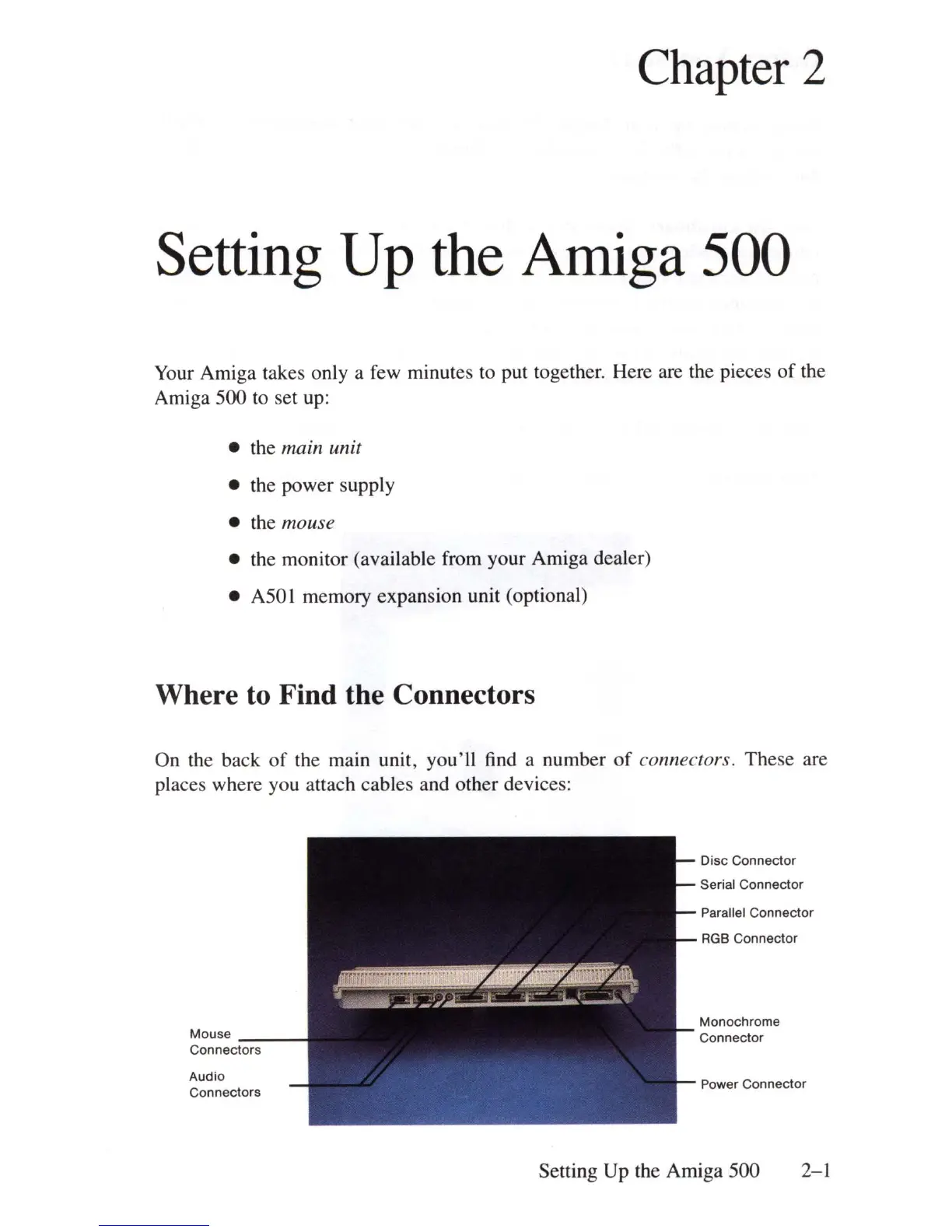
On the back
of
the main unit, you'll find a number
of
connectors. These are
places where you attach cables and other devices:
Mouse
Connect:-o-rs--
Audio
Connectors
Disc Connector
Serial Connector
Parallel Connector
RGB
Connector
Monochrome
Connector
Power Connector
Setting Up the Amiga 500 2-1















 To Next Page