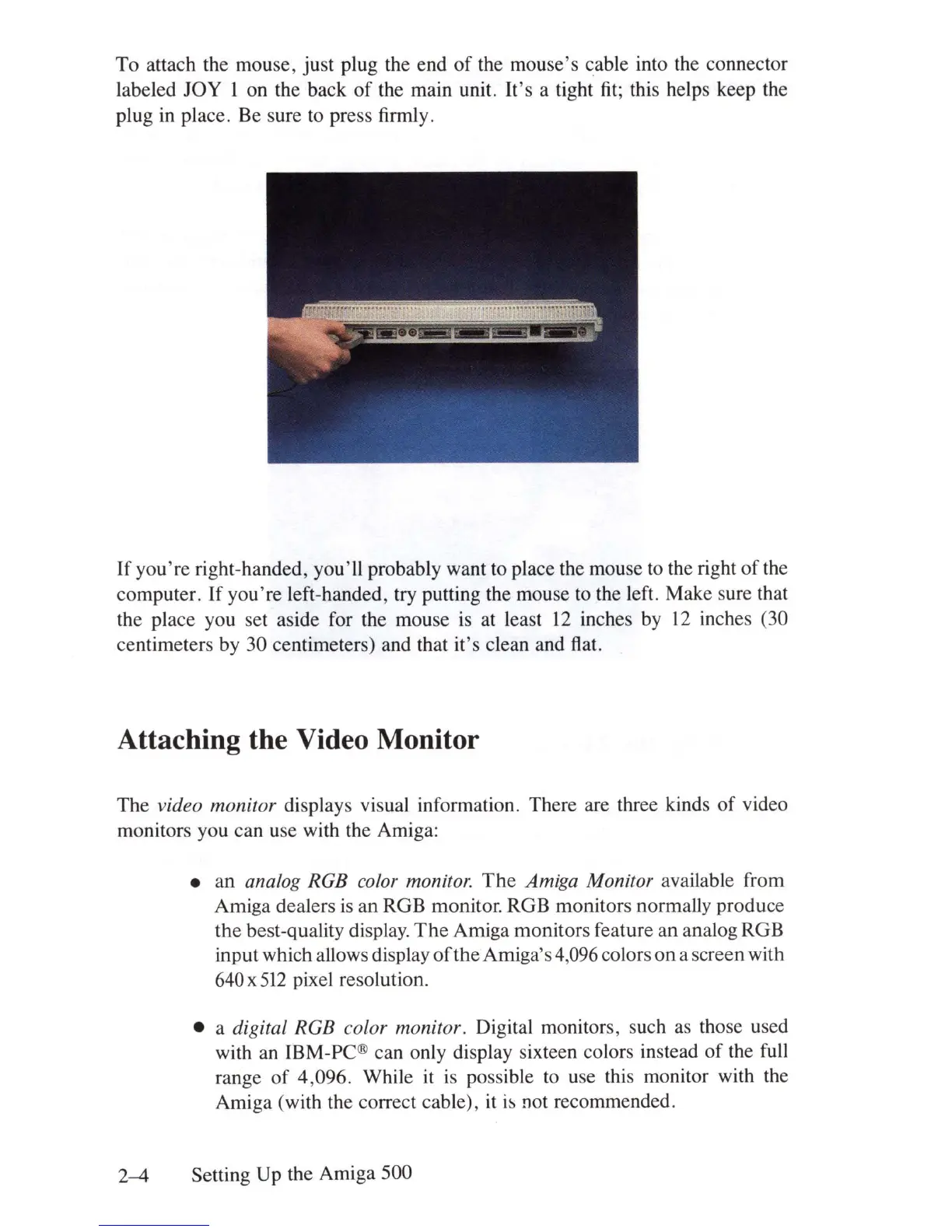
To attach the mouse, just plug the end
of
the mouse's cable into the connector
labeled
JOy
I on the back
of
the main unit.
It's
a tight
fit;
this helps keep the
plug
in
place. Be sure to press firmly.
If
you're
right-handed, you'll probably want to place the mouse to the right
of
the
computer.
If
you're
left-handed, try putting the mouse to the left. Make sure that
the place you set aside for the mouse
is
at least
12
inches
by
12
inches (30
centimeters by 30 centimeters) and that it's clean and flat.
Attaching the Video Monitor
The video monitor displays visual information. There are three kinds
of
video
monitors you can use with the Amiga:
• an
analog RGB color monitor.
The
Amiga Monitor available from
Amiga dealers
is
an RGB monitor. RGB monitors normally produce
the best-quality display.
The
Amiga monitors feature an analog RGB
input which allows display
of
theA
mig a's 4,096 colors on a screen with
640 x
512
pixel resolution .
• a
digital RGB color monitor. Digital monitors, such as those used
with an lBM-PC® can only display sixteen colors instead
of
the full
range
of
4,096. While
it
is
possible to use this monitor with the
Amiga (with the correct cable), it
i~
not recommended.
2-4
Setting Up the Amiga 500















 To Next Page