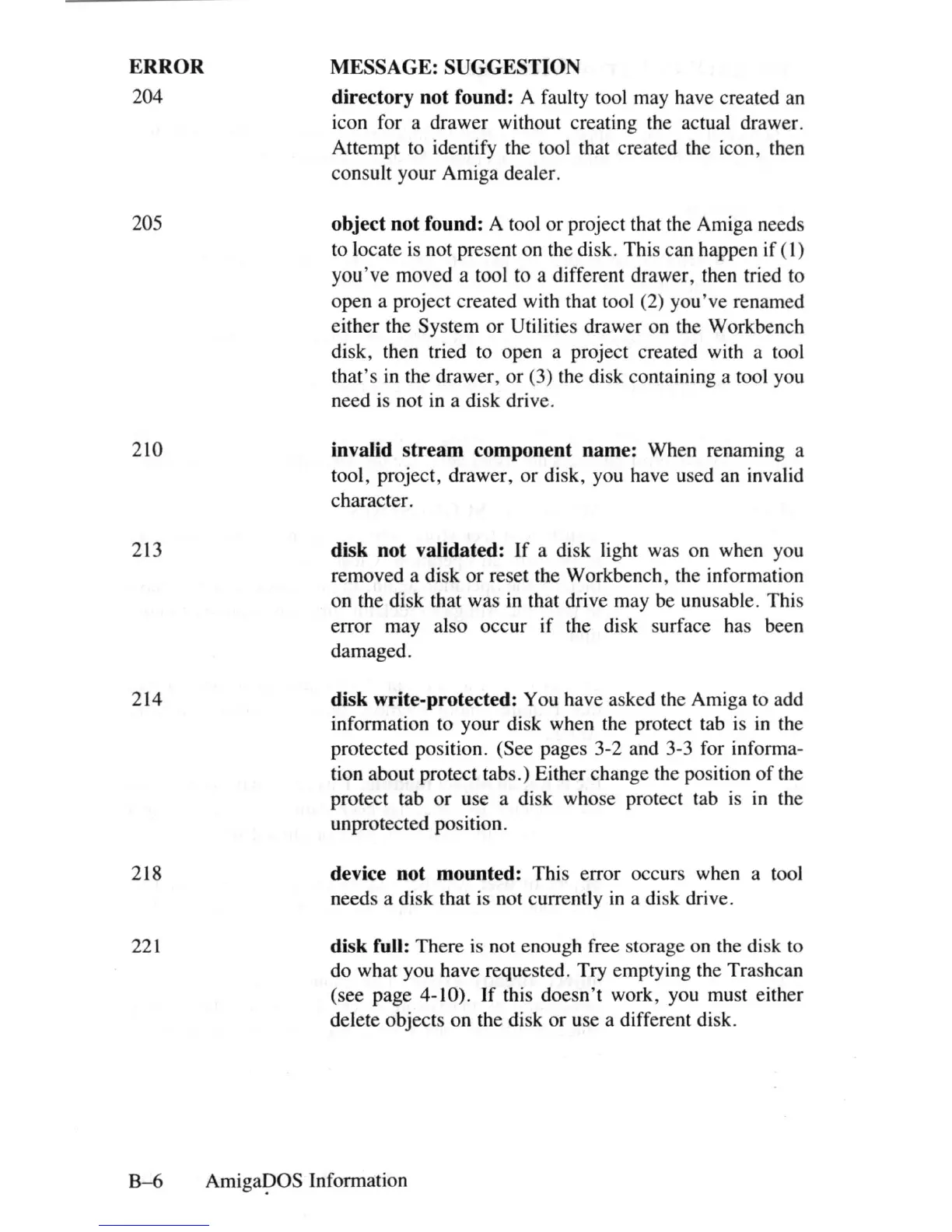
ERROR
204
205
210
213
214
218
MESSAGE:
SUGGESTION
directory not found: A faulty tool may have created
an
icon for a drawer without creating the actual drawer.
Attempt to identify the tool that created the icon, then
consult your Amiga dealer.
object not found: A tool or project that the Amiga needs
to
locate
is
not present on the disk. This can happen if
(I)
you've moved a tool to a different drawer, then tried to
open a project created with that tool (2) you've renamed
either the System or Utilities drawer on the Workbench
disk, then tried to open a project created with a tool
that's
in
the drawer, or (3) the disk containing a tool you
need
is
not
in
a disk drive.
invalid stream component name: When renaming a
tool, project, drawer, or disk, you have used an invalid
character.
disk not validated:
If
a disk light was on when you
removed a disk or reset the Workbench, the information
on the disk that was in that drive may
be
unusable. This
error may also occur if the disk surface has been
damaged.
disk write-protected: You have asked the Amiga to add
information to your disk when the protect tab
is
in
the
protected position. (See pages 3-2 and 3-3 for informa-
tion about protect tabs.) Either change the position
of
the
protect tab or use a disk whose protect tab
is
in
the
unprotected position.
device not mounted: This error occurs when a tool
needs a disk that
is
not currently
in
a disk drive.
221
disk full: There
is
not enough free storage on the
di
sk to
do what you have requested. Try emptying the Trashcan
(see page 4-10).
If
this doesn't work, you must either
delete objects on the disk or use a different disk.
B-6
Amiga~OS
Information















 To Next Page