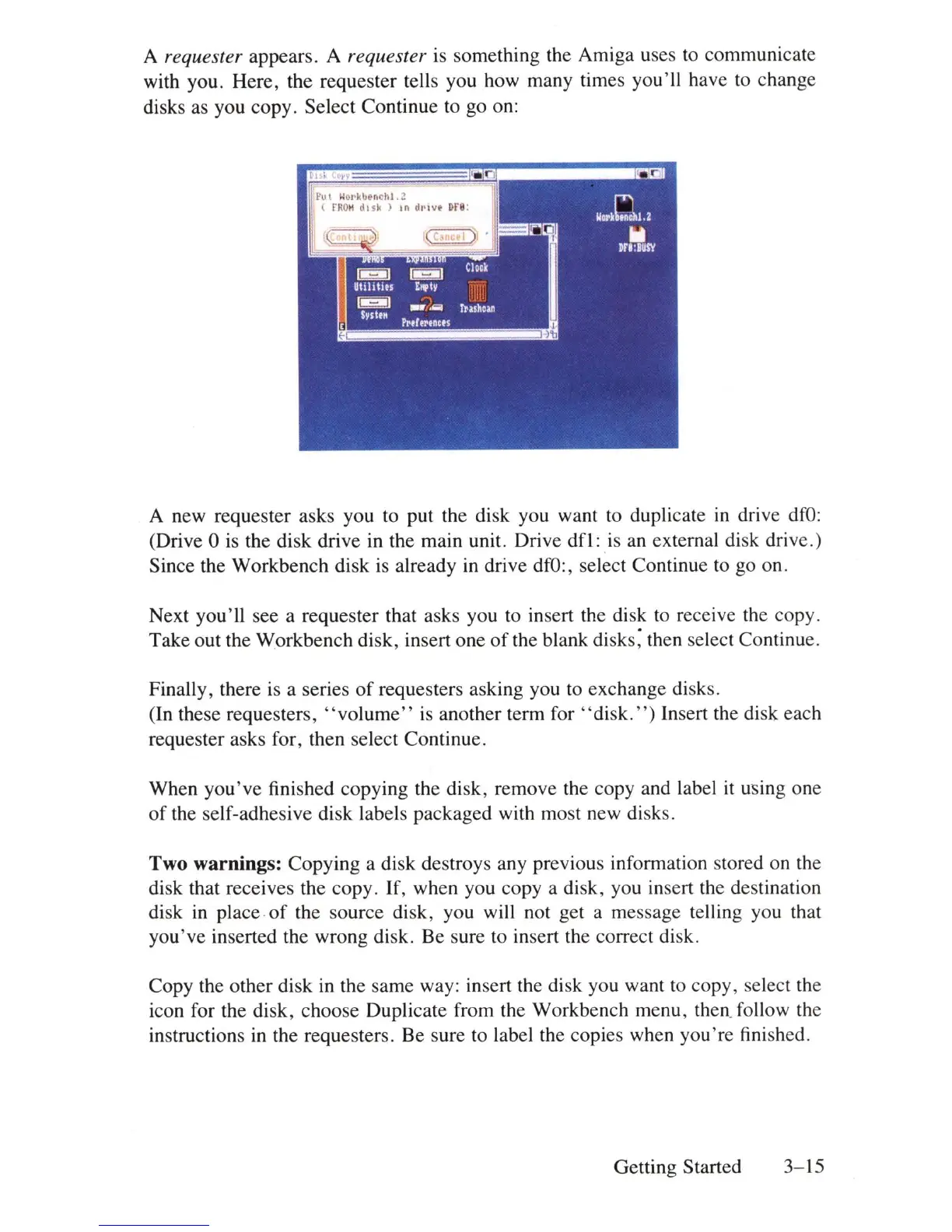
A requester appears. A requester
is
something the Amiga uses to communicate
with you. Here, the requester tells you how many times you'll have to change
disks as you copy. Select Continue to go on:
Po
t
~ol'kbenchl
.:!
(
rRO
H
disk)
In
dl'l
vt
D
ra
:
A new requester asks you to put the disk you want to duplicate
in
drive
dfO:
(Drive 0
is
the disk drive
in
the main unit. Drive
dfl:
is
an external disk drive.)
Since the Workbench disk is already
in
drive
dfO
:, select Continue to go on.
Next you'll see a requester that asks you to
in
sert the
di
sk to receive the copy.
Take out the Workbench disk, insert one
of
the blank
di
sks; then select Continue.
Finally, there is a series
of
requesters asking you to exchange
di
sks.
(In these requesters,
"volume"
is another term for " disk
.")
Insert the
di
sk each
requester asks for, then select Continue.
When
you've
finished copying the disk, remove the copy and label
it
using one
of
the self-adhesive disk labels packaged with most new
di
sks.
Two warnings: Copying a disk destroys any previous information stored on the
disk that receives the copy.
If,
when you copy a disk, you insert the destination
disk
in
place
of
the source
di
sk, you will not get a message telling you that
you've inserted the wrong disk. Be sure to
in
se
rt
the correct
di
sk.
Copy the other disk
in
the same way: insert the disk you want
to
copy, select the
icon for the disk, choose Duplicate from the Workbench menu, then. follow the
instructions
in
the requesters. Be sure to label the copies when you're finished.
Getting Started
3-15















 To Next Page