System 3505 Installation & Operation Manual
Digitize, Inc. 700248-0002 Rev. C 02/16
Specification Subject to Change Without Notice
19-2
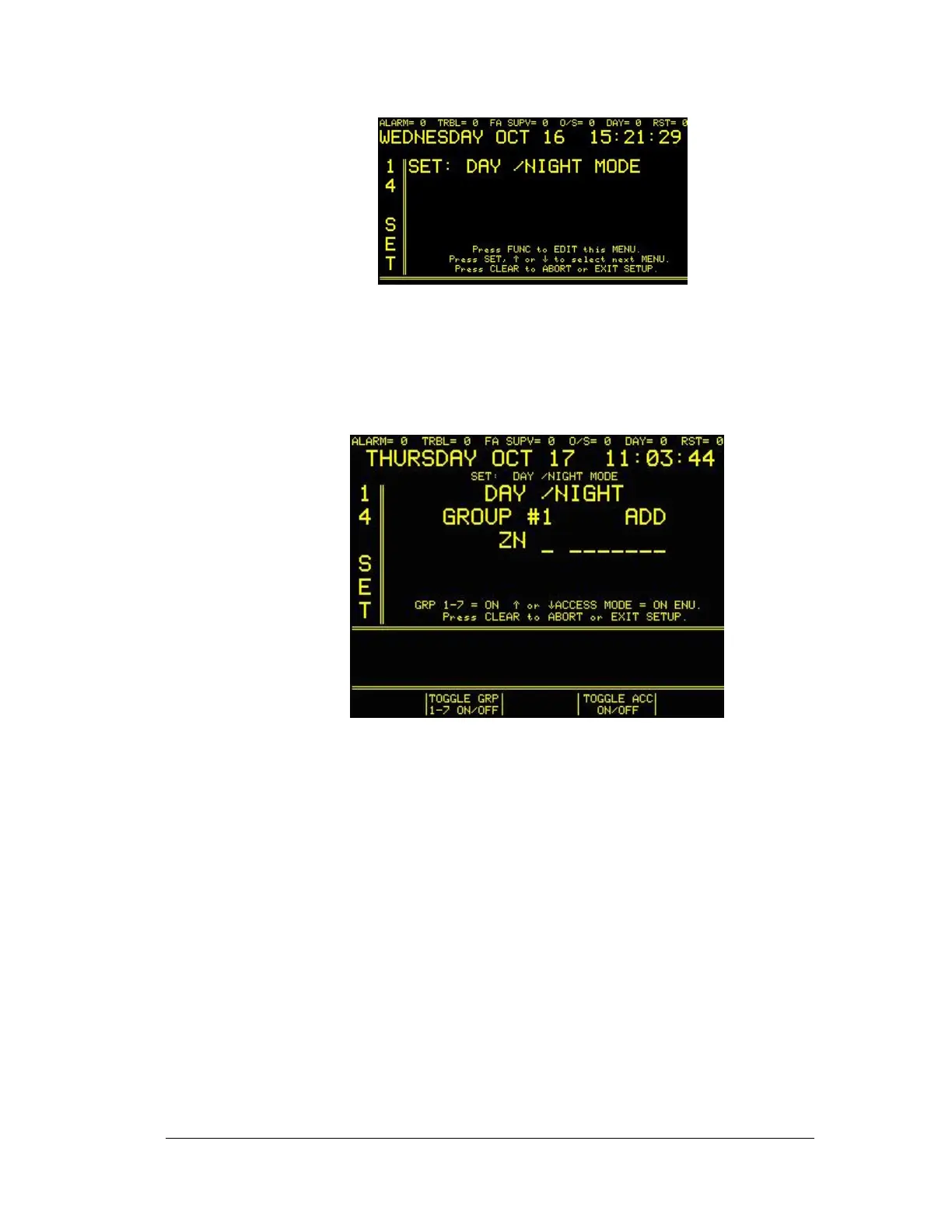
If the system does not have the DAY/NIGHT option installed, the words (NEEDS OPTION) will be
displayed.
The display will read:
This menu allows full control of the DAY/NIGHT features. Each time the FUNC button is
pressed, the blinking cursor will advance to the next field. The available fields include:
a. The 9 digit numeric entry for the ZONE, DIALER, or BOX number.
b. Selection of ADD or DELETE
c. Selection of GROUP numbers 1 through 8.
d. Selection of ZN, DD, or BX.
Press the PRINT button while in GROUP 1 through 8 to produce a printout of all ZONES,
DIALERS, or BOXES programmed for that group.
/\/\/\/\/\/\/\/\/\/\/\/\/\/\/\/\/\/\/\/\
***********************
DAY/NIGHT GROUP #1 - INDICATES WHICH GROUP IS PRINTED
ZONE 157 - ITEMS ARE PRINTED IN HALF HEIGHT TEXT
BOX 4223
DIALER 123-05
21-APR-98 07:58:41 - DATE AND TIME OF PRINTOUT
************************ - STARS MARK BEGINNING AND END
\/\/\/\/\/\/\/\/\/\/\/\/\/\/\/\/\/\/\/\/





 To Next Page