System 3505 Installation & Operation Manual
Digitize, Inc. 700248-0002 Rev. C 02/16
Specification Subject to Change Without Notice
7-16
messages for the SYSTEM 3505 using the WIN3505 program, and to then use the
WIN3505 utility to make the desired changes. Upload the user text, but simply
select upload CID/SIA
info only. This will update the system as well.
Alternatively, select this menu and simply enter the desired two letter SIA
designator in the “SIA two letter type”. The screen will automatically fill in the
first letter of the SIA 2nd letter restore, as in SIA, the same letter is used for the
first letter of the Alarm and Restore value. Once the second letter is entered, fill in
the Contact ID to assign. An existing CID account must be selected. If an active
CID account is selected, the display will show the CID message associated with the
CID number entered. The display will also prompt the user to press F10 to save
the selection. If no active CID account is selected with a message, the SYSTEM
3505 will not permit the SIA to CID conversion to be saved. .
7.4.9
Various Setup Selections
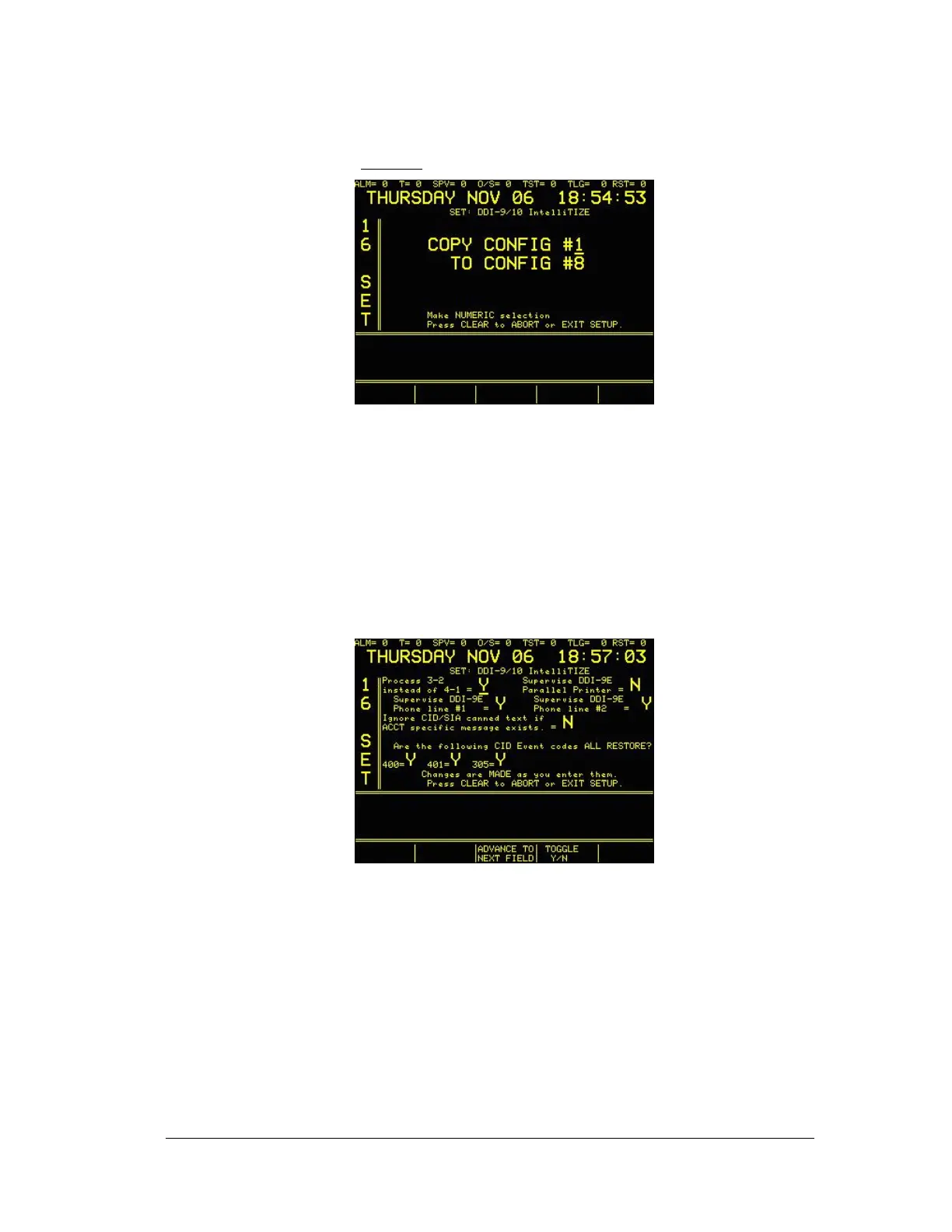
• Use selection #5 to determine the following settings:
• Process 3-2 instead of 4-1 (Y or N)
• Supervise DDI-9/10E Parallel Printer (Y or N)
• Supervise DDI-9/10E Phone line #1 (Y or N)
• Supervise DDI-9/10E Phone line #2 (Y or N)
• Ignore CID/SIA canned text if ACCT specific message exists. (Y or N) – Upon
receipt of a CID account, the SYSTEM 3505 will display and print the “Canned”
CID message when processing the account. If this selection is set to Y, and there is
a programmed text message for the CID account, then the SYSTEM 3505 will not
display and print the canned message when processing the account. Set to N, the





 To Next Page