System 3505 Installation & Operation Manual
Digitize, Inc. 700248-0002 Rev. C 02/16
Specification Subject to Change Without Notice
5-6
CAUTION: Options using serial communications are factory set to the proper BAUD rate
and should NOT be changed by the user. When using the Audio modem or Polling radio
options, the BAUD rate MUST remain 1200 BAUD for proper operation. These interfaces
will NOT operate at any other BAUD rate. The Network Option can be set for 4800 or 1200
BAUD, unless Audio Modem or polling radio are in use for communication in which case
the BAUD rate must be 1200.
5.7 IN/OUT SERVICE, PASSWORD, PRIORITY LEVEL
Important! All System 3505 units are shipped with options preset to conform to ANSI UL 864.
The user may elect to make changes to Network settings that may not conform to that standard.
These changes are as follows: The SYSTEM 3505 is shipped with O/S capability limited at a
slave unit to only impact the Slave System 3505. The user can elect to activate a capability to
allow a Slave System 3505 to take an account O/S at the master as well as at all the Slave units in
a Networked System; this change may not conform to the ANSI UL 864 standard.
Through the 8 SET Menu, the user can program up to 7 (of 8) alarm levels to require passwords
for placing Out of Service. Fire Alarm Level 1 has a default setting of Yes that cannot be
changed.
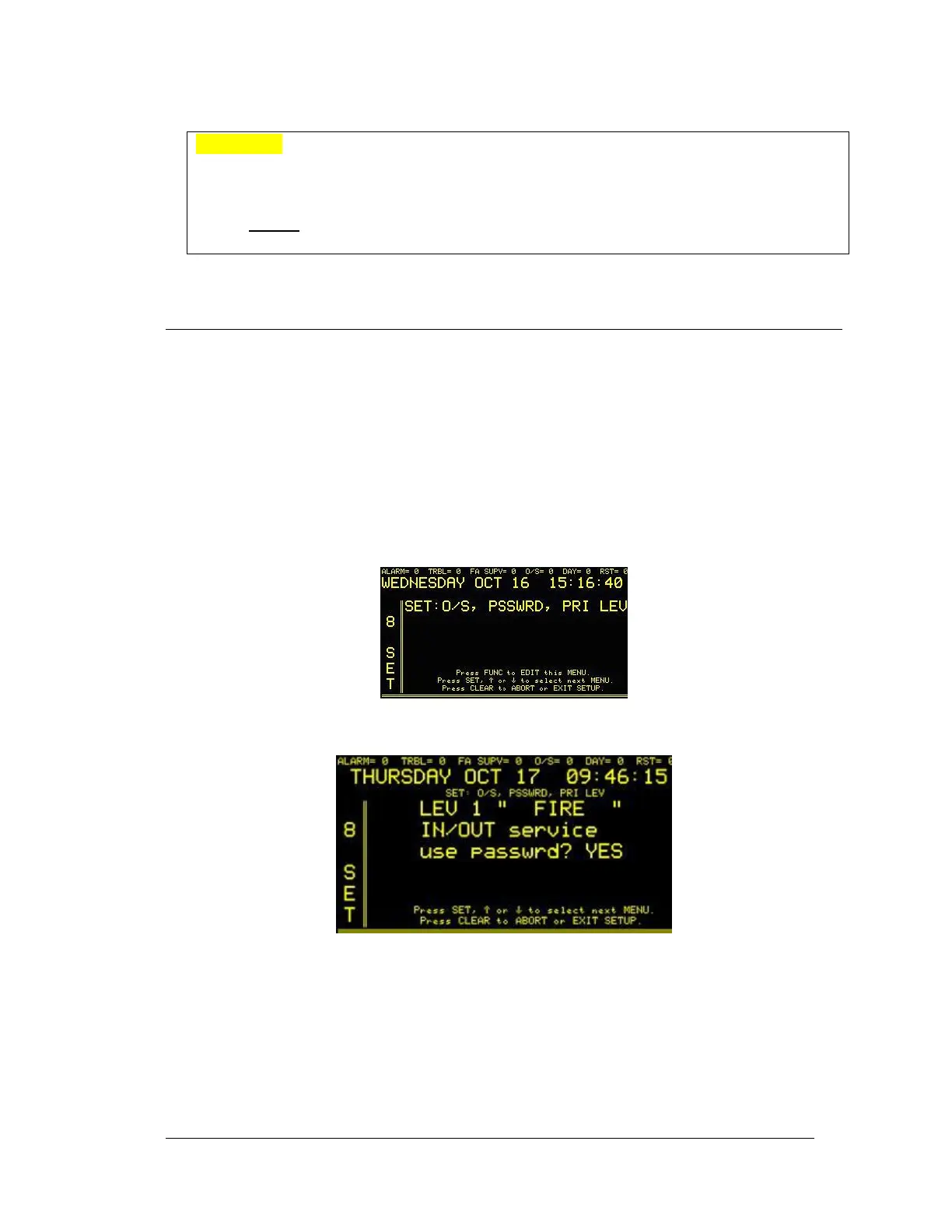
Enter “8”, press the SET button and the display will read:
Press the FUNC button to edit this menu. The display will read:
Use the ↑↓ keys to go through the different alarm MENUS to set them in or out of service, and
if the PASSWORD option should be applied to it.
5.7.1
Changing Priority Level Descriptor
The SYSTEM 3505 has eight priority levels. Priority Level 1 (the highest level)
is set for FIRE alarm messages. Lower priority messages may be used for lower
level alarms. Typical priorities are as follows:




 To Next Page