System 3505 Installation & Operation Manual
Digitize, Inc. 700248-0002 Rev. C 02/16
Specification Subject to Change Without Notice
7-18
7.4.12
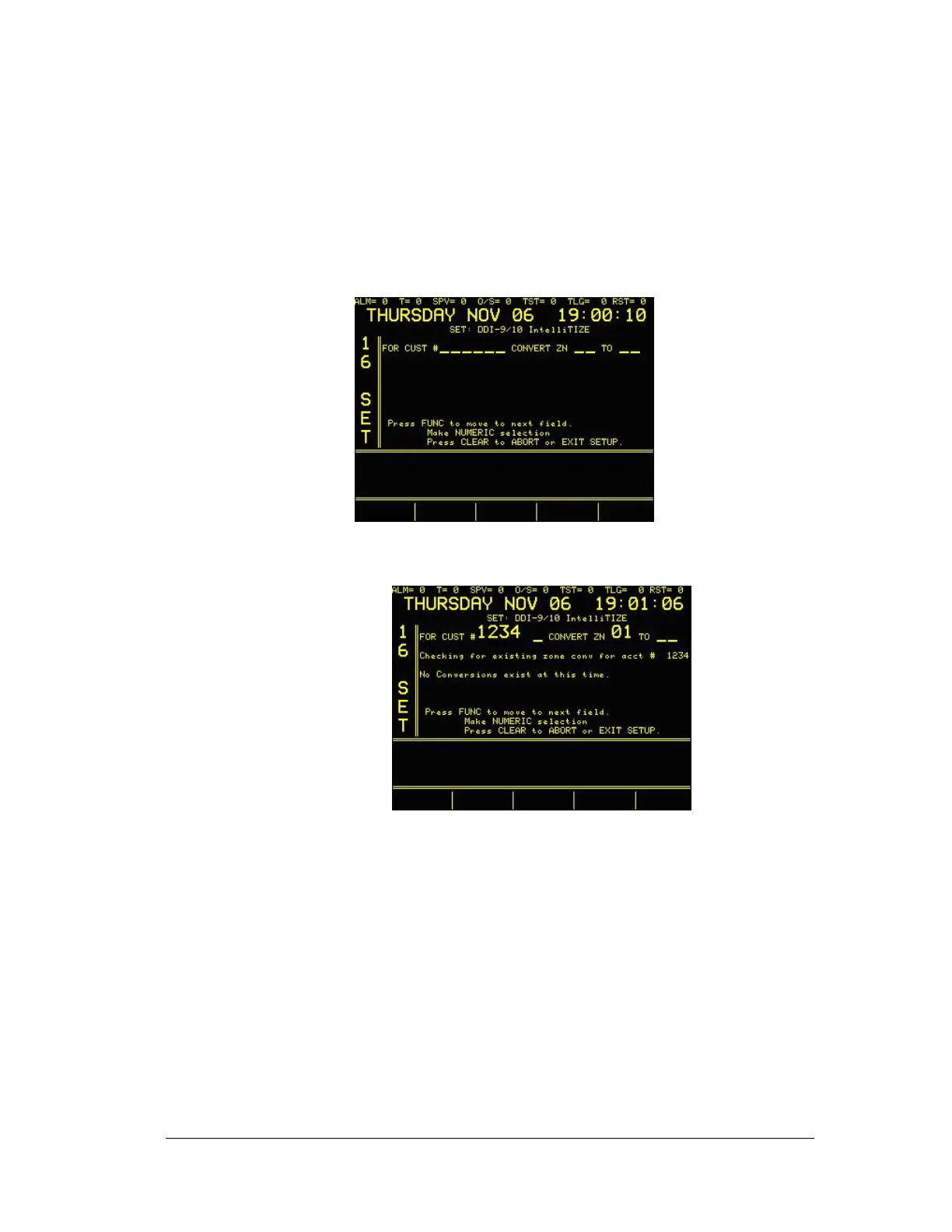
On the Fly Zone Conversion
The On the fly conversion allows minor changes to be made to subscribers whose
dialer almost sends zones that conform to one of the local config tables, but for
which it is undesirable to dedicate another Config table to accommodate this dialer.
On the fly conversion can be used to select one or more zones, and convert them to
another zone the matches the Config table. Simply enter the desired subscriber
number, then the zone that to be converted and what zone to which it is to be
converted. When the subscriber number is entered, the SYSTEM 3505 will check
to see how many conversions already exist for the account.
If no conversion exists, the display will look as follows:
If any conversions exist, the display will indicate what zone has been converted.
7.4.13
Sort Customer in Order and Exit
When selected, the SYSTEM 3505 will sort all of the present dialer accounts into
numerical order and then exit the 16 SET menu. The purpose of sorting the dialer
accounts is so that any missed dialer reports print out in numerical order.
7.4.14
Handshake Selection
Select DDI-9E starting handshake. The DDI-9E follows the list in numerical order
as noted on the printer when this screen is entered. However, one handshake can
be selected to go to the top of the list. That is the handshake will be used first
when the DDI-9E answers the phone. Each time a selection is made at the printer,
the printer will print the new selection.




 To Next Page