System 3505 Installation & Operation Manual
Digitize, Inc. 700248-0002 Rev. C 02/16
Specification Subject to Change Without Notice
5-6
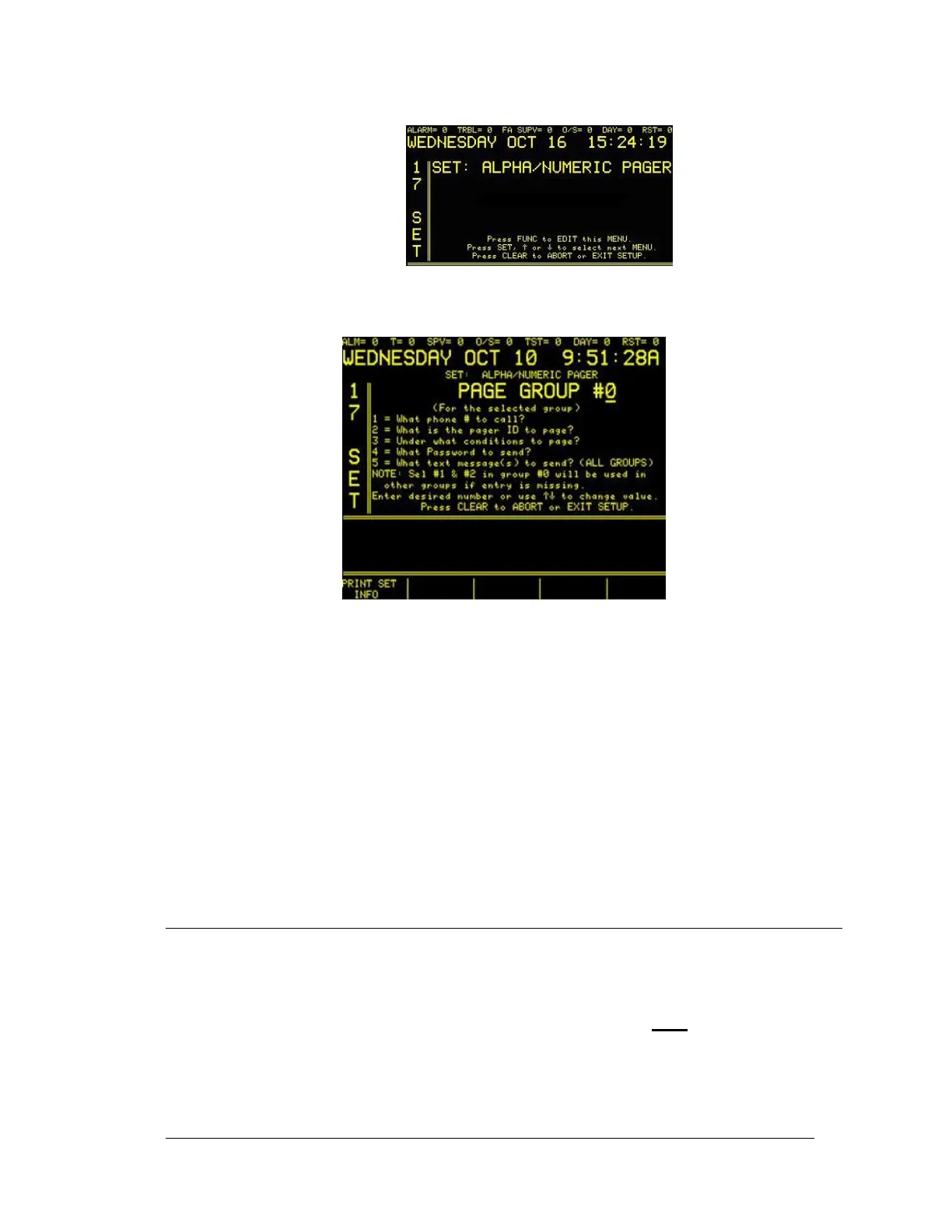
Press the FUNC button to select this menu. Enter password if prompted. The next screen will
read:
Use this menu to configure the alphanumeric pager.
• 1=What phone # to call? Use this to enter area code and telephone number.
• 2=What is the Pager ID to page? Use this to enter pager ID information.
• 3= Under what conditions to page? Use this to enter “when to page” requirements.
• 4=What Password to send? Use this to enter a pager password to send.
• 5= What text message(s) to send? (All Groups) Use this to select the text message
that will be sent to groups.
• PRINT SET INFO Use this programmable key to print settings related to this menu.
The intent of the pager option is to allow a customer to select any alarm or troubles, by category,
to use a pager as and additional for of alert to the display and printout of 3505. This only
functions as an ancillary device.
5.15 SLEEP/AWAKE SELECT OPTION
Sleep/Awake Select allows users to better define the conditions under which to wake up the
System 3505 with the Sleep Mode Option. The user may add any account or combinations of
accounts that need to be active in order for the System 3505 to wake up.
NOTE: After configuring the System 3505 for Sleep Mode, the user must
return to 18 SET and
press the CHANGE TO FCTRY DFLT soft key to update all the conditions. Additionally, each
time new options are added to the System 3505, or a configuration changes, the user must press
the soft key indicated by “Change TO FCTRY DFLT” (on screen) to update all the conditions
one would normally anticipate to wake up the System 3505.





 To Next Page