System 3505 Installation & Operation Manual
Digitize, Inc. 700248-0002 Rev. C 02/16
Specification Subject to Change Without Notice
10-1
10
DLAN OPTION
10.1 OVERVIEW
IMPORTANT: All System 3505 units are shipped with options preset to conform to ANSI UL 864.
The user may elect to make changes to some settings that may not conform to that standard. These
changes are as follows: The Network Option 7 SET menu allows the user to cause an ACK to be
routed to the other System 3505 units for remote ACKnowledge. The default settings are for the
Manual ACK not to be routed to the netowrk or impact the Remote Annuciator ACK selection. An
ACK from the Remote Annunciator unit, or simply transferring an account from the System 3505 to
the Remote Annunciator to not ACK anything. The user can overrided thise settings and select to
ACK the local 3505 on good transfer of an account to the Remote Annunciator or ACK the System
3505 if the operator ACKs the RA, or to send any of these ACK signals on the network to allow
selection of processing the ACK at another System 3505. This includes selections within the SET
menus 29 and 34 (DLAN).
The D-LAN option (PN 020001-0110) with Ethernet Configurator card allows the System 3505
to send Alarm, Trouble, and Secure conditions for Zone, Dialer, Box and System errors to a
computer via a Local Area Network (LAN). Computer output is via a LAN Ethernet Card,
included. The System 3505 sends a handshake signal every 15 seconds to the host computer.
The computer must always be ready to receive data. This is the recommended option for
CGRMS, Remote Annunciator or other computer programs over a Local Area Network.
The D-LAN option is a Digitize LAN protocol for communicating alarms and other
information over Ethernet. Each D-LAN device is assigned a unique D-LAN ID that permits a
D-LAN device to communicate with all D-LAN devices, a group of D-LAN devices or a
unique D-LAN device.
The Digitize Smart-IP card plays an important role in routing the TCP/IP requests to one, or
more, IP addresses. The D-LAN Smart-IP provides routing of the D-LAN protocol to multiple
addresses without the need to use broadcasting. This provides the user with the flexibility to
connect a great number of D-LAN devices over a LAN, WAN or the World Wide Web
(WWW). The primary function of the D-LAN option is to allow the SYSTEM 3505 to
communicate with Automation systems such as CGRMS, or the Digitize Remote Annunciator
(RA).
10.2 D-LAN SET UP (34 SET MENU)
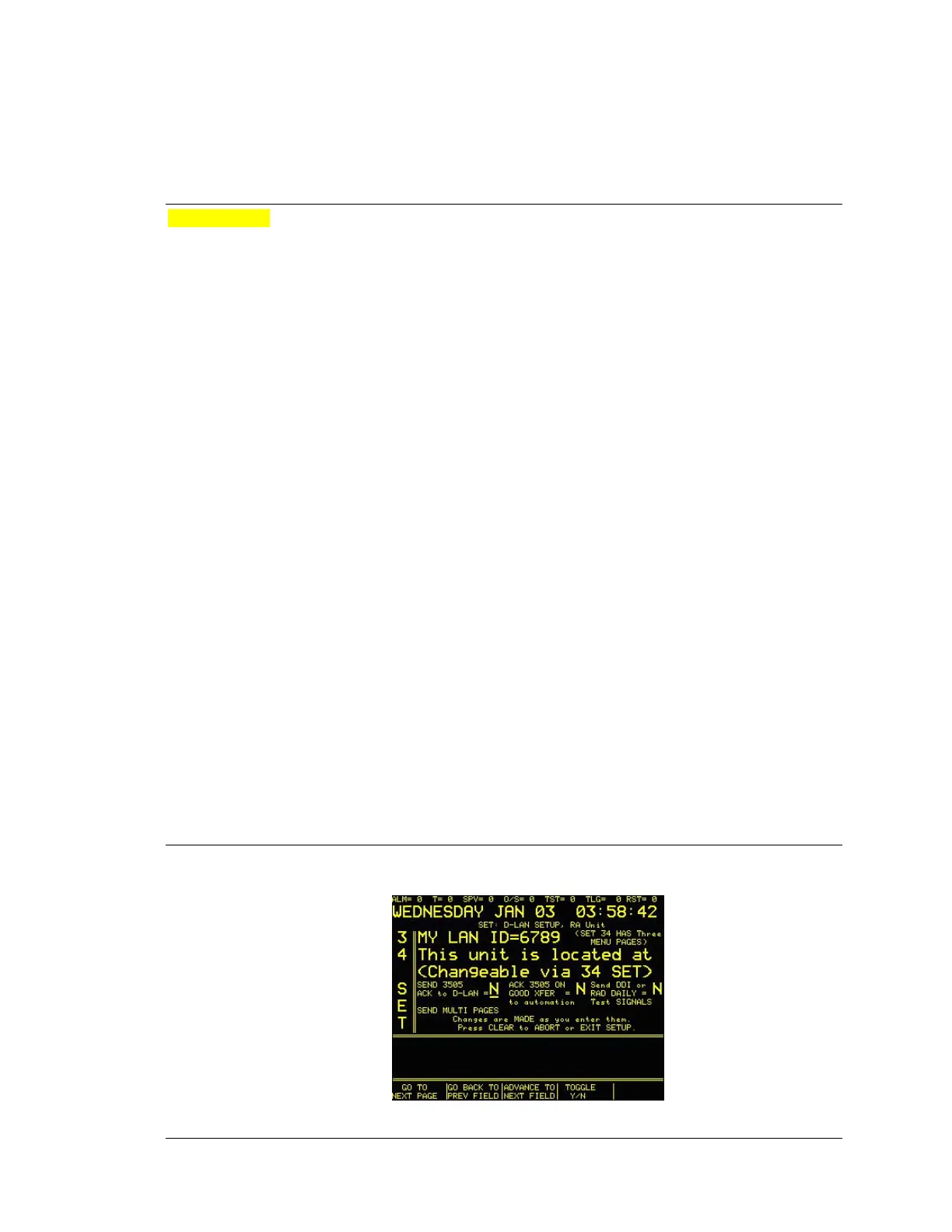
The 34 SET menu is used to set up the D-LAN option for the SYSTEM 3505. SET 34 menus
1, 2 & 3 allow the end user to set up how the D-LAN option should operate between the 3505,
34 SET MENU: Screen 1 of 4





 To Next Page