System 3505 Installation & Operation Manual
Digitize, Inc. 700248-0002 Rev. C 02/16
Specification Subject to Change Without Notice
2-3
of three font styles, or even turn OFF printing of a given page for any CP, GP or PG
account type message. To change the print font style between LARGE 2X24, TALL
1X48, SMALL 1X48 or NO PRINT, simply advance the cursor to the selected font,
and use the CHANGE UP or DOWN key. All changes are saved and activated as
they are entered.
For each of eight priority levels, select the preferred font and how many pages to
print by assigning the condition type to a mode selection. Use the factory default
selections, or modify the Mode menu, then assign it to a condition in this menu.
Users can also select what the thermal printer prints a look up is performed, followed
by pressing the “Send to Log PRTR” soft key.
2.2.4
Set Display Order
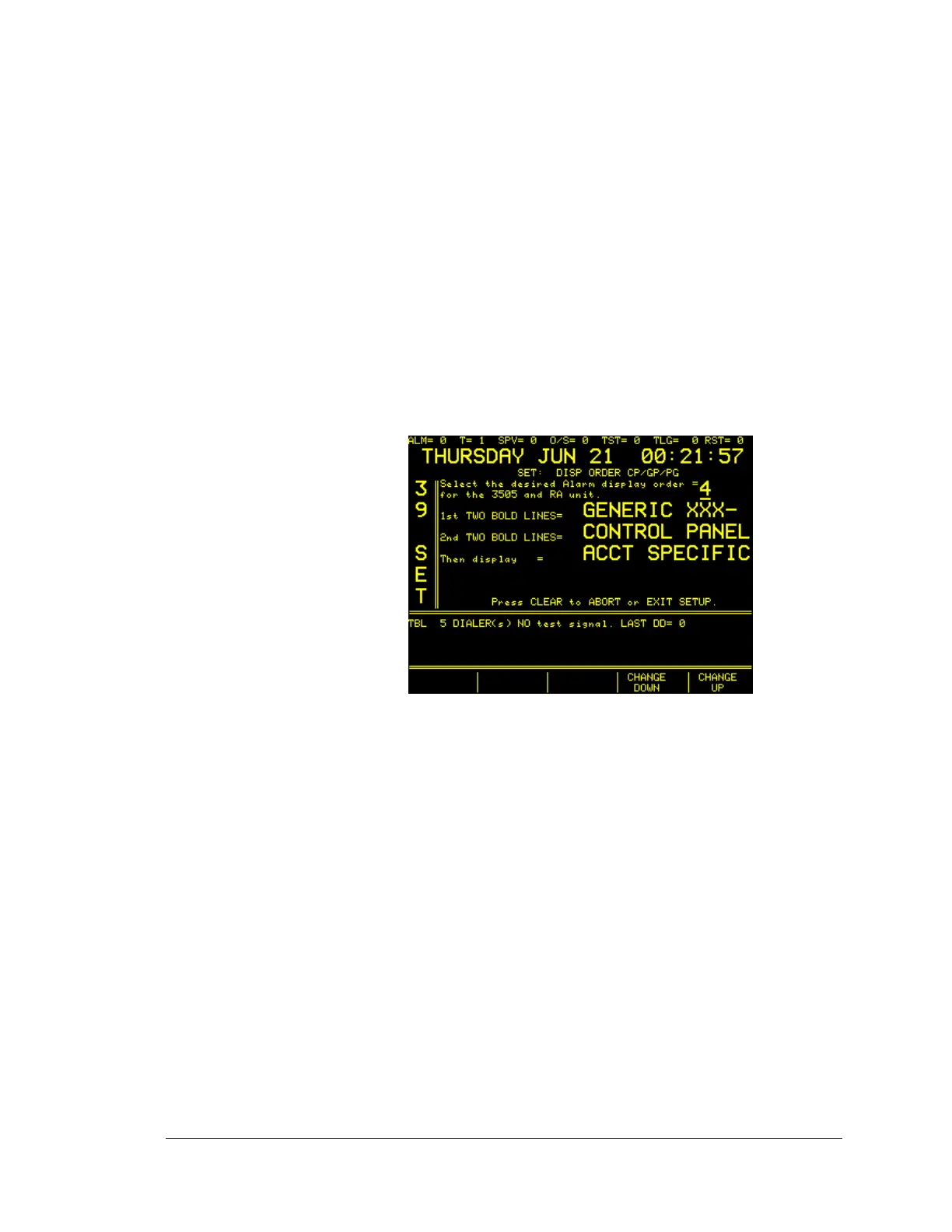
The SYSTEM 3505 allows the selection of the order in which Alarms are displayed.
The 39 SET menu is used to make these selections.
Use the CHANGE UP or DOWN key to select between 1 & 6. Each selection
changes the display order when an alarm is processed. For the selection shown i.e. 4,
the top two lines on the display (if the message exists) will be the first page of the
Generic message (a generic message is a message that deals with the entire panel
such as a DGM/MUXPAD, DDI, radio box, etc.). If the Generic message exists, then
the next two lines will be the first page of the Control Panel text message that is
received from the field panel via the MUXPAD. It is important to note, that
whatever is displayed on the second two lines of 2x24, will then continue to display
the next page in the 1x48 format on the display, followed by the ACCT SPECIFIC
message if any, then page two of the Generic message. Any message that is not
found will automatically use that location for the next message category, regardless
of the selected order to be displayed.
For Systems with D-LAN protocol, this same selected order will be used to send
information to the automation System.
2.2.5
Printer Alarm
The SYSTEM 3505 will sound a trouble alarm when the Thermal Printer enters a
mode error. To silence the alarm press the ACK button, then check printer for one of
the following conditions:





 To Next Page