System 3505 Installation & Operation Manual
Digitize, Inc. 700248-0002 Rev. C 02/16
Specification Subject to Change Without Notice
4-10
4.3.7
Radio Telegraph Menu
For adding, changing or deleting “User Text” information pertaining to radio or
Telegraph boxes, refer to Section 4.2.1 ZONE/MUX MENU. Up to a six-digit box
number can be set up and decoded for telegraph. Up to a nine digit box number
can be set up for radio. The Radio/Telegraph numbers in the System cannot be
duplicated. For example, a radio box and a telegraph box cannot each have the
number 345.
IMPORTANT! Do not enter leading zeros to any number. The SYSTEM 3505
will always process a 3-1 and 4-1 dialer will always display a two digit zone.
Thus, account 123-1 will be processed as 123-01.
4.3.8
Round Menu
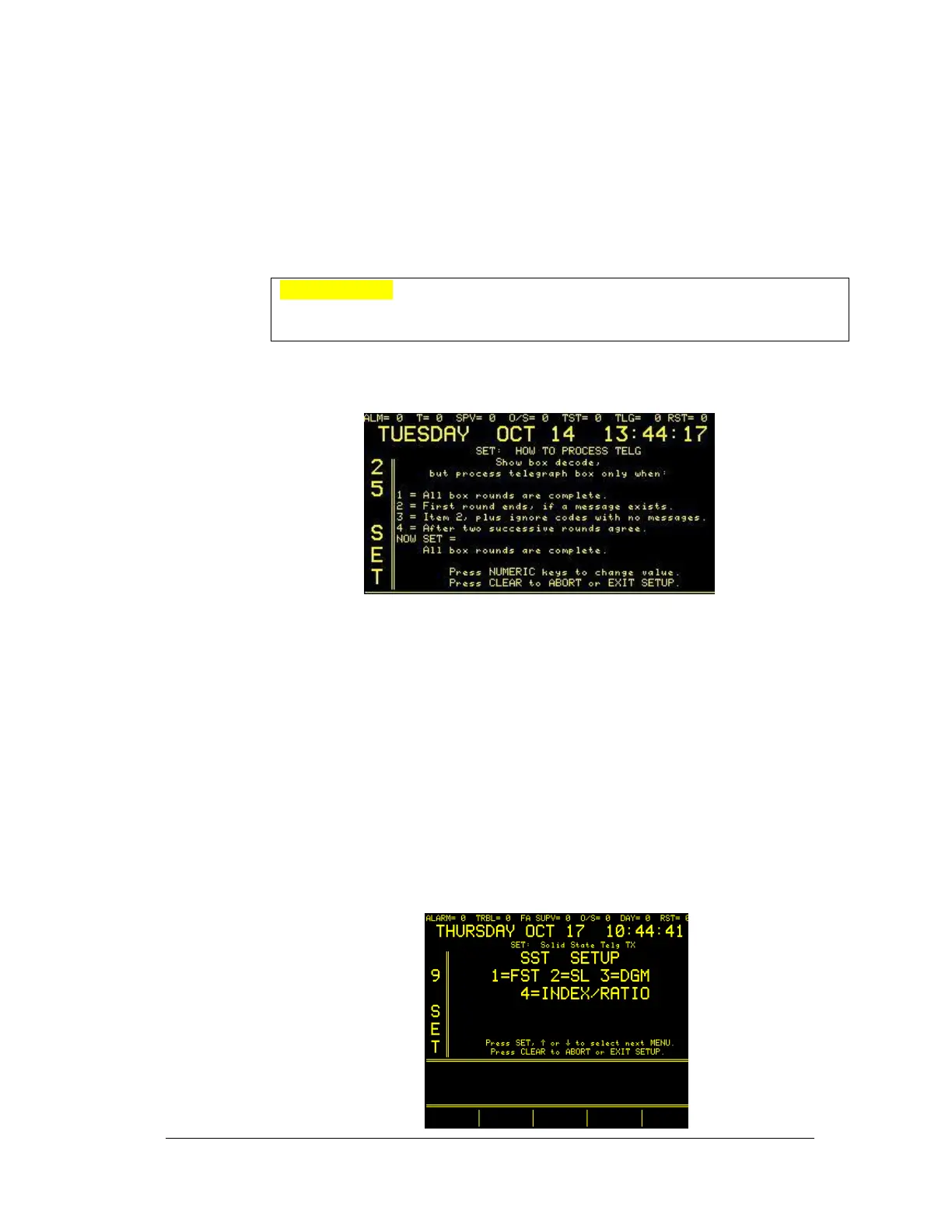
To change how telegraph is processed use the 25 SET menu.
The user is asked to define when to process telegraph box only under specific
circumstances. Options 1-4 are “either/or”, meaning that the user can make one
of four choices to process telegraph box only when:
1. All box rounds are complete
2. First round ends, if a message exists
3. Item 2, plus ignore codes with no messages
4. After two successive rounds agree “NOW SET= all box rounds are
complete”.
Use the numeric keys to change the value to the preferred setting. Press clear to
ABORT or EXIT SETUP.
4.3.9
SST Menu
To change settings in the 9 SET menu, make a numeric selection to advance to
the appropriate screen.





 To Next Page