System 3505 Installation & Operation Manual
Digitize, Inc. 700248-0002 Rev. C 02/16
Specification Subject to Change Without Notice
5-4
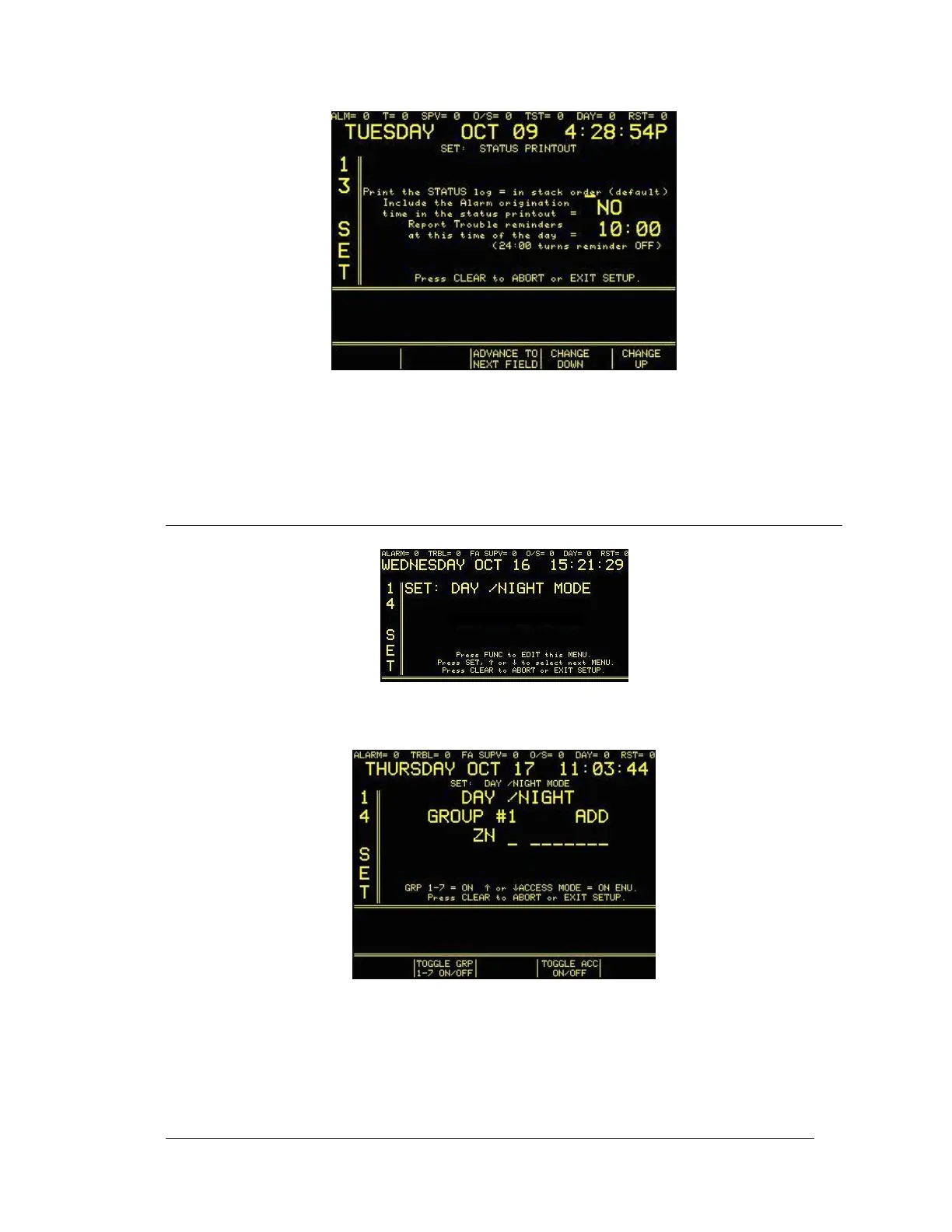
Press the FUNC key (or ADVANCE TO NEXT FIELD programmable key) to move between
fields. Use ↑ or ↓ (or CHANGE UP/CHANGE DOWN programmable keys)
to change values.
Press the CLEAR key to save changes and return to main set menu.
5.12 DAY/NIGHT OPTION SET UP MODE
Enter “14”, press the SET button and the display will read:
Press the FUNC button to edit this menu. Enter password, if prompted. The display will read:
The programmable keys located below the display screen have the editing options TOGGLE
GRP 1-7 ON/OFF and TOGGLE ACCT ON/OFF. Use these keys to make selections. Use the
FUNC button to move the cursor to the various user changeable fields. Use the - keys or the
numeric keypad on the System 3505 to make changes. All changes are made as they are
entered and will be in effect if the DAY mode is currently active. Press the CLEAR button to
EXIT the menu.





 To Next Page