System 3505 Installation & Operation Manual
Digitize, Inc. 700248-0002 Rev. C 02/16
Specification Subject to Change Without Notice
7-9
Failure to add a subscriber to a Config table will cause a warning message when that
subscriber reports in, as well as an incorrect translation of the intention of that signal. This
will most likely confuse the dispatcher. When in doubt, a dispatch should be activated.
Do not enter the same subscriber account regardless of the config table in use.
The SYSTEM 3505 will not accept duplicate subscribers.
Failure to add a subscriber to a Config table will cause a warning message when
that subscriber reports in, as well as an incorrect translation of the intention of
that signal. This will most likely confuse the dispatcher. If in doubt, a dispatch
should be activated.
7.4 Configuration Tables
The SYSTEM 3505 is shipped with Configurations 1 and 2 set as the factory default settings.
To change any default settings and/or to set up other Configuration tables, follow the
instructions outlined in this section. Figure
7-1 Printout for Config Table #1 and #2
(page 7-
11) lists the factory default settings for Configurations 1 and 2. Included at the end of this
section are blank configuration worksheets for use in setting up configuration tables for the
unit.
The purpose of the configuration tables is to translate the pulsed dialer’s format into a
meaningful Alarm, Trouble and Restore presentations and advise the SYSTEM 3505 how to
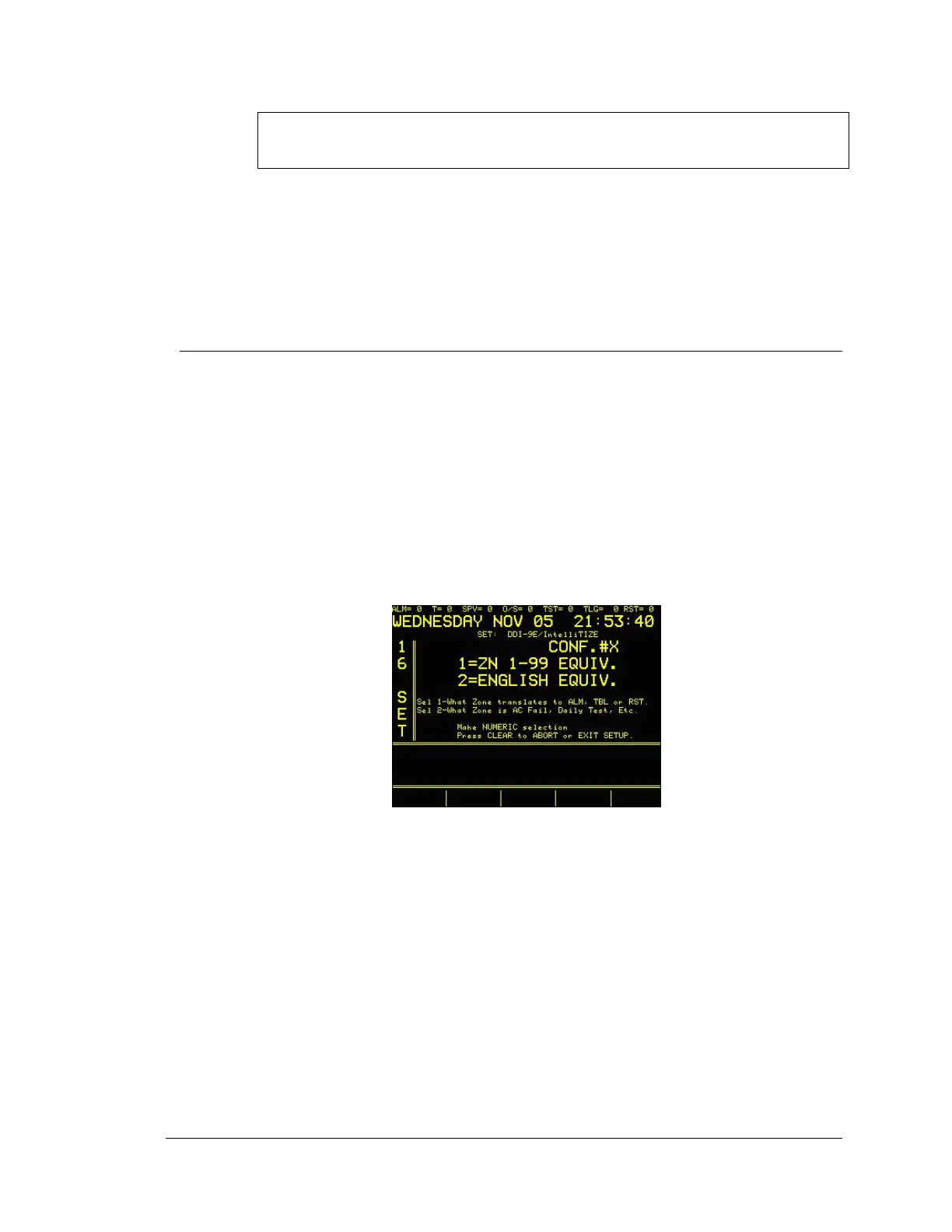
translate the zone codes sent by the pulse dialers. At the CUST/CONFIG screen, Enter 2
(CONFIG) and the display will read:
7.4.1
Translate Alarm Codes to Zones
To change the default settings on Configuration 1 or 2, both needed to complete
the configuration, unless adding CID or SIA accounts. Enter 1 and the display
will read:




 To Next Page