System 3505 Installation & Operation Manual
Digitize, Inc. 700248-0002 Rev. C 02/16
Specification Subject to Change Without Notice
10-2
CGRMS and the RA. In referring to “Alarm” or “Alarm Condition”, this refers to processing an
Alarm, Trouble or Restore in the context of descriptions that follow. The soft key functions, as
labeled below, perform the following:
GO TO NEXT PAGE– Each press of this key advances the user to the next menu screen,
and is used to navigate between SET MENU screens 1, 2 &3. The user may also move
forward or back between menu screens using the “Advance to Next field” or “Go Back to
Prev Field”. NOTE: this method will step through all of the selections.
GO BACK TO PREV FIELD– Each press will navigate backwards through the various
screen selections. Should this key get pressed from the first selection, the user will return to
the previous 34 SET menu page. The flashing cursor indicates the function that will be
changed by using other key selections.
ADVANCE TO NEXT FIELD– Each key press forwards through various screen selections.
Should this key get pressed from the last selection for the screen, the user will advance to the
next 34 SET menu page. The flashing cursor indicates the function that will be changed by
using other key selections.
TOGGLE Y/N– Changes the selection between Y and N on each key press. Changes are
activated in the SYSTEM 3505 as they are entered. The TOGGLE Y/N key is also used to
change the SEND MULTI PAGES and SEND SINGLE PAGE.
NEXT LAN ID DEVICE– Used on 34 SET MENU page 3 to cycle through all of the D-
LAN devices connected to this SYSTEM 3505.
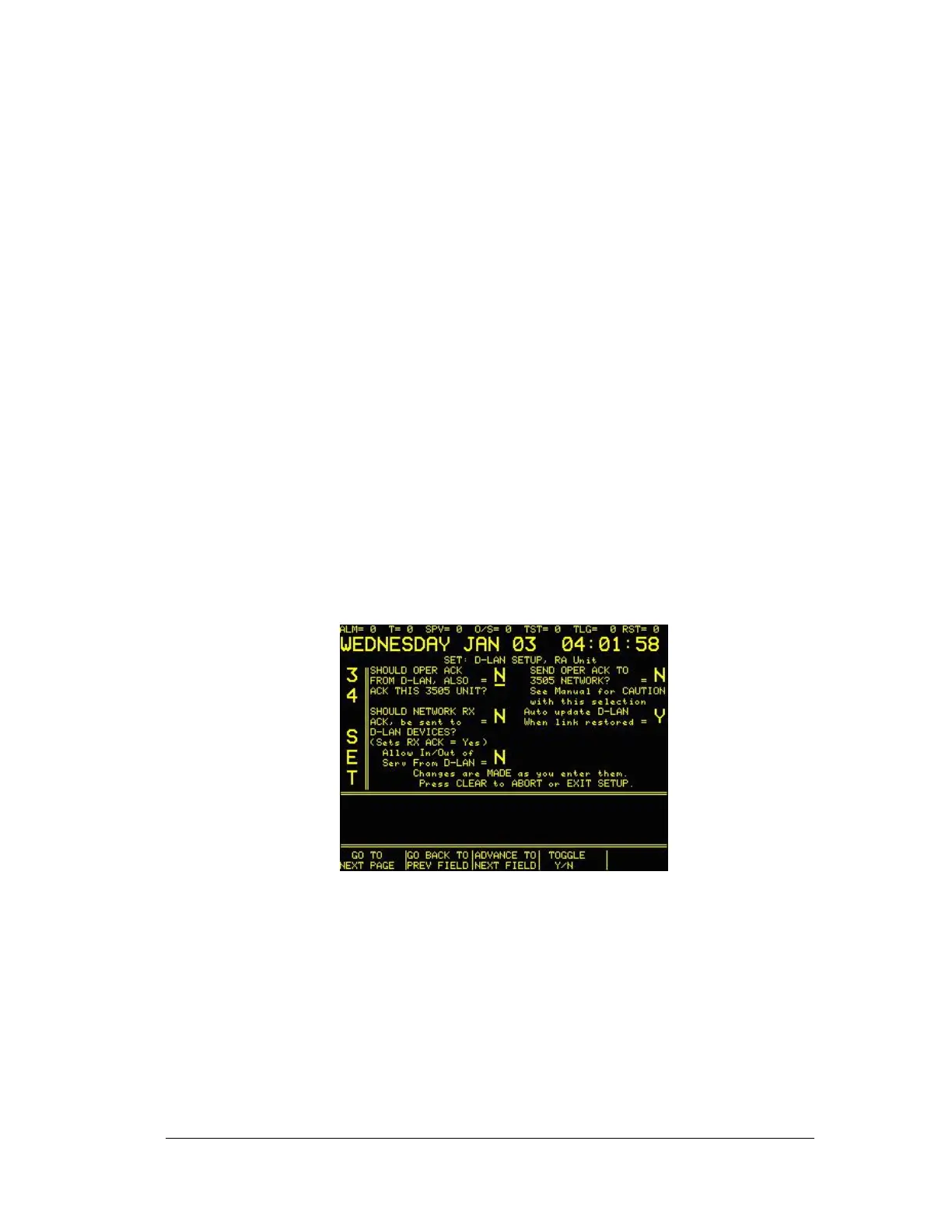
34 SET MENU: Screen 2 of 4
SEND 3505 ACK to D-LAN: Set to Y routes the 3505 operator pressing the ACK button to
the D-LAN devices, thus allowing ACKnowledging of the CGRMS or RA conditions via the
3505.
NOTE: The factory default is N. The N setting is not recommended for those
users that have this option and SHOULD OPER ACK FROM D-LAN, ALSO
ACK THIS 3505 UNIT each set to Y. If the factory default is left in place, the
SYSTEM 3505 will only respond to SEND 3505 ACK to D-LAN.
ACK 3505 ON GOOD TRANSFER-Set to Y will ACK the Alarm condition on the 3505 if
the 3505 successfully passes the alarm condition to the automation system. This does not





 To Next Page