System 3505 Installation & Operation Manual
Digitize, Inc. 700248-0002 Rev. C 02/16
Specification Subject to Change Without Notice
5-2
30. TIME BLOW
31. MUTUAL AID
32. CUSTOM PROGRAM
33. CONVERT ALARM TO TROUBLE
34. D-LAN OPTION
35. @ COMMAND REACTIVATE
36. MONACO RFM-7000 OPTION
37. MONACO RFM 5000 OPTION
38. REMOTE ACTION TAKEN
39. DISPLAY ORDER
The following message will display as the user advances through the menus:
<<Press FUNC to EDIT this MENU.
Press SET, ↑ or ↓ to select next MENU
Press CLEAR to ABORT or EXIT SETUP
As described in the message above, pressing the FUNC button will select the MENU shown and
move the cursor to the first selection of that Menu. Refer to Appendix B, System 3505 Step-by-
Step Procedures for detailed direction for each menu.
The Time and Date SET menus do not require a password, but a password level can be assigned
by the user. All other menus require a password. Once a password level is entered, that
password will allow access to all screens of an equal or lesser value.
Password entry is valid for 90 seconds after the SET mode is exited. This allows reentry to the
SET menu without entering the password immediately, should a momentary exit be required. In
the examples that follow, the password display will be used only on Alarm Level/Tone menu,
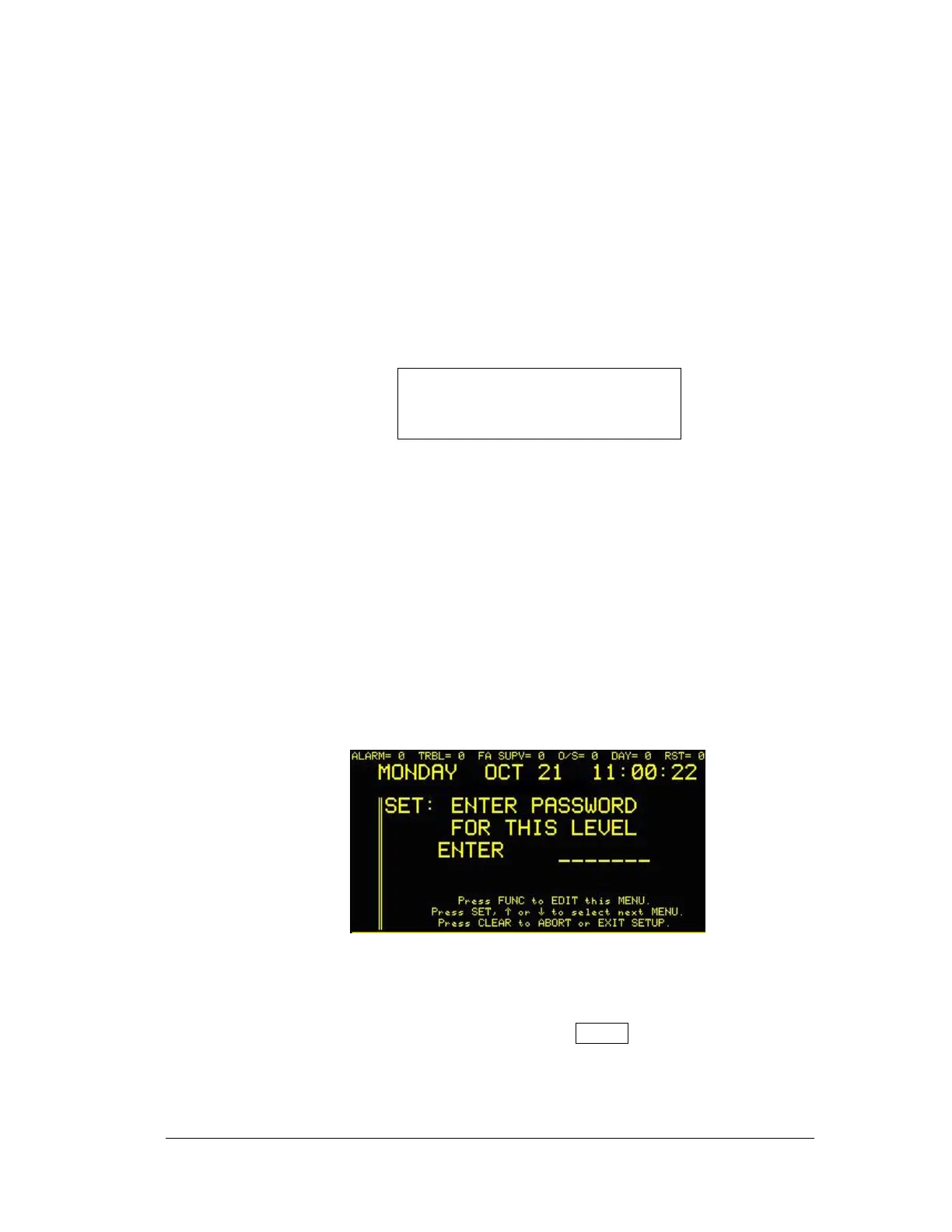
because this would normally be the first setup to require a password. If the user “times out” of
the SET menu modes, the following screen will appear:
The user must then enter the appropriate password to continue. This explanation is not repeated
throughout the document, merely the instruction to “enter password, if prompted.”
Whenever PRINT appears in the menu, the user may press PRINT to obtain a printed list of the
thermal printer of the settings already entered for that menu.
The SYSTEM 3505 has several Optional features. If these Options are not installed, the phrase
(NEEDS OPTION) will appear on the display. The illustrations used within this manual depict





 To Next Page