System 3505 Installation & Operation Manual
Digitize, Inc. 700248-0002 Rev. C 02/16
Specification Subject to Change Without Notice
5-2
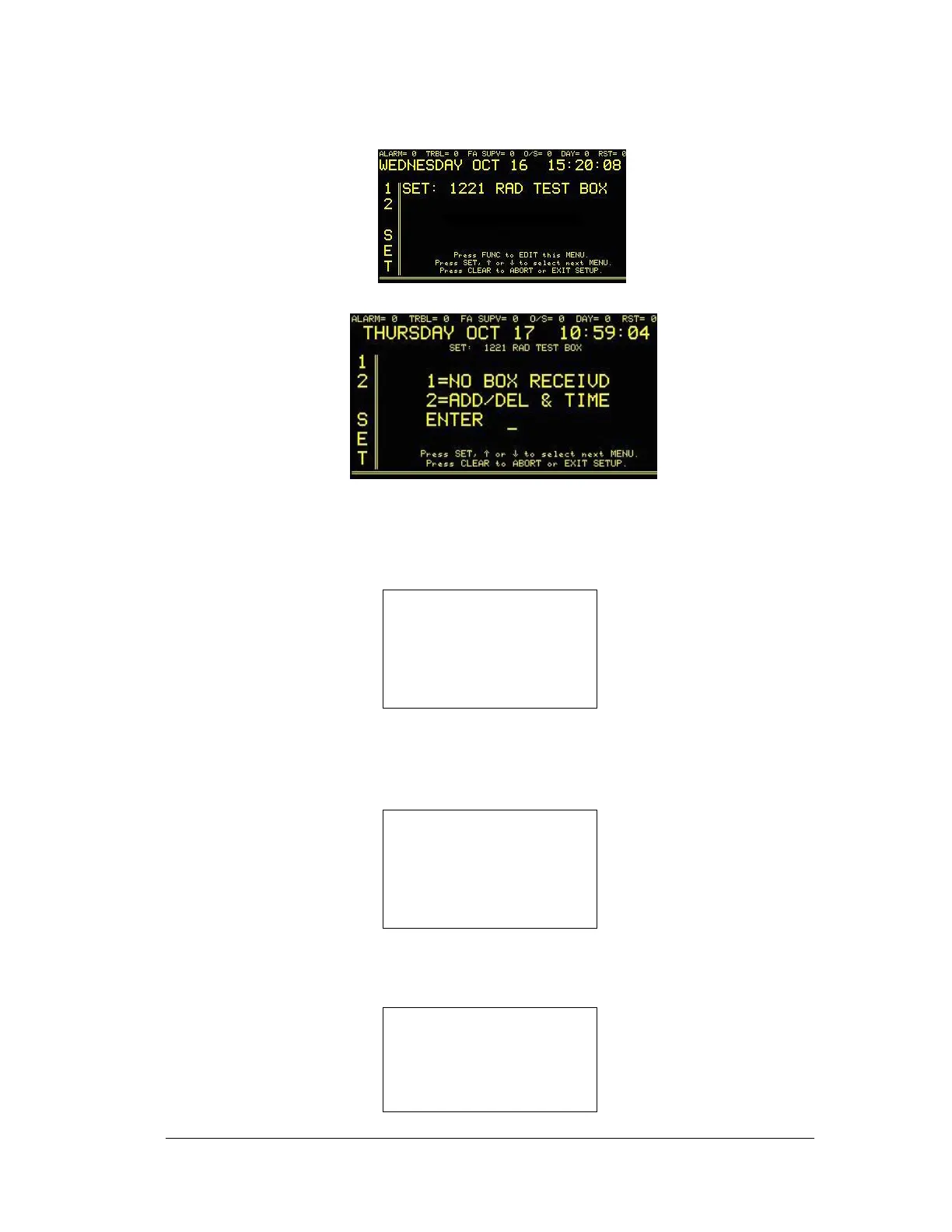
Enter “12”, and then press the SET button and the display will read:
Press FUNC to edit this MENU. Enter password, if prompted. The display will now read:
• Press “1” to set up the time when the SYSTEM 3505 will report ‘no box received’.
The display will now read:
REPORT NO BOX RX
AFTER 01:00 HRS
ENTER _
Press SET, ↑ or ↓ to select next
MENU.
Press CLEAR to ABORT or EXIT
SETUP
Use the ↑↓ keys on the System 3505 keypad to change AFTER HOURS time. Press CLEAR to
save and exit to main screen.
• Press “2” at the main screen to add or delete a test box. The display will now read:
1=ADD 2=DELETE
3=Auto PRINT
ENTER _
Press SET, ↑ or ↓ to select next
MENU.
Press CLEAR to ABORT or EXIT
SETUP
Within this sub-menu:
Press “1” to add a test box to memory. The display will now read:
ADD TEST DELETE
ENTER _ _ _ _ _ _
Press SET, ↑ or ↓ to select next
MENU.
Press CLEAR to ABORT or EXIT
SETUP





 To Next Page