System 3505 Installation & Operation Manual
Digitize, Inc. 700248-0002 Rev. C 02/16
Specification Subject to Change Without Notice
7-6
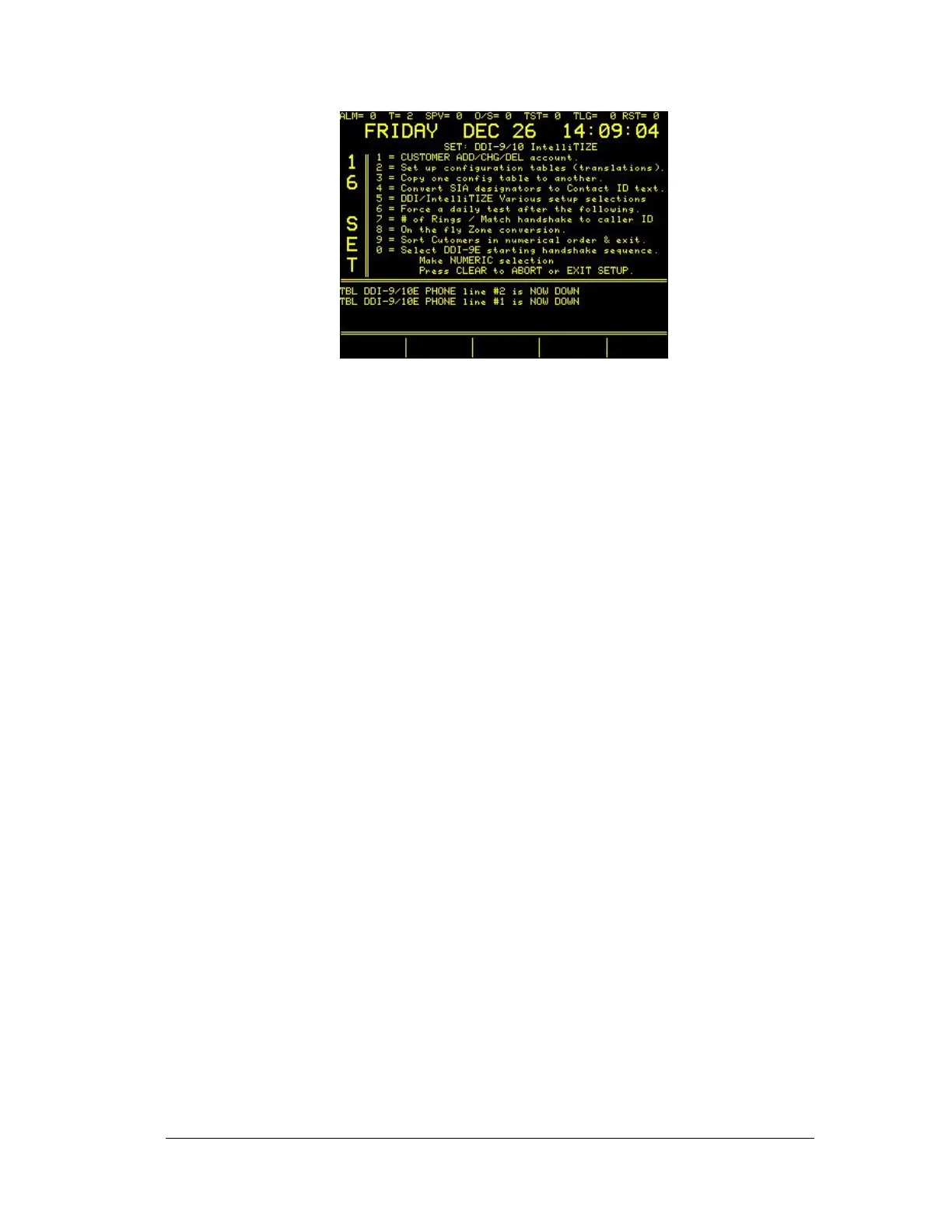
The following selections are available:
1 = CUSTOMER ADD/CHG/DEL account – Use to add, change or Delete a
subscriber into the SYSTEM 3505. Each Dialer or Intellitize account must be
added.
2 = Set up configuration tables (translations) – Tells 3505 how to process the
zone information sent by the subscriber unit in a 3-1, 4-2 pulse type format. The
SYSTEM 3505 provides eight groups that allow eight different translations. All
subscriber units must use one of these eight conversions.
3 = Copy one config table to another – This allows the user to copy a config
table that closely resembles another desired config table. The copied file can
then be edited and changes as needed to meet the desired altered configuration.
4 = Convert SIA designations to Contact ID text – The SYSTEM 3505 takes
any incoming SIA accounts and converts them to CID format. This selection
allows set up of the needed conversion. Alternatively, the WIN3505 Utility can
be used to edit the SIA to CID conversions, then reload the CID code into the
3505.
5 = DDI/Intellitize Various setup selections – allows selections to be made.
• Process 3-2 instead of 4-1 (Y or N)
• Supervise DDI-9/10E Parallel Printer (Y or N)
• Supervise DDI-9/10E Phone line #1 (Y or N)
• Supervise DDI-9/10E Phone line #2 (Y or N)
• Ignore CID/SIA canned text if ACCT specific message exists. (Y or N)
• Are the following CID Event codes ALL RESTORE?
400 (Y or N)
401 (Y or N)
305 (Y or N)
6 = Force a daily test after the following_
DATA LOSS i.e. Missed last signal (Y or N)
PNL TBL 24HR – 24HR TEST, WITH PNL TBL (Y or N)
For CID Event #P300 (Y or N)
For CID Event #602 With zone # > 0 (Y or N)
7 = # of Rings Rings / Match Handshake to Caller ID
8 = On the fly Zone Conversion.
9 = Sort Customer in numerical order & exit.
0 = Select DDI-9E starting handshake sequence.





 To Next Page