System 3505 Installation & Operation Manual
Digitize, Inc. 700248-0002 Rev. C 02/16
Specification Subject to Change Without Notice
7-11
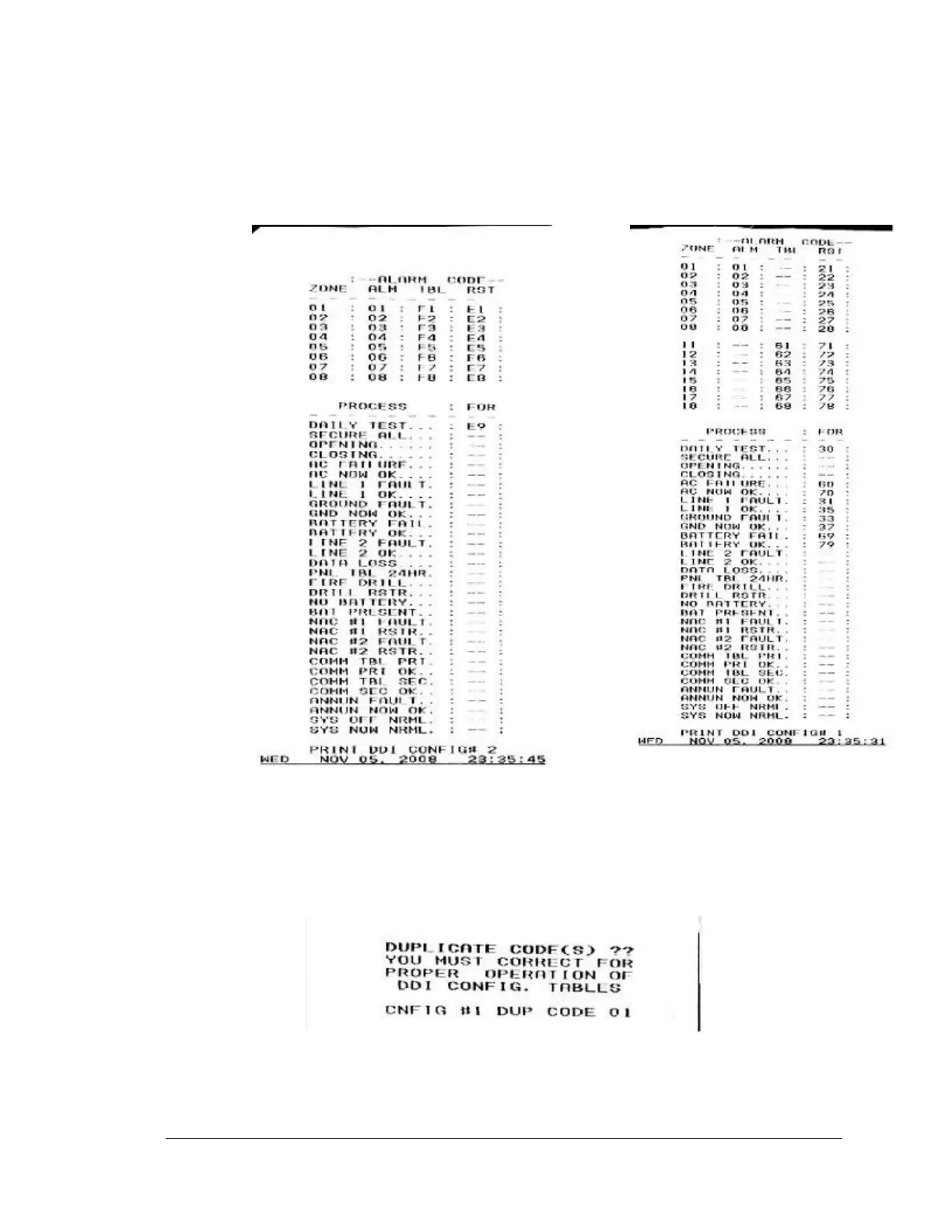
The cursor is on the first field (CONFIG #) After entering the desired CONFIG
table number, press PRINT SET INFO to obtain a copy of the existing settings.
Use the FUNC button to move to the next field (ZONE). The SYSTEM 3505 is
shipped with Config table #1 & #2 preloaded.
7-1 Printout for Config Table #1 and #2
NOTE: When the Dialer menu is exited, the SYSTEM 3505 checks for duplicate
codes.
An error message such as the following prints:
Each time the SYSTEM 3505 is powered up or reset, it checks all eight Config
tables for duplication. The SYSTEM 3505 will print an error message if it
discovers duplicate zones on power up. In the case noted by the printout, go to





 To Next Page