System 3505 Installation & Operation Manual
Digitize, Inc. 700248-0002 Rev. C 02/16
Specification Subject to Change Without Notice
7-14
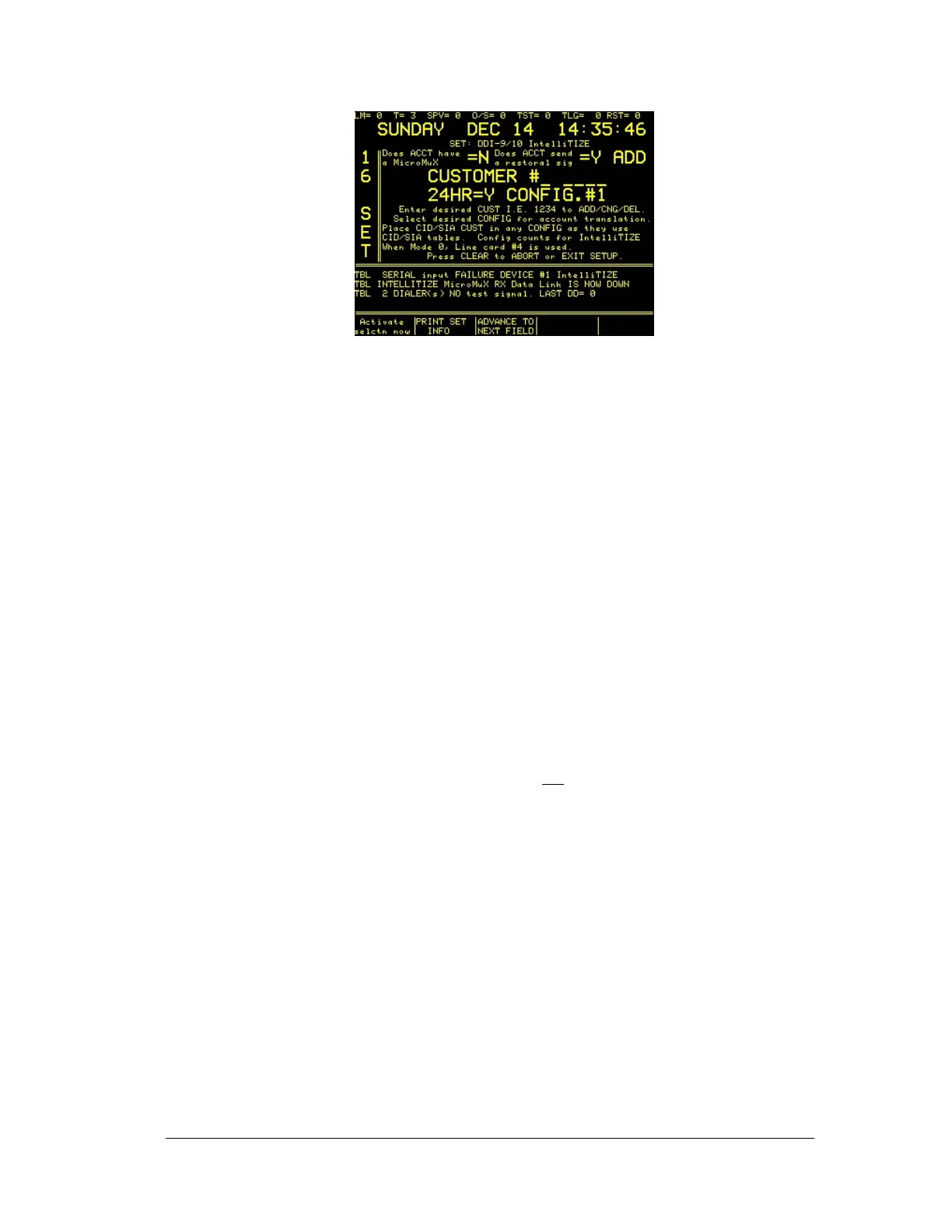
Pressing the “Advance to next field” soft key will allow setting of the following:
• Enter CUSTOMER number to ADD/CNG or DEL.
• Select how often this dialer will send in a daily test. The default selection is
24HR, however, if CHANGE UP or DOWN soft keys are pressed, the
selection will change to XX.X if not set yet. At this point any time interval
from .1 minute to 24 hours can be selected. Entering one or more “0” will reset
the indication back to XX.X. Please note that this variable time setting is
applicable to all Dialers assigned to this time. When this variable time is
changed, it changes every dialer that was assigned to this variable time. The
purpose of the variable time is to allow options such as guard tour using a
shorter reporting interval of every 2 hours, e.g. Thus, the guard will need to
activate this account at least once within a two hour period, although the
“failed to report” is not provided until 15 minutes over the selected reporting
period. Whether selecting the variable time or the fixed 24H time, the equal to
must be set to “Y” for this timer to apply to this account.
• 24Hr/XX.X = Y or N – Set to “Y” the SYSTEM 3505 will use this time
interval to check that the dialer reported in within this time frame. The
SYSTEM 3505 will report a subscriber failure should 15 minutes laps after the
scheduled time frame. Failure to report in will be ignored if this selection is set
to No. Some dialers can be set to not
send in a report on a periodic basis; if
this is the case, select N. If the dialer is used to report Fire alarms, it must
report in at least once every 24 hours.
• CONFIG. #X – Select which CONFIG table to which this subscriber should
be assigned. The zone accounts to be reported by this subscriber must match
the Config table.
• ADD/CHG/DEL – Select what action to take for this subscriber.
• RESTORE (Does ACCT send restoral sig) Y or N –
If this subscriber sends a restoral for the activated Alarms or Troubles,
the select Y. If N is selected, then after the subscriber reports an Alarm
or Trouble, the dialer can be cleared from the SYSTEM 3505 by
pressing CLEAR when the Subscriber is on the top of the display and the
CLEAR LED is flashing.
If this subscriber is an Intellitize unit with a Micromux unit with a Micromux card
to monitor the addressable FACP thien select Y. If not select N. If the System





 To Next Page