Autopilot Operation
8-10 SkyView HDX Pilot’s User Guide – Revision B
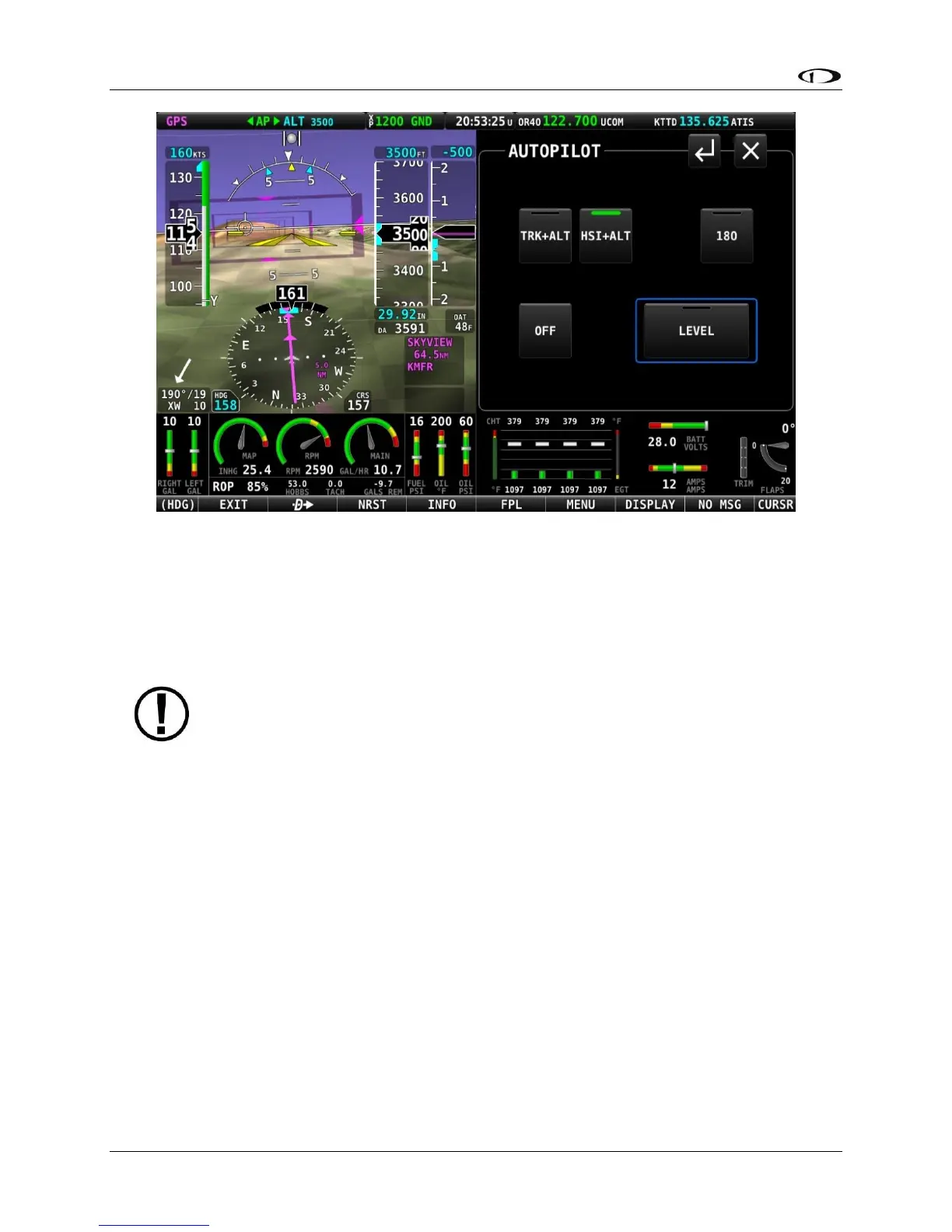
Figure 218 – HSI+ALT mode is engaged
To disengage the autopilot, press the OFF button, the autopilot disconnect switch, or the
HSI+ALT button a second time. HSI+ALT will be unavailable and grayed-out if there is not a valid
source (with active CDI) currently selected on the HSI, or if the autopilot is outside of its
allowable engagement speed ranges.
When your HSI source is a radio-based VOR or LOC, SkyView uses GPS position
information to help the autopilot correct for wind effects. If no GPS is available to
SkyView, VOR and LOC sources can still be flown by the autopilot, but the
autopilot’s ability to perfectly track the course guidance may be reduced.
YD
Pressing YD engages and disengages the yaw damper. Yaw damper normally engages when the
autopilot is engaged but can be controlled separately from roll and pitch servos with this
button. Button is not shown if the yaw servo is not installed.
180°
Pressing 180° to initiate an autopilot controlled 180 degree turn from the current track while
maintaining the current altitude. This is effectively the same as pressing TRK+ALT and then
immediately turning the bug turned 180° from the current track. The autopilot will normally
turn the aircraft to the left. An exceptional turn to the right may occur if the aircraft is already
established in a right turn when the 180° mode is engaged.
During the turn both the TRK+ALT and 180° buttons will show the green mode engaged bar.





 To Next Page