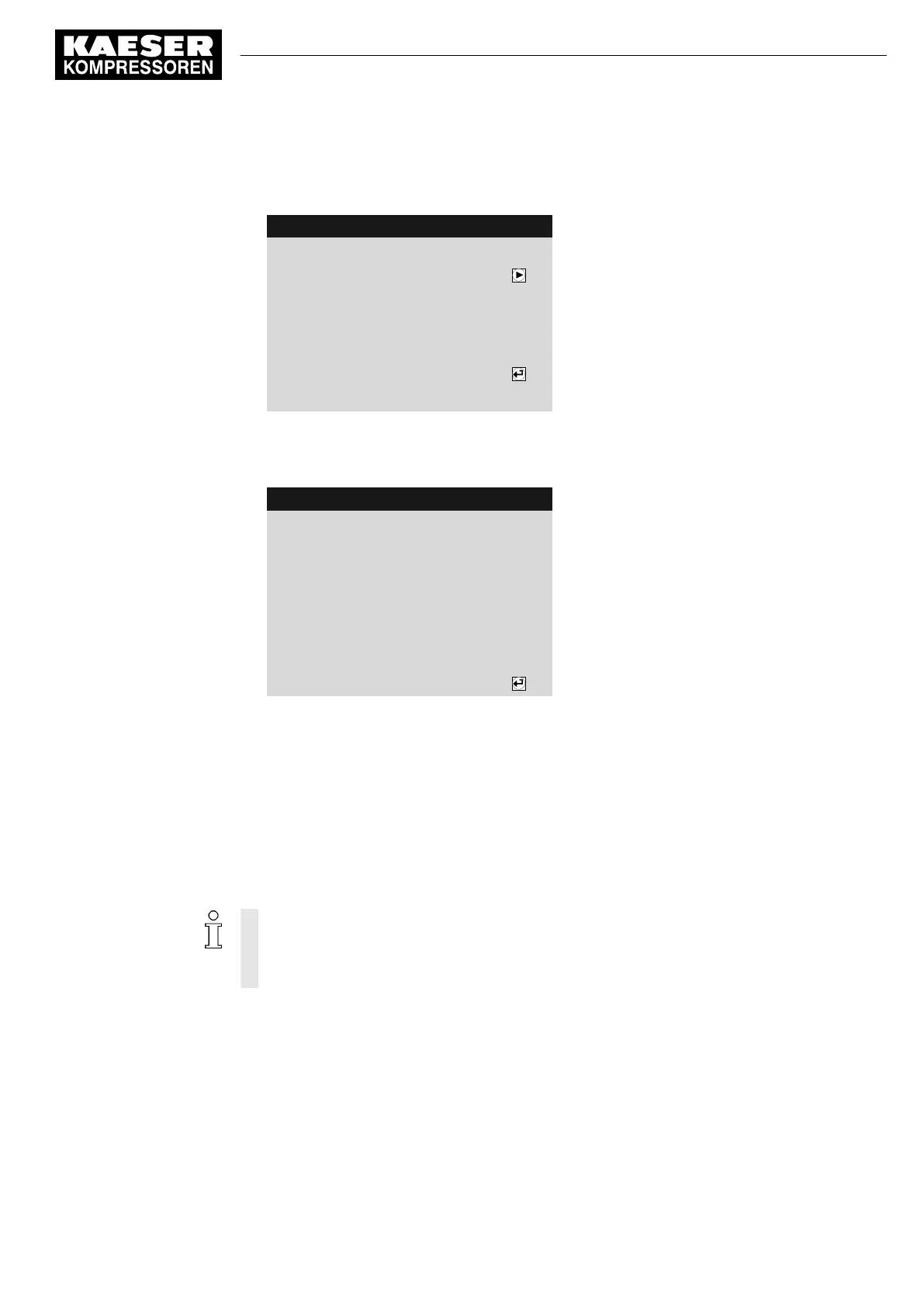
1. Hold the RFID Equipment Card delivered with the machine in front of the RFID reader.
Users are always logged on with access level 2.
8 8 p s i 0 8 : 1 5 A M 1 7 6 ° F
Header
Log-in successful
Menu
Button to change password
Prompt, whether the password is to be changed
------------------------------
Name: E00019895
Level: 2
2. Within 10 minutes, hold the master RFID Equipment Card to be taught in front of the RFID
reader.
The master RFID Equipment Card is not registered at the machine.
8 8 p s i 0 8 : 1 5 A M 1 7 6 ° F
Header
Registration successful
The master RFID Equipment Card has been regis‐
tered
------------------------------
Name: E00017326
Level: 2
3. Repeat the above steps at the next machine if the master RFID Equipment Card is to be regis‐
tered at other machines.
Result You have registered a master RFID Equipment Cards at the machine.
8.2.8 Checking/setting time and date
Precondition Password access level 2 is activated.
Check and set time
➤ When operating the machine with a timer program, check the time settings at least once
a year.
➤ You can automatically synchronize date and time using a time server. Manual setting of
the time is no longer required in this case. See chapter 8.2.16.
1. Open the 5.1
<Configuration – General>
menu.
2. Use «Up» or «Down» to select the
Date/time
line.
8 Initial Start-up
8.2 Setting the controller
No.: 9_9450 13 USE
User Manual Controller
SIGMA CONTROL 2 SCREW FLUID ≥5.1.2
61



 To Next Page