Keysight N9915-90020 User’s Guide 289
RTSA (Real-time Spectrum Analyzer) Mode—Option 350
Record/Playback (RTSA Option)
— Segment Count Sets the number of traces to record, after which the
recording will automatically pause. Press Pause/Resume or Record
to capture another N traces, or Stop to end recording. Default is
OFF, which is NO limit to the number of traces to be recorded.
When set, a counter appears in the lower-left corner which counts
UP to the specified number of recordings.
Record Source
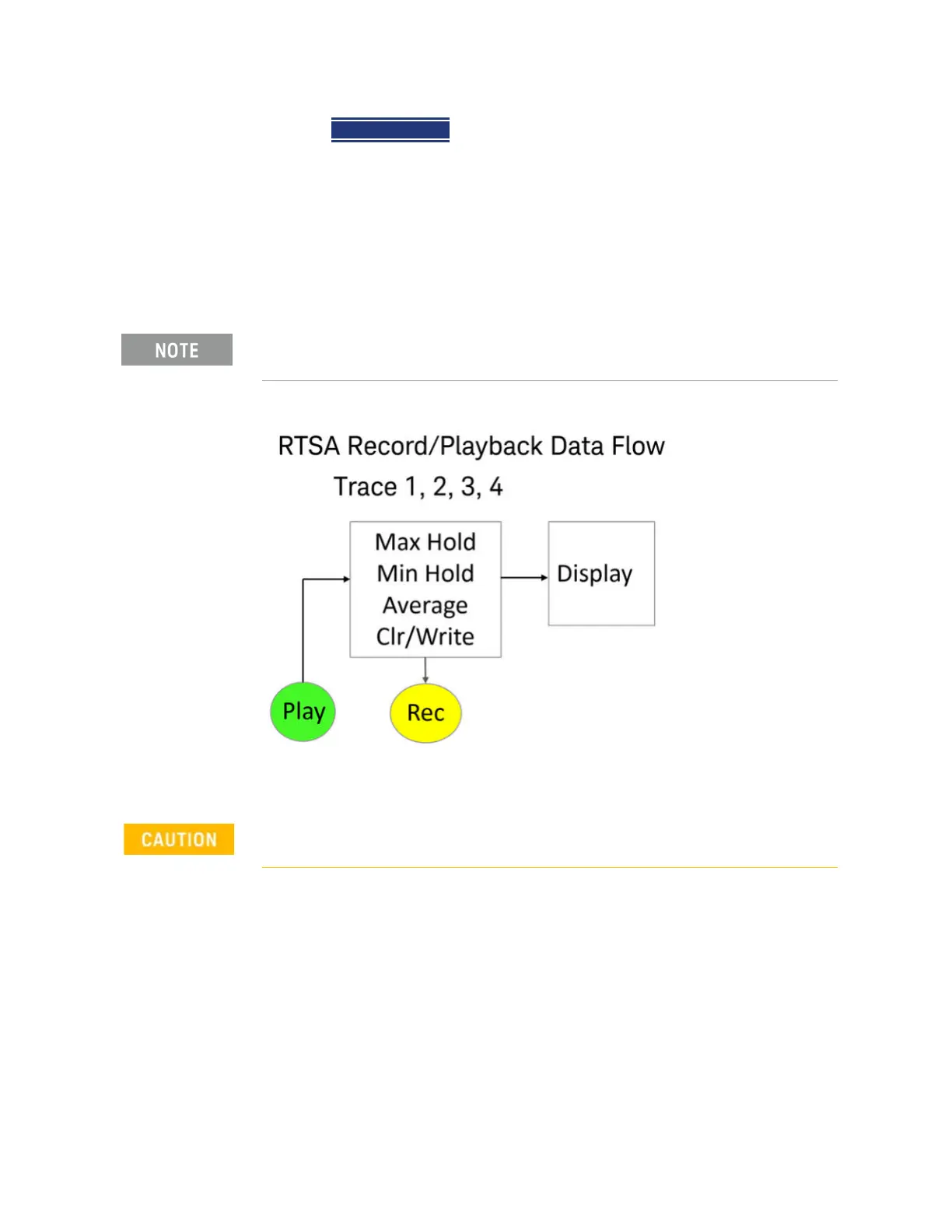
Figure 10-10 FieldFox RTSA Mode: Data Flow and Record Playback Data Points
RTSA Data Recording:
— Data is recorded at the trace state processing block.
— Data can be recorded from Traces 1,2,3, or 4 which includes the trace state
(Max Hold, Min Hold, and so forth).
— Data is ALWAYS played back into the same trace number that was
recorded. If four traces were active during the recording, but only one trace
was recorded, then during Playback only that one recorded trace is visible.
For this discussion, it is important to understand Trace States. Learn more
in
“Trace Display States (SA Mode)” on page 203.
Density Spectrum information is not recorded. Only the trace data is saved.













 To Next Page