480 Keysight N9915-90020 User’s Guide
Indoor and Outdoor Mapping – Option 352 (Requires Spectrum Analyzer Mode (Option
233), and GPS Receiver (Option 307))
Downloading and Using the FieldFox Map Support Tool
Downloading and Using the FieldFox Map Support Tool
1. Download the FieldFox Mapping software (“FFMapSupportInstall.msi”) to
a PC’s Downloads folder. Refer to
www.keysight.com/find/fieldfoxsupport
and then download the FieldFoxMapping.zip.
Refer to Figure 16-7.
2. Run the FieldFox Map Support Tool software’s, installation software by
going to the folder where the FieldFox Tool software is installed and
double-click Run.bat.
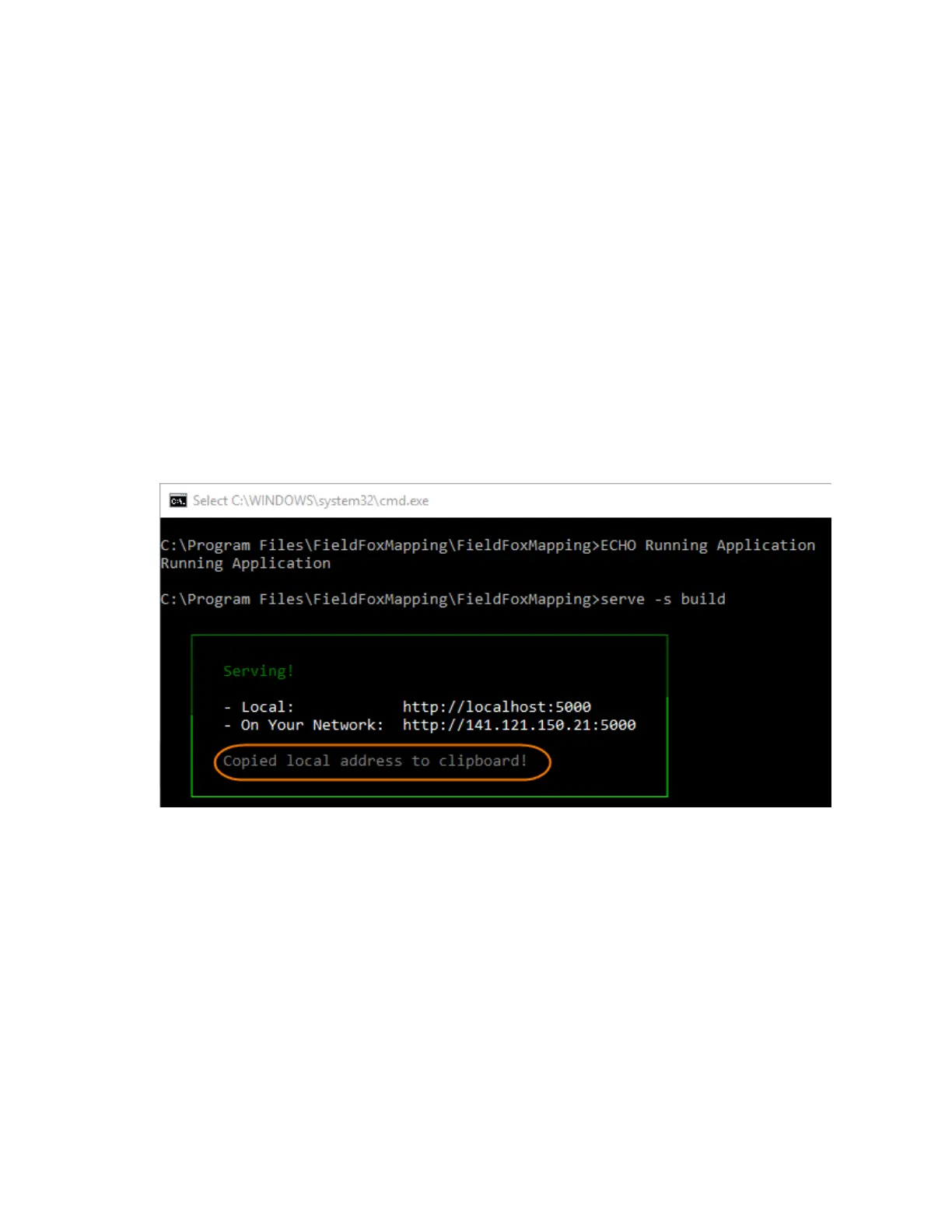
Refer to Figure 16-6 on page 480.
3. Paste and Enter the address into a HTML5 compatible browser. Refer to
Figure 16-7 (The Mapping software is not compatible with Internet
Explorer).
Figure 16-6 Command Window Opens With Address Copied to Clipboard













 To Next Page