814 Keysight N9915-90020 User’s Guide
System SettingsFUTURE
Understanding the Fan Controls
Understanding the Fan Controls
This section contains the following:
— “How to find the Fan Control Softkey Menu”
— “Fan Error Messages” on page 812
How to find the Fan Control Softkey Menu
This section discusses how to locate the fan control softkeys to monitor your
fans performance (i.e., the fan control softkeys are for informational purposes
only).
1. Press System 7
> Service Diagnostics > Advanced.
2. Then
Fan Control
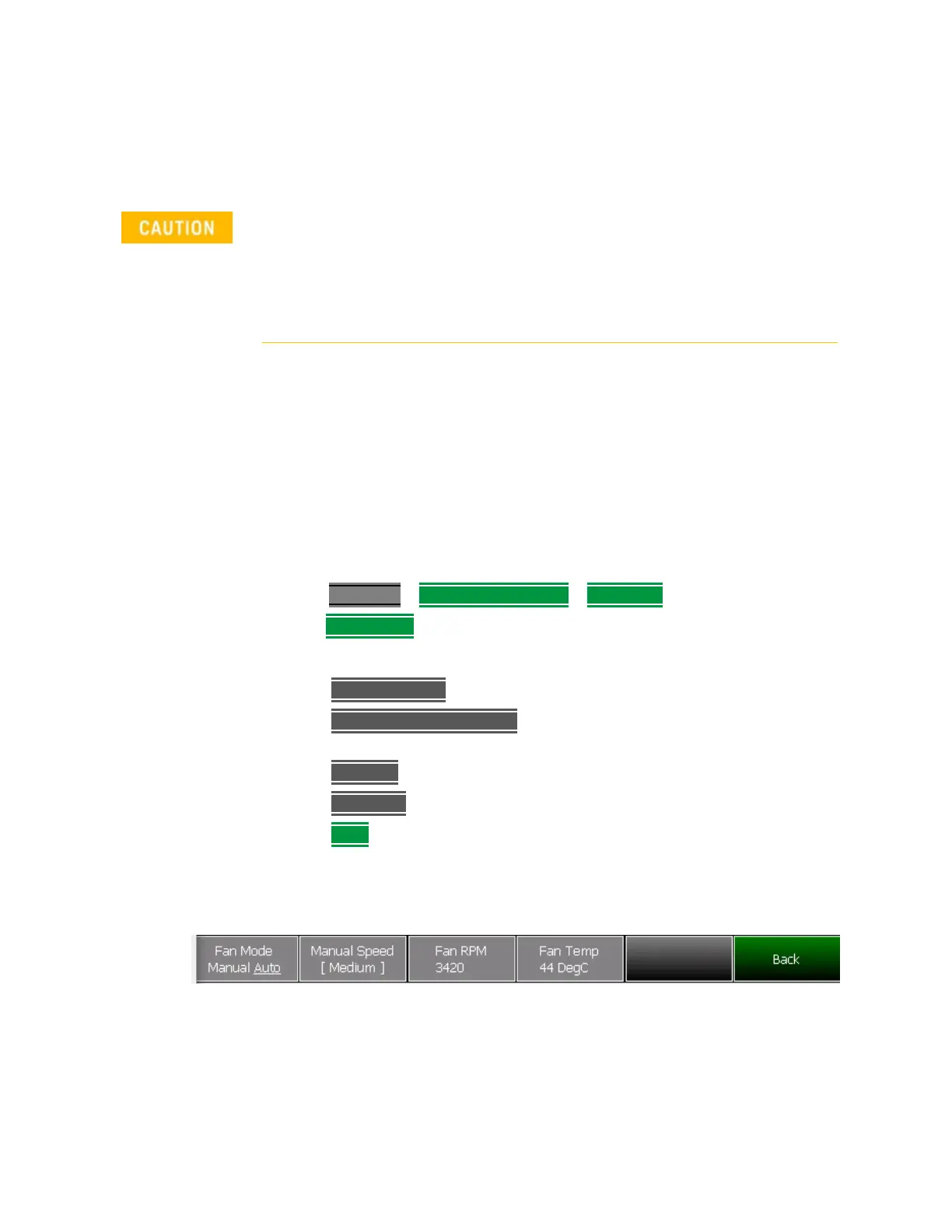
3. These softkeys are for informational purposes only:
— Fan Mode Auto – Manual is not selectable.
—
Manual Speed [Medium] – this is the default. No other speeds are
selectable.
— Fan RPM – displays the current fan RPM.
—
Fan Temp – displays the current fan air temperature.
—
Back –to exit the fan control softkey menu
Figure 31-12 Fan Control Softkeys – Informational Use Only (Not Editable)
If the FieldFox displays a “Fan Stuck” or “Error: Internal Fan has stopped
spinning”, to avoid incorrect measurements and possibly damaging your
FieldFox, shut your FieldFox down and contact Keysight. Refer to
“Contacting Keysight” on page 5.
The fan is replaceable, but not removable by non-Keysight trained
personnel.













 To Next Page