Keysight N9915-90020 User’s Guide 383
Over–the–Air Measurements (OTA) – LTE FDD Option 370, LTE TDD Option 371, 5G TF
Option 377, 5G NR / 5G NR EVM Conducted Option 378
How to Set Up Over–the–Air (OTA) Mode Settings
Optional: Using RTSA to verify the signal quality (Requires Option 350
and Preamp Option 235)
—Press Mode > RTSA
—Then Density Spectrum (Default)
—Press Freq/Dist
> Center (Default) > 751 MHz
(For this example, Center = 751 MHz.)
—Press Scale/Amptd
—Then Preamp [ON]
—Then Ref Level (Default). Then use the arrows, the rotary knob,
or numeric keypad to position the trace for optimum viewing on the
FieldFox display. Refer to
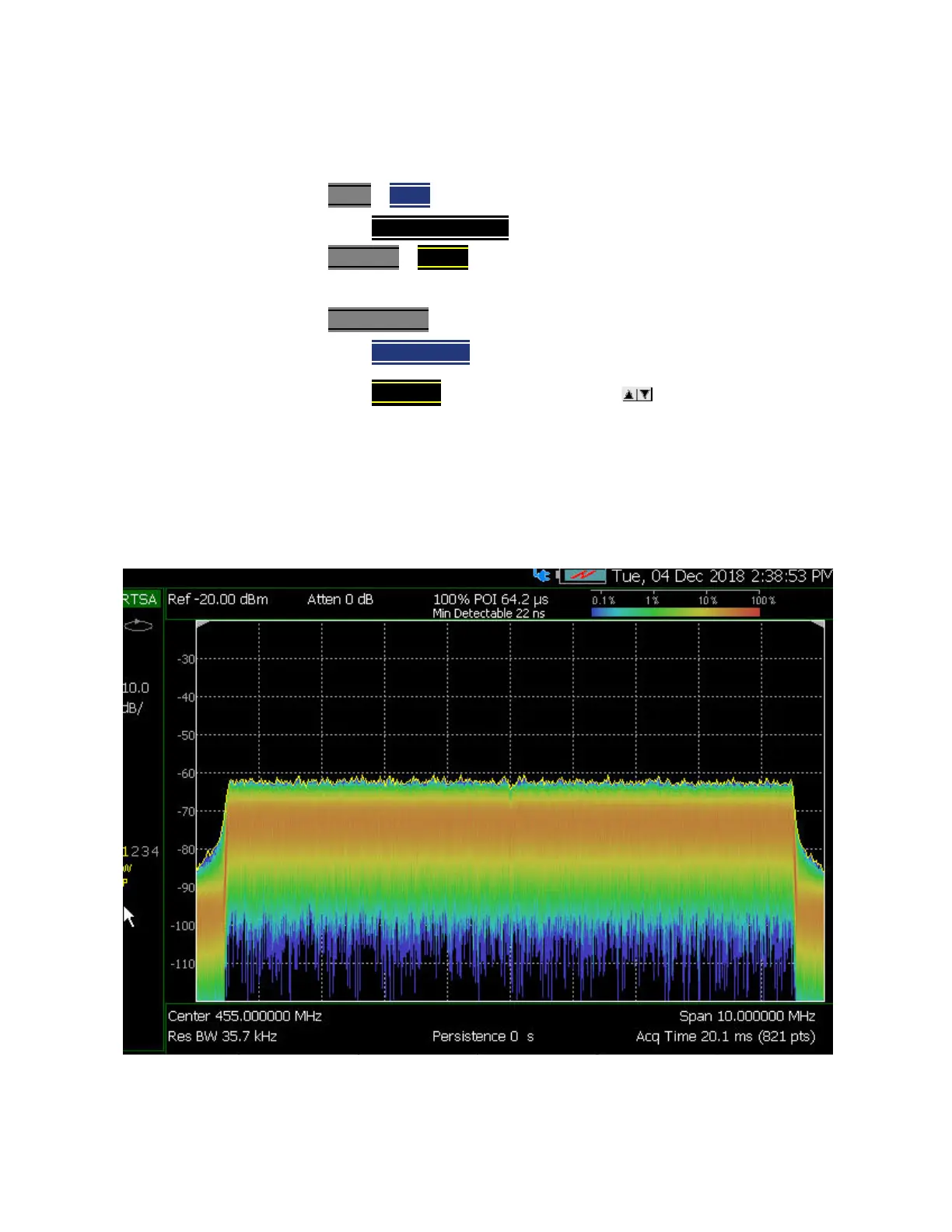
Figure 13-22 on page 383.
You should see a ~20 dB or greater LTE FDD signal–to–noise level. If not
refer to
“Troubleshooting” on page 416.
Figure 13-22 Using RTSA to verify LTE FDD 751 MHz signal quality–20 dB Signal to Noise
Displayed (Requires Option 350 and Preamp Option 235)













 To Next Page