170 Keysight N9915-90020 User’s Guide
SA (Spectrum Analyzer) Mode (Option 233–Mixed Analyzers)FUTURE
SA Mode Settings
Tune & Listen (AM/FM)
The Tune & Listen feature can be used to identify an interfering AM or FM
signal.
The demodulated AM or FM signal can be heard through the internal speaker
or through headphones using the 3.5 mm jack located on the FieldFox side
panel.
The Tune & Listen tuner is separate from the SA display. This allows you to
listen to one frequency while displaying a different range of frequencies. The
Tune & Listen measurement alternates between normal SA sweeps for the
display and performing audio demodulation at the Tune Frequency. See the
Listen Time setting for more information.
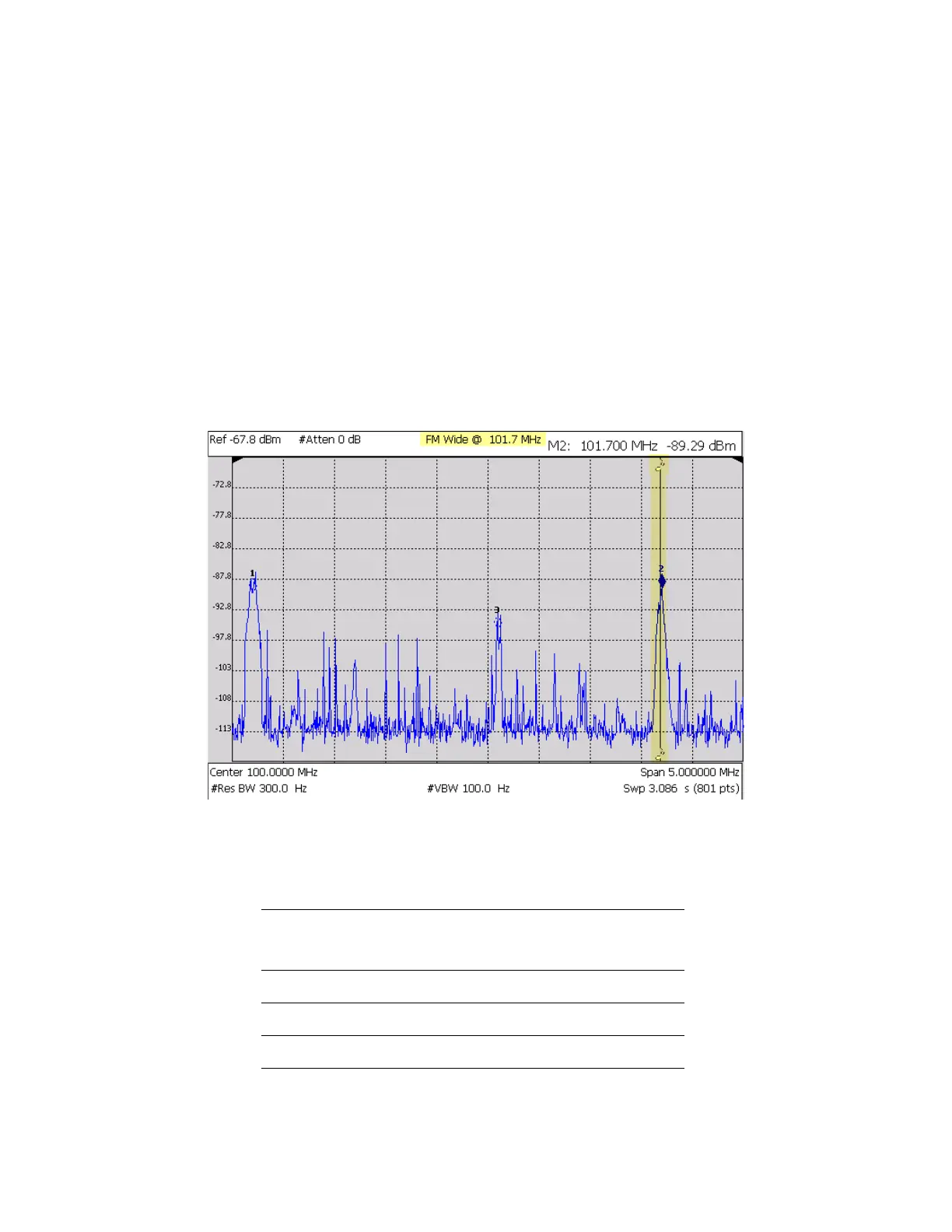
Figure 9-5 Tune & Listen ON
In the graphic above, Tune & Listen ON with Tune Frequency is indicated by a
vertical bar (highlighted).
This section contains the following:
“How to select Tune & Listen” on page 171
– “TnL AM SSB Gain” on page 171
“Tune Frequency” on page 172
“Listen Time” on page 172
“To select Listen Time:” on page 173
“Volume Control” on page 173













 To Next Page